Batch — Node settings
This article refers to Platform v3.4.0. The current Platform version is v3.4.0.
Overview
Network Settings is one of the three top-level categories of the Configure Batch wizard, and it bundles the commands that change network configuration on many nodes at once.
Selecting it in Step 1 — Action expands into five entries: Ethernet, WLAN, Mobile, Standalone, and Proxy. Standalone expands into a further level, Enable and Disable. See Batch operations for a screenshot of the expanded menu.
Enable Rollback, shown at the bottom of Parameters for the interface commands, protects the node from losing connectivity. When enabled, a node that loses communication with Barbara Panel after applying the new configuration automatically reverts to the previous one. Keep it on for any bulk network change.
Network interface commands
1. Ethernet
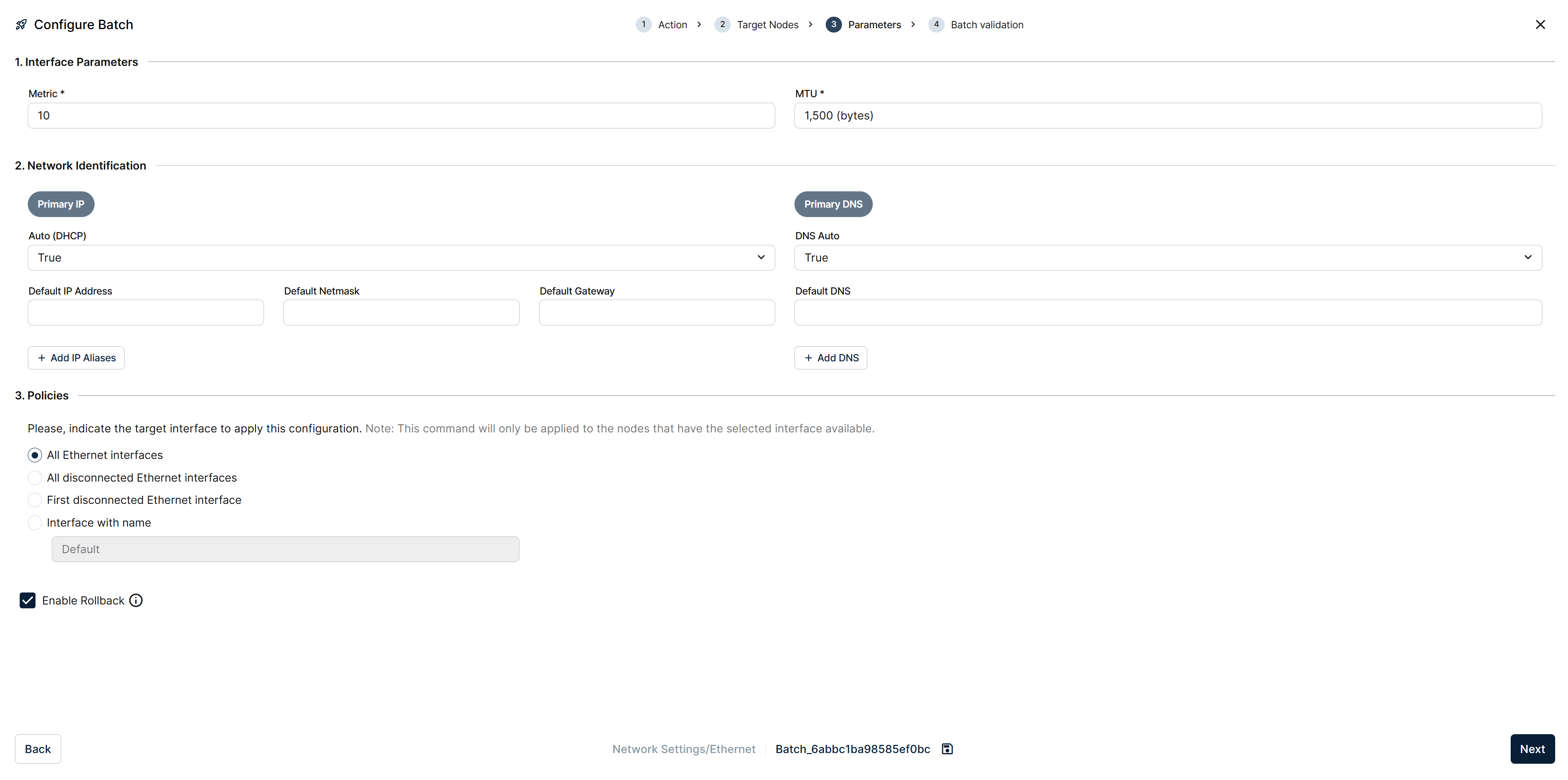
Parameters step of an Ethernet batch
Updates the selected Ethernet interfaces. Parameters covers three sections: Interface Parameters (Metric, MTU), Network Identification (Primary IP with a DHCP/static toggle plus IP aliases, and Primary DNS with its own additions), and Policies, where you pick which interfaces the batch targets:
- All Ethernet interfaces on every selected node.
- All disconnected Ethernet interfaces on every selected node.
- First disconnected Ethernet interface on every selected node.
- Interface with name, typed explicitly (
eth0, etc.).
The command only applies to nodes that have the selected interface available.
2. WLAN
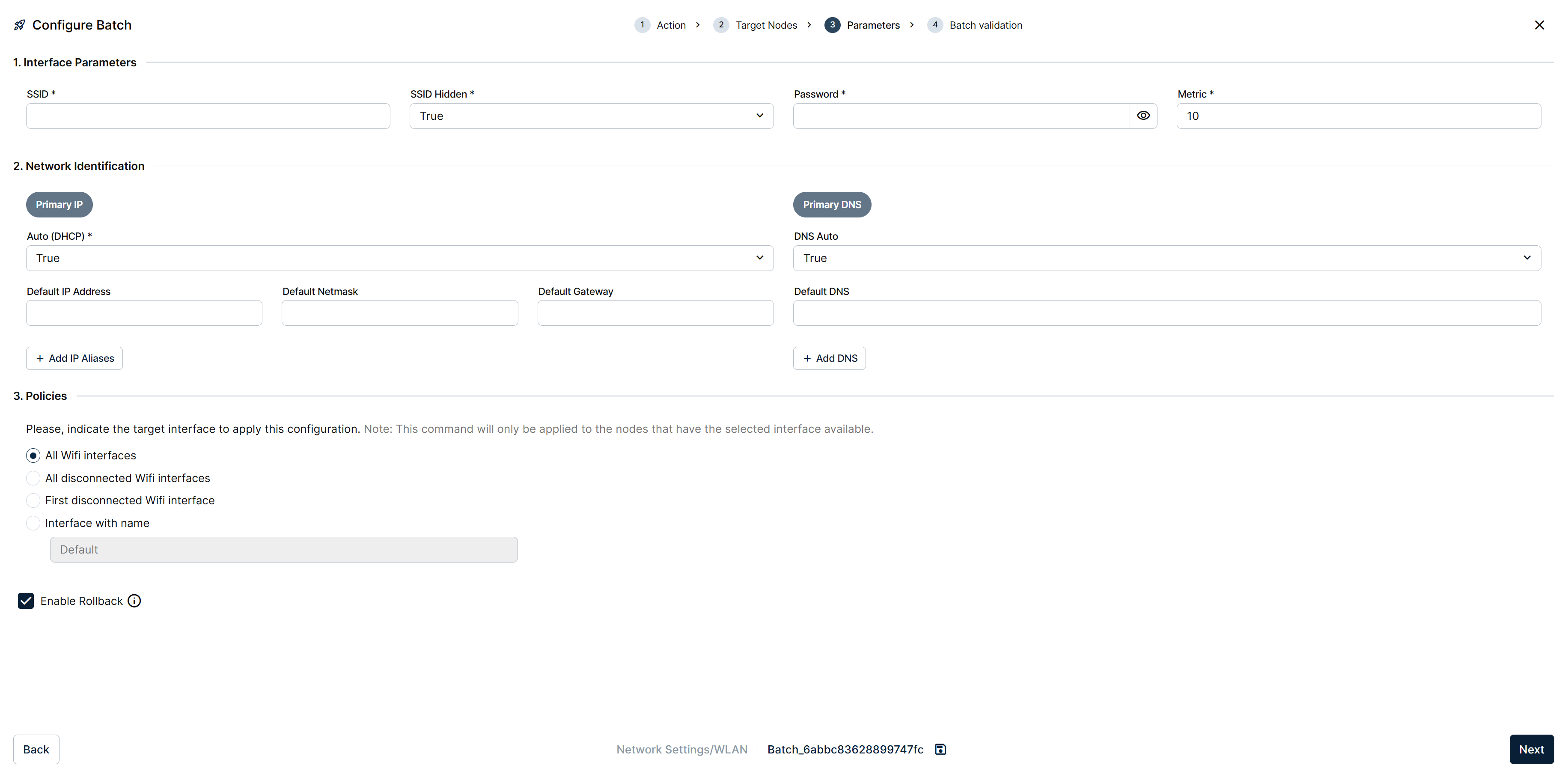
Parameters step of a WLAN batch
Updates the selected WiFi interfaces. Parameters mirrors Ethernet's layout: Interface Parameters (SSID, SSID Hidden, Password, Metric), Network Identification (Primary IP with a DHCP/static toggle plus IP aliases, and Primary DNS with its own additions), and Policies, where you pick which interfaces the batch targets:
- All Wifi interfaces on every selected node.
- All disconnected Wifi interfaces on every selected node.
- First disconnected Wifi interface on every selected node.
- Interface with name, typed explicitly.
The command only applies to nodes that have the selected interface available.
3. Mobile
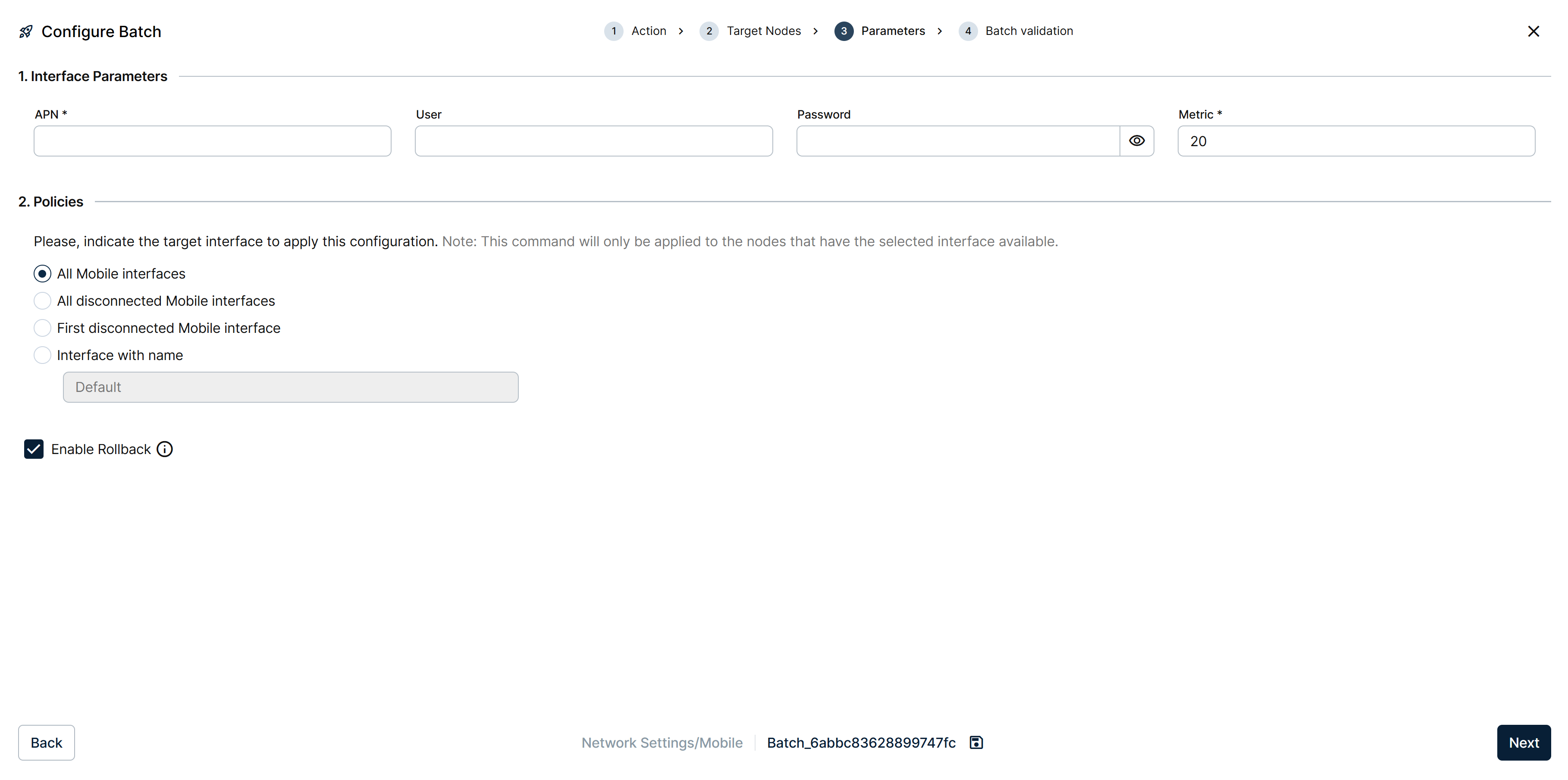
Parameters step of a Mobile batch
Updates the selected mobile interfaces. Parameters is simpler than Ethernet's or WLAN's: just Interface Parameters (APN, User, Password, Metric), with no separate Network Identification section, and the same Policies target-interface choice:
- All Mobile interfaces on every selected node.
- All disconnected Mobile interfaces on every selected node.
- First disconnected Mobile interface on every selected node.
- Interface with name, typed explicitly.
The command only applies to nodes that have the selected interface available.
Node-wide commands
4. Standalone
Toggles Standalone Mode on every selected node, through two further actions:
- Enable — switches the node into Standalone Mode so the local UI takes over network configuration. Remote configuration from Barbara Panel is disabled until Standalone Mode is turned off again.
- Disable — turns Standalone Mode off, returning the node to managed operation under Panel.
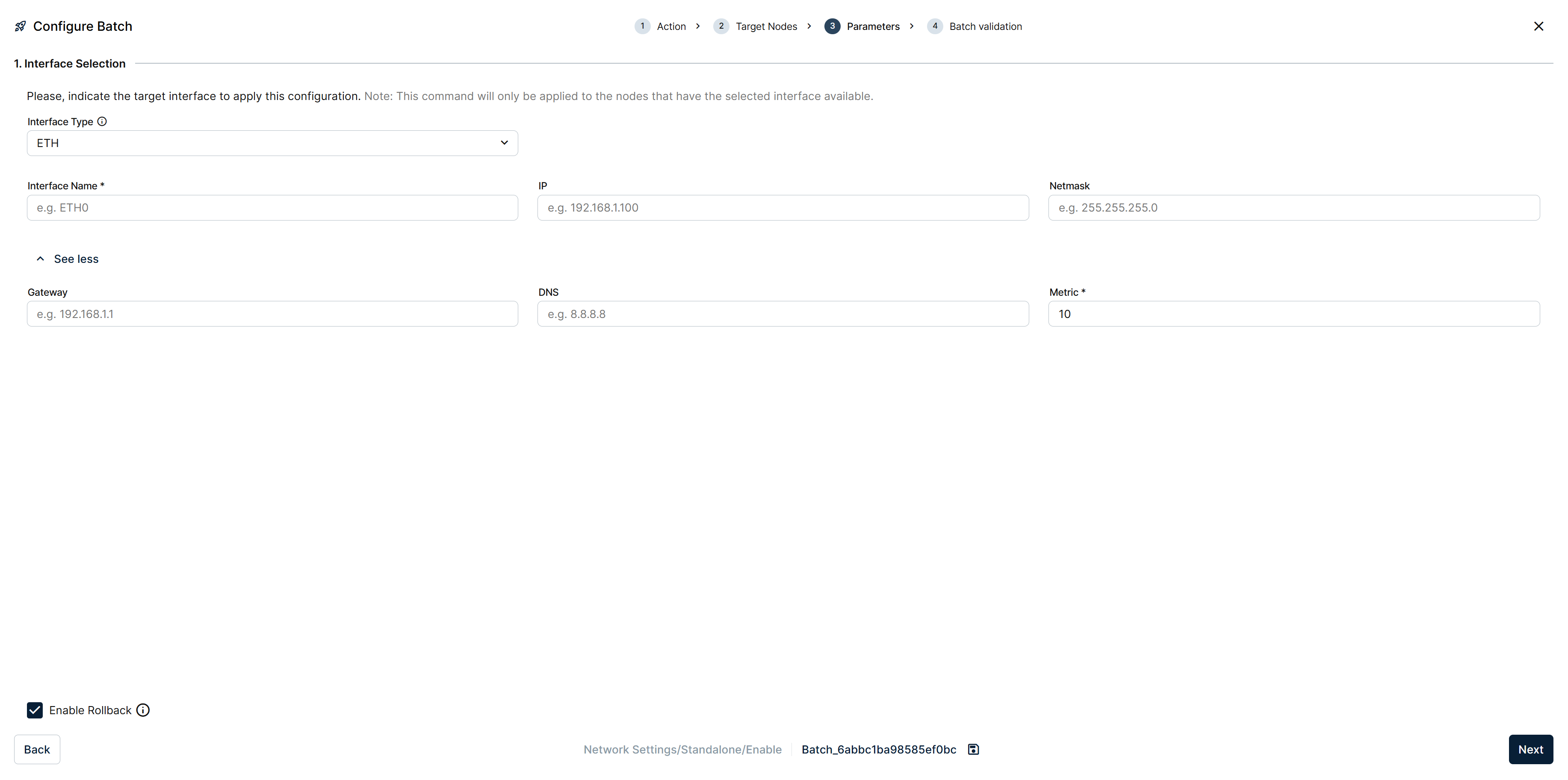
Parameters step of a Standalone Enable batch
Enable's Parameters step is an Interface Selection: pick the Interface Type (ETH or otherwise), an Interface Name (for example ETH0), and, behind See less, its IP, Netmask, Gateway, DNS, and Metric — the interface Standalone Mode will serve its local UI on. Enable Rollback is available here too.
Disable needs no parameters: its Parameters step states the command requires no additional input, leaving only Enable Rollback.
Update Global Config is not a Network Settings command. It now lives under Batch — Workloads, alongside the other workload configuration commands.
5. Proxy
Configures the Proxy on every selected node, through the same Enable/Disable pair seen in Standalone.
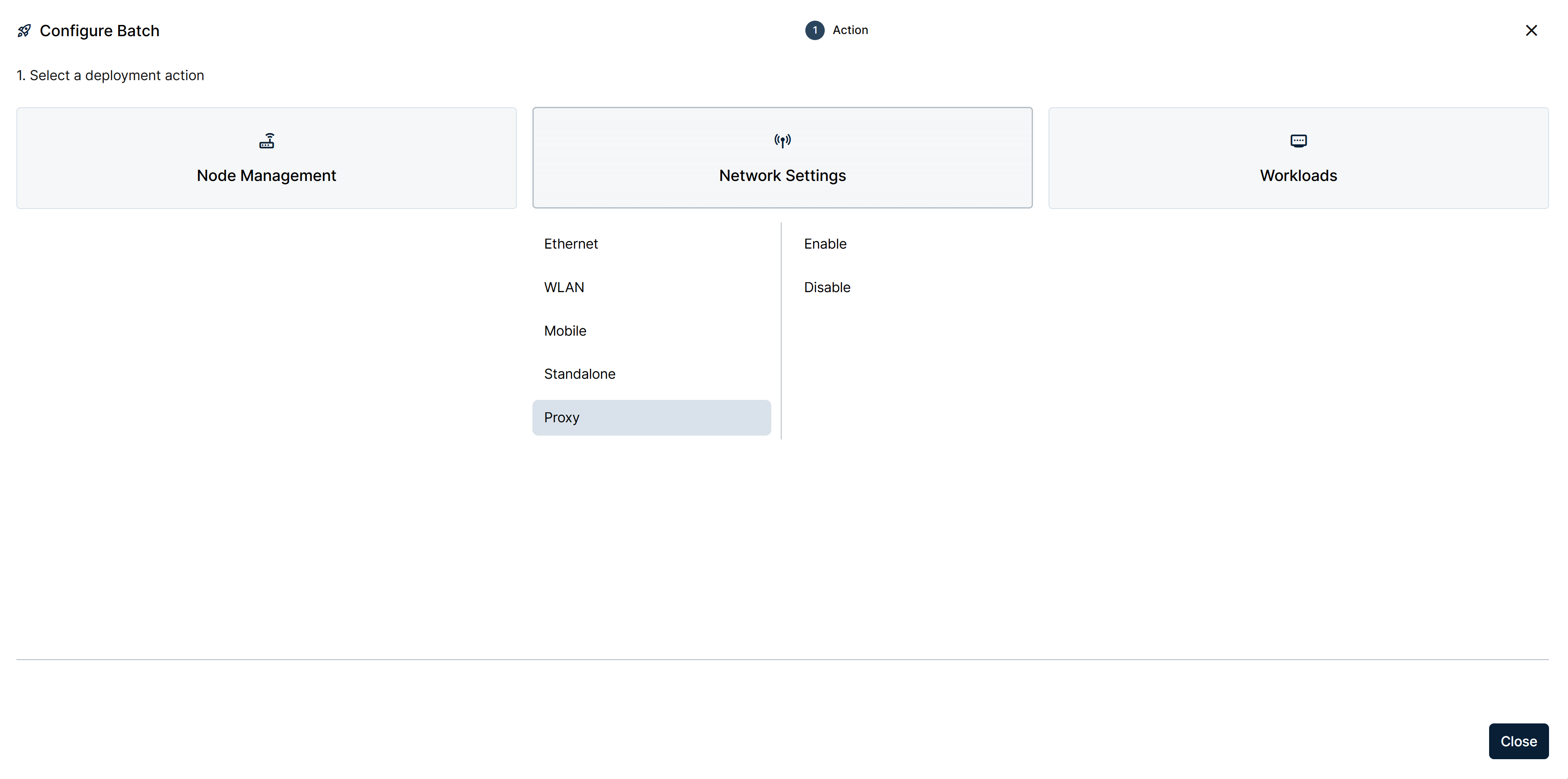
Action step with Proxy expanded into Enable and Disable
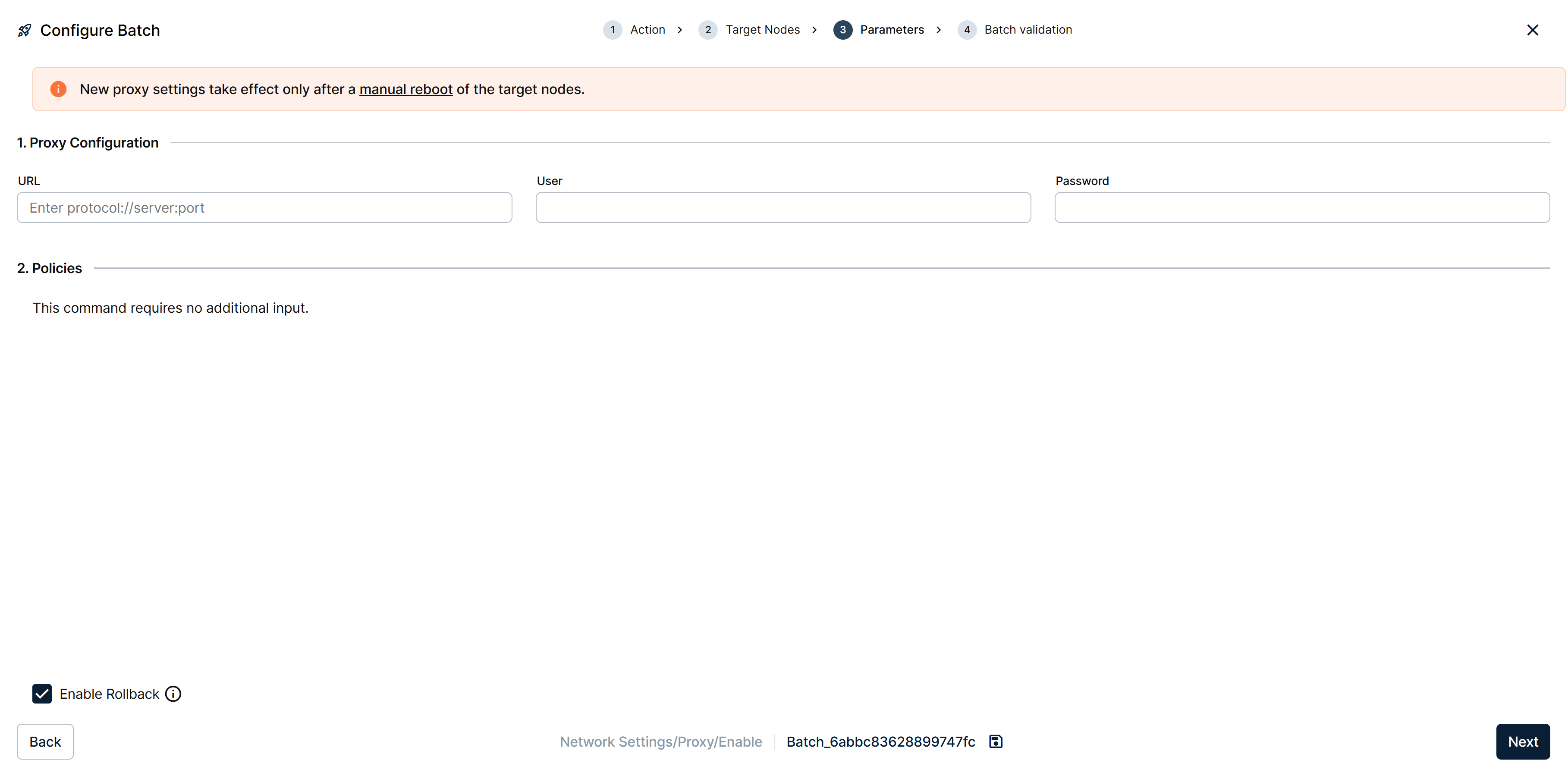
Parameters step of a Proxy Enable batch
Enable's Parameters step is a Proxy Configuration: URL (protocol://server:port), User, and Password. Disable needs no parameters, the same as Standalone's. Both carry Enable Rollback.
New proxy settings take effect only after a manual reboot of the target nodes.
Summary
The Network Settings batch category lets you push network configuration to many nodes consistently. Keep Enable Rollback on for bulk changes — losing connectivity to a fleet at once is much more painful than to a single node.