Workloads list
This article refers to Platform v3.4.0. The current Platform version is v3.4.0.
Overview
The Workloads view in Barbara Panel lists every workload deployed across your fleet of edge nodes — Marketplace apps, Docker apps, and Models — and lets you start, stop, and inspect any of them without leaving the page.
Five model frameworks are currently supported:
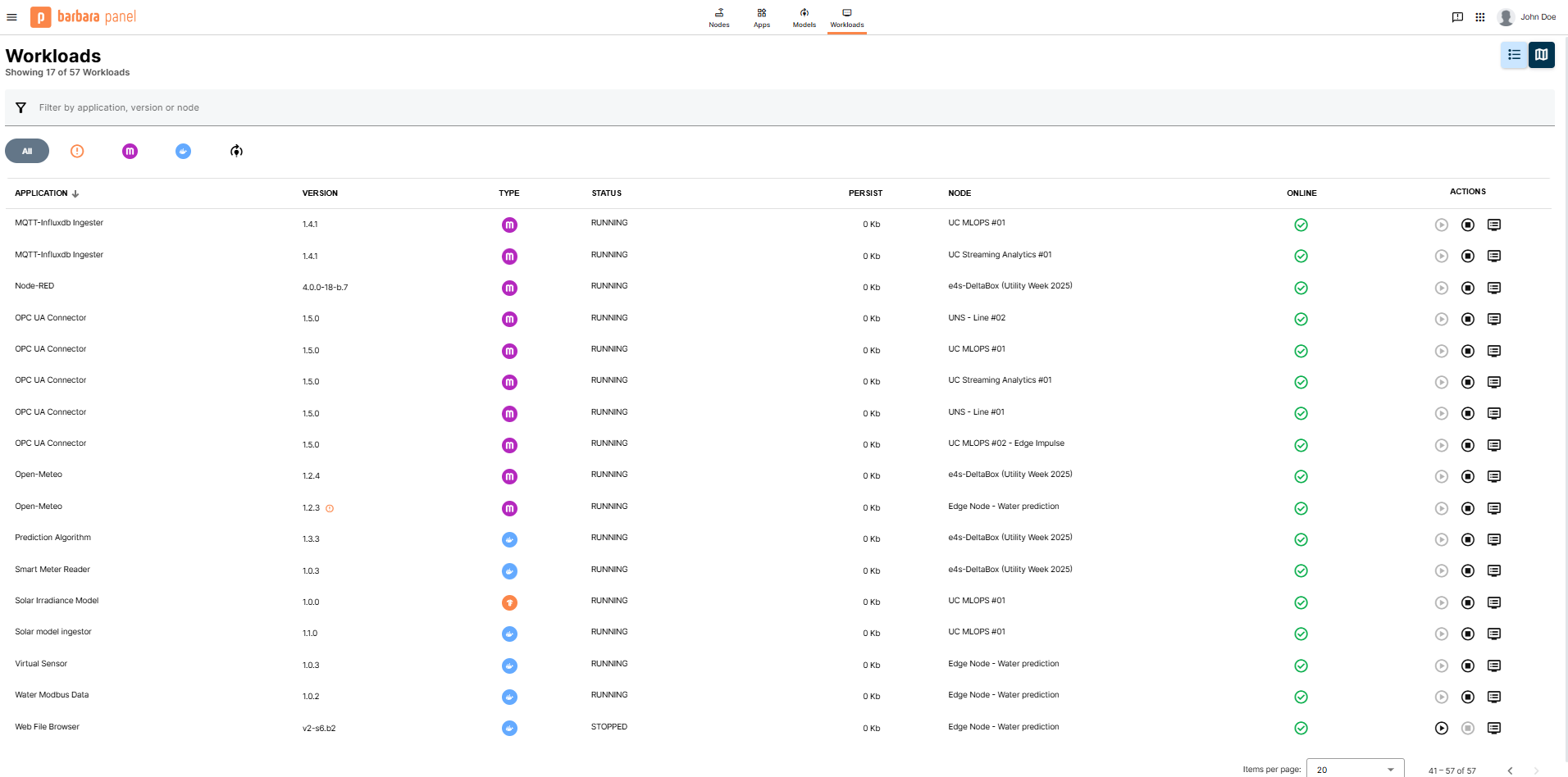
Workloads UI
Workloads view
- Summary — total workload count, updated dynamically as you filter.
- List / Map toggle — switch between a tabular layout and a geographic map for workloads whose host node has GPS coordinates.
- Search bar — filter by application name, version, or node.
- Filter tabs — narrow the list to All, workloads with an update available (the warning icon), Marketplace, Docker, or Models.
- Workloads list — each row shows Application, Version, Type, Status, Persist, Node, Online, and the Actions column.
An icon next to a workload indicates a newer version is available in the Library — that workload can be updated.
Start and stop a workload
In the Actions column of a row, click Start or Stop, confirm in the popup, and the change is dispatched to the host node.
Inspect logs
Click the log icon in the Actions column to open the live log viewer for that workload.
Summary
The Workloads view is the cross-node operational lens for everything deployed in your fleet. Use it to spot out-of-date workloads, start or stop a workload without navigating to its host node, and pull logs on demand.