Domains and ports
This article refers to Platform v3.0.0. The current Platform version is v3.4.0.
Overview
Every Barbara edge node needs outbound reachability to a set of Barbara-hosted domains to register against Panel, send telemetry, receive commands, and pull images. This article lists those domains and ports, calls out which ones are optional, and points to the Barbara Network Tester app that automates the check from a Windows machine.
Essential domains
The following domains must be reachable from every edge node. Coordinate with your IT team to whitelist them in any firewall sitting in front of the node.
| Domain | Port | Type | Protocol | Notes |
|---|---|---|---|---|
prod.bmq.barbaraiot.com | 7883 | TCP | MQTTS | |
prod.bmq.barbaraiot.com | 9883 | TCP | MQTTS | |
prod.bmq.barbaraiot.com | 80 | TCP | HTTP | Health check (not encrypted) |
prod.vpn.barbaralabs.com | 51822 | UDP | WireGuard | Not mandatory in production |
prod.ota.barbaraiot.com | 443 | TCP | HTTPS | File download |
prod.images.barbara.tech | 443 | TCP | HTTPS | File download |
prod.images.barbaraiot.com | 443 | TCP | HTTPS | File download |
de.icr.io | 443 | TCP | HTTPS | Docker registry |
bdr.barbara.tech | 443 | TCP | HTTPS | Docker registry |
0.pool.ntp.org | 123 | UDP | NTP | First boot only |
1.pool.ntp.org | 123 | UDP | NTP | First boot only |
2.pool.ntp.org | 123 | UDP | NTP | First boot only |
3.pool.ntp.org | 123 | UDP | NTP | First boot only |
time1.google.com | 123 | UDP | NTP | First boot only |
time2.google.com | 123 | UDP | NTP | First boot only |
time3.google.com | 123 | UDP | NTP | First boot only |
time4.google.com | 123 | UDP | NTP | First boot only |
The node only needs one NTP server to be reachable to set its clock. Several entries in the table above can be unreachable without breaking the node — they are alternates.
Optional domains
Open these only if you intend to pull images from public Docker Hub. If your apps are sourced exclusively from private registries, you can leave them blocked.
| Domain | Port | Type | Protocol | Notes |
|---|---|---|---|---|
auth.docker.io | 443 | TCP | HTTPS | Docker Hub auth |
registry.docker.io | 443 | TCP | HTTPS | Docker Hub registry |
registry-1.docker.io | 443 | TCP | HTTPS | Docker Hub registry |
index.docker.io | 443 | TCP | HTTPS | Docker Hub index |
*.cloudfront.net | 443 | TCP | HTTPS | Docker Hub CDN |
production.cloudflare.docker.com | 443 | TCP | HTTPS | Docker Hub CDN |
Barbara Network Tester
Barbara ships a small Windows application that checks every mandatory domain and port from your laptop, so you can confirm connectivity from the same network the edge node will sit on.
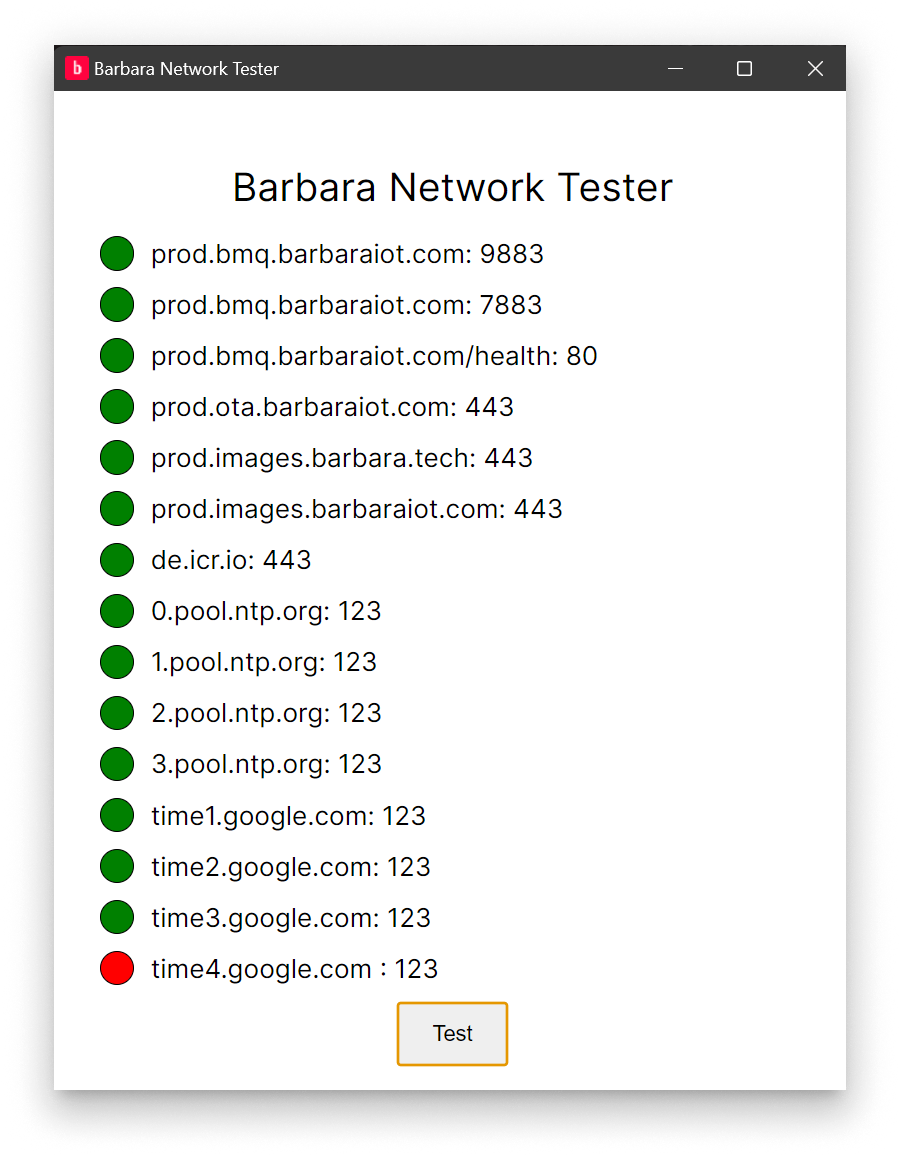
Barbara Network Tester
Download
Three flavours are available:
- Windows Standard
- Windows Portable
- Docker image
Usage
Install (or unzip) the application and click Test. Each domain/port pair turns:
- Green — reachable.
- Red — unreachable.
Troubleshooting
- Temporary outages — wait a few minutes and run the test again before assuming the firewall is blocking traffic.
- Firewall restrictions — coordinate with your IT team to confirm the entry is whitelisted in every layer (corporate firewall, ISP, local OS firewall).
Summary
Whitelist the essential domains on every edge-node network, add the optional Docker Hub set only if you actually pull from Docker Hub, and use the Barbara Network Tester to validate the network from a Windows machine before claiming the node "cannot reach Panel".