Batch — Node management
This article refers to Platform v3.4.0. The current Platform version is v3.4.0.
Overview
Node Management is one of the three top-level categories of the Configure Batch wizard, and it groups the lifecycle commands you can apply to many nodes at once — activate them, deactivate them, reboot them, delete them, wipe their workloads, or update Barbara Core.
Selecting it in Step 1 — Action expands into: Activate, Deactivate, Delete, Reboot, then, below separators, Delete all workloads and Barbara Core. See Batch operations for a screenshot of the expanded menu.
Commands
1. Activate
Moves every selected node into the Activated state. Nodes that are already activated are left untouched.
2. Deactivate
Stops the operation of every selected node without deleting its data or configuration. The node stays in the Nodes list and can be reactivated later.
3. Delete
Removes every selected node from the system. Use it to clean up the Nodes list when you decommission devices.
4. Reboot
Restarts every selected node. Useful when you need to apply pending updates or recover nodes from a transient issue.
5. Delete all workloads
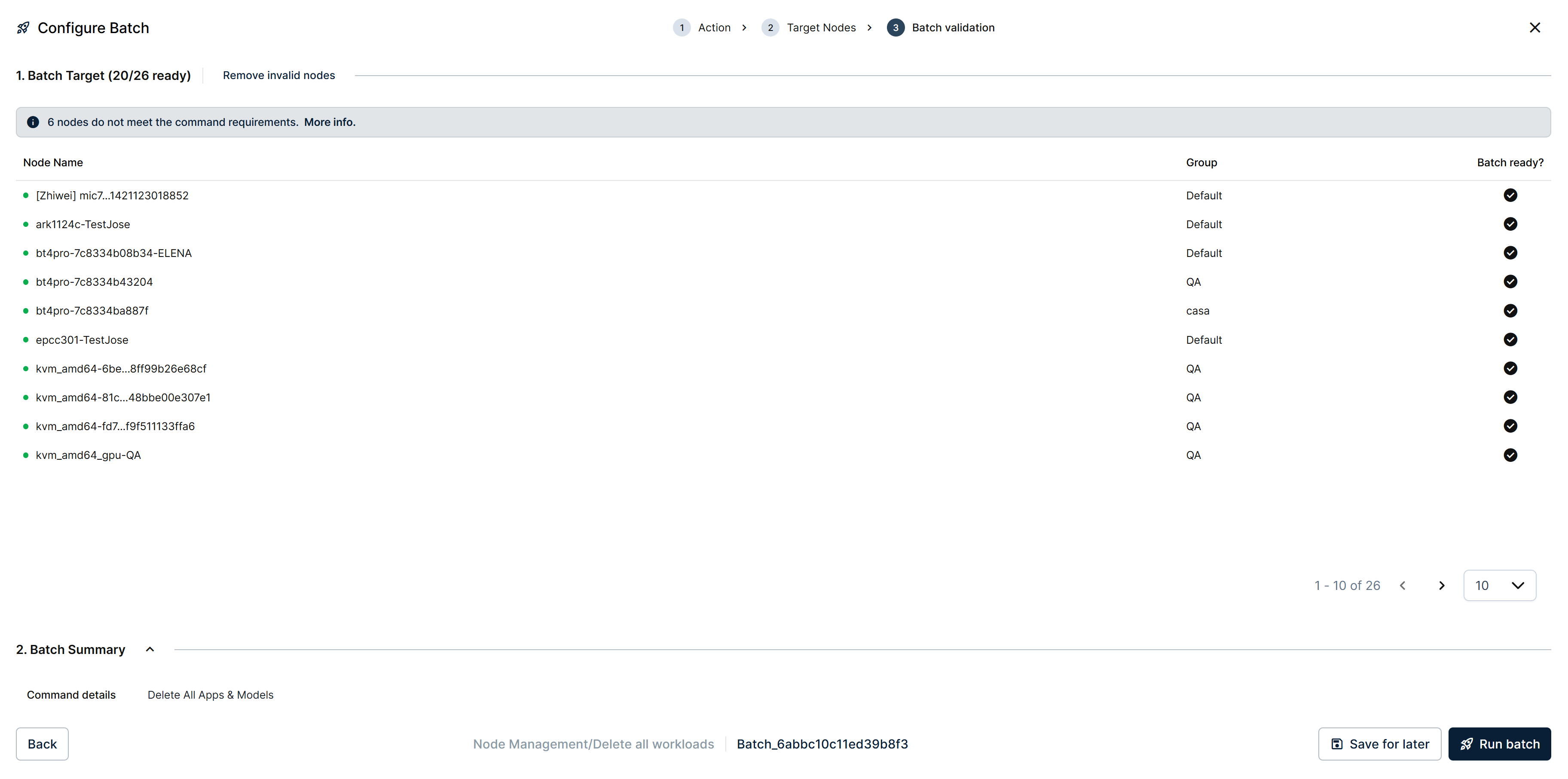
Batch validation step of a Delete all workloads batch
Wipes every workload (Docker apps, Marketplace apps, and AI models) from every selected node. Use it when you want to repurpose a fleet of nodes for a new deployment.
The command needs no parameters, so the wizard skips straight from Target Nodes to Batch validation. Internally it is still labeled Delete All Apps & Models, the name shown under Command details in the Batch Summary, even though the wizard's own breadcrumb and Action menu call it Delete all workloads.
6. Barbara Core
Rolls out a Barbara Core update to every selected node, immediately or on a schedule. This command has grown enough to warrant its own article: see Batch — Barbara Core updates.
Summary
The Node Management batch category covers the lifecycle commands you might otherwise repeat node-by-node from the Manage Node side menu — apply them in bulk from here when the change must reach many nodes consistently.