Batch — Marketplace apps
This article refers to Platform v3.1.0. The current Platform version is v3.3.0.
Overview
The Marketplace apps category of the Configure Batch wizard lets you operate Marketplace applications across many nodes at once. The four available commands are Install, Delete, Run, and Stop.
Only Marketplace applications already present in your App Library can be installed via batch. If the app is missing, add it from the Marketplace first.
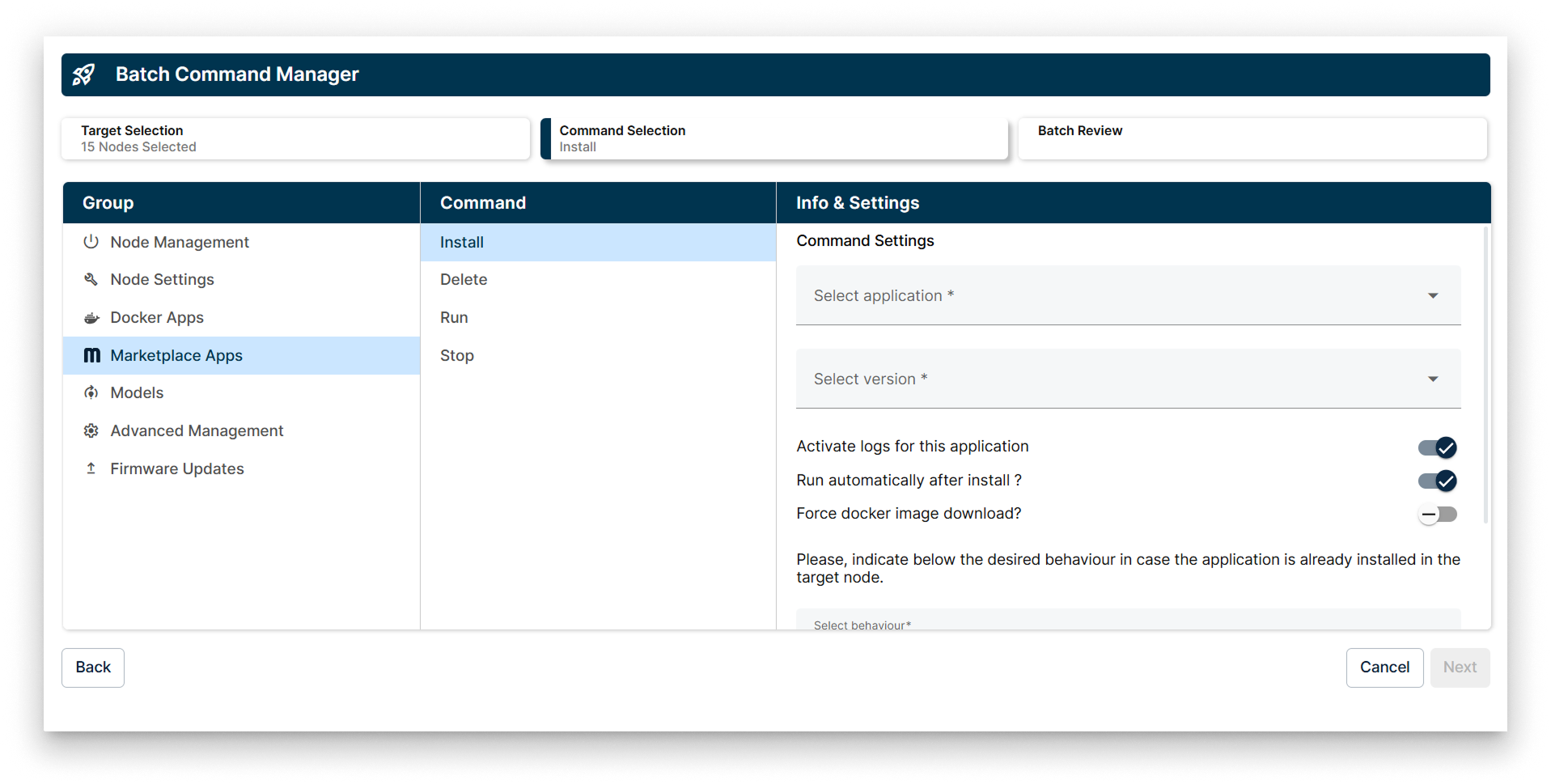
Marketplace apps options in the batch wizard
Commands
1. Install
Deploy a Marketplace application to every selected node. The form asks you to pick the application and version, and exposes three advanced toggles:
- Activate logs — start capturing logs immediately after install.
- Run automatically after install — start the workload right after installation.
- Force Docker image download — pull the image again even if it is already cached on the node.
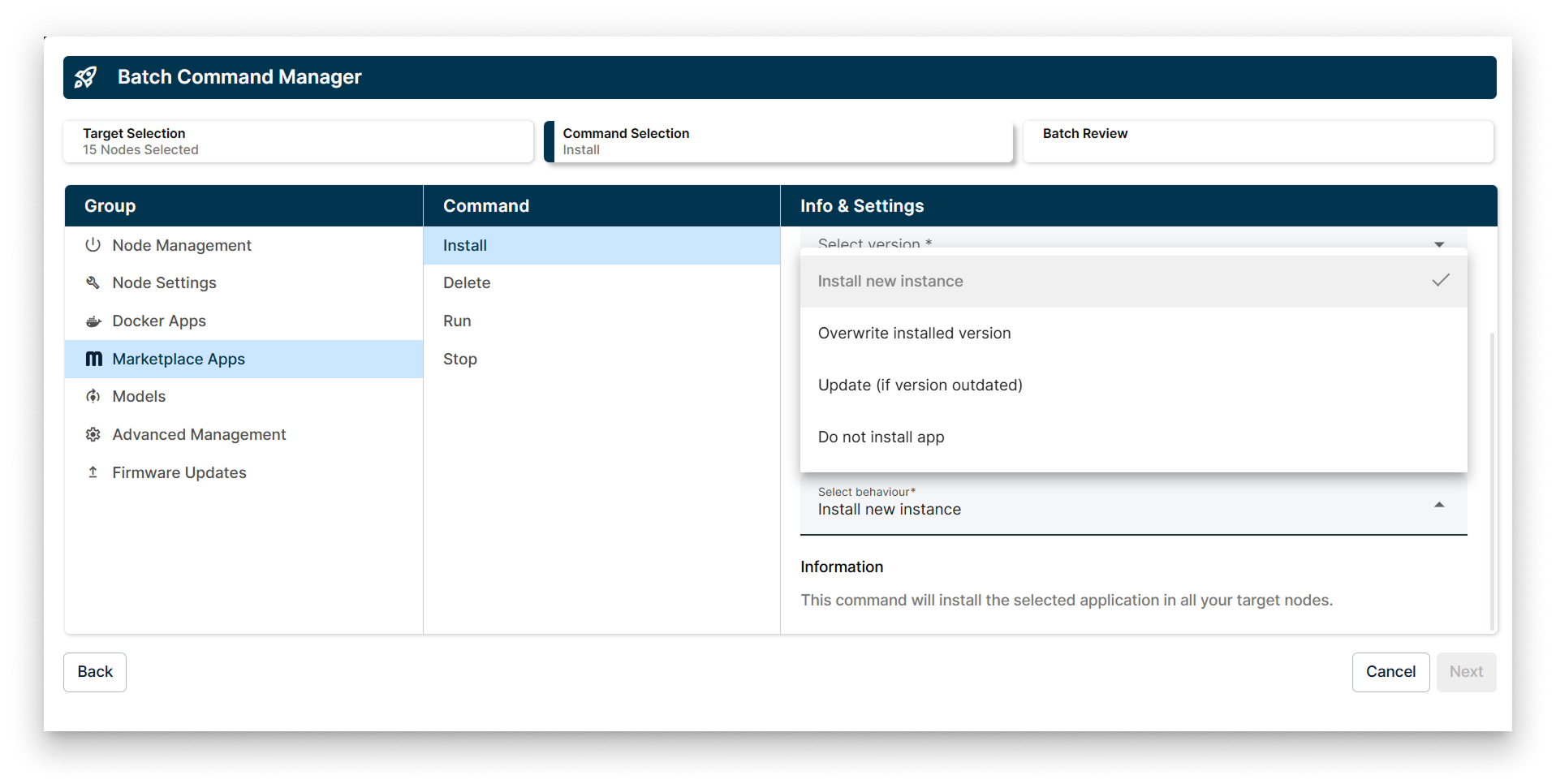
Install policy for Marketplace apps
If the application is already installed on a target node, pick the desired behaviour:
- Install a new instance of the application.
- Overwrite the already installed application.
- Update — overwrite only if the installed version is outdated.
- Do not install the application.
2. Delete
Remove the selected Marketplace application from every target node.
If a node has more than one instance of the application, the Delete command is applied to every instance in parallel.
3. Run
Start the selected Marketplace application on every target node where it is installed but stopped.
If a node has more than one instance of the application, the Run command is applied to every instance in parallel.
4. Stop
Stop the running instances of the selected Marketplace application on every target node.
If a node has more than one instance of the application, the Stop command is applied to every instance in parallel.
Summary
The Marketplace apps batch category is the parallel deployment lever for the apps you have added from Barbara Marketplace — install, update, run, or stop them across many nodes without leaving Panel.