Batch — Advanced management
This article refers to Platform v3.1.0. The current Platform version is v3.3.0.
Overview
The Advanced management category of the Configure Batch wizard bundles the bulk operations for the sensitive material every node needs to function: Docker credentials for private image registries, and Global Secrets for the workloads running on the node. Both commands support manual entry and bulk file upload, and both are upsert: an existing key is updated, a new one is created.
Commands
1. Add Credentials
Adds (or updates) Docker registry credentials on every target node. Each credential is a triple of Repository, User Name, Password.
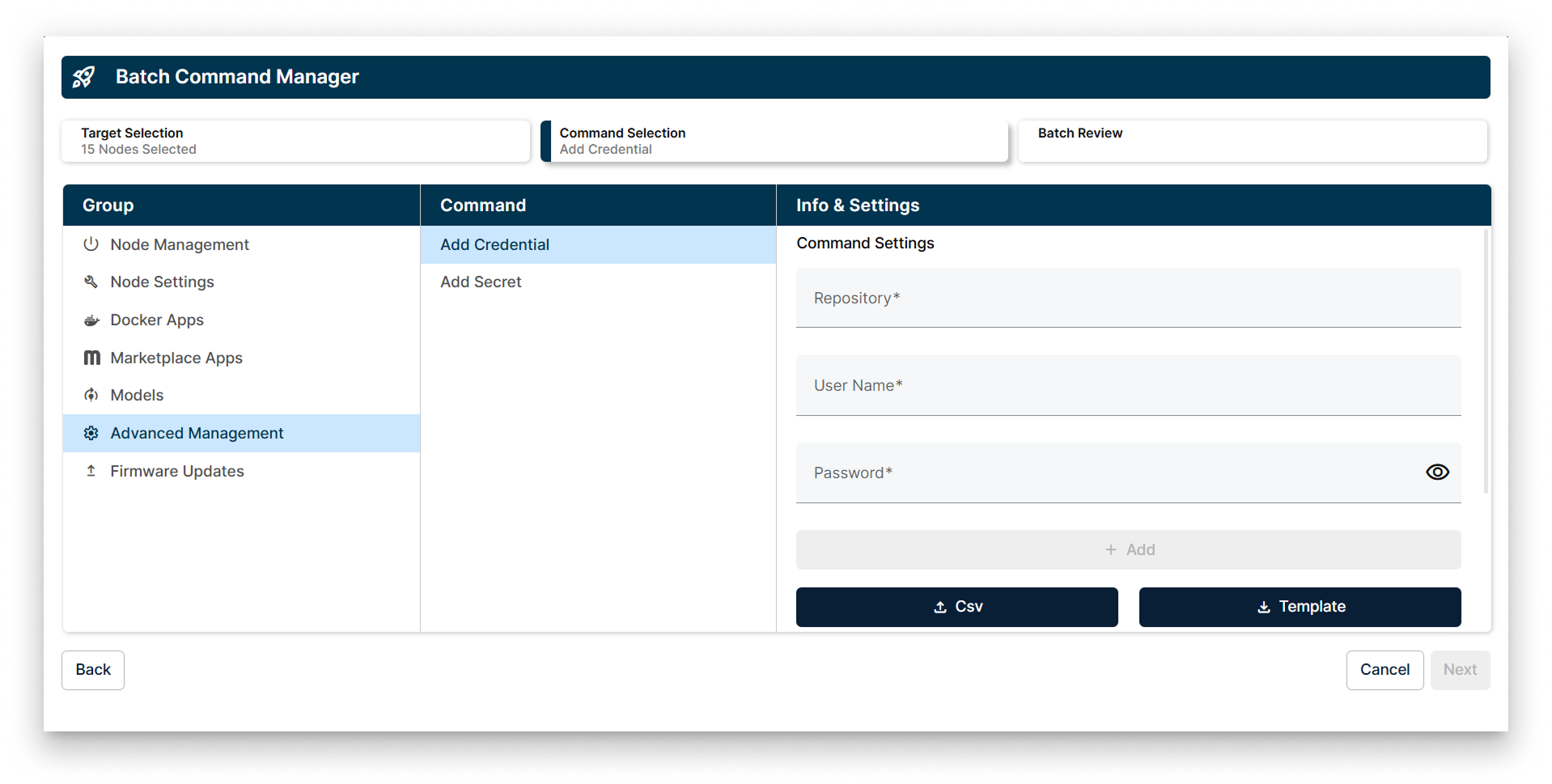
Add Credentials batch wizard
Two ways to supply credentials:
- Fill in the Repository, User Name, Password form to add them one by one.
- Upload a CSV file with multiple credentials. Use the Download CSV template action to get the correct layout.
If a credential with the same key (repository) already exists on the target node, the wizard updates it. Otherwise, it is added as a new credential.
For the dedicated reference of the Docker Credentials card on a single node, read Repository credentials.
2. Add a Secret
Adds (or updates) Global Secrets on every target node. Each secret is a Name / Value pair.
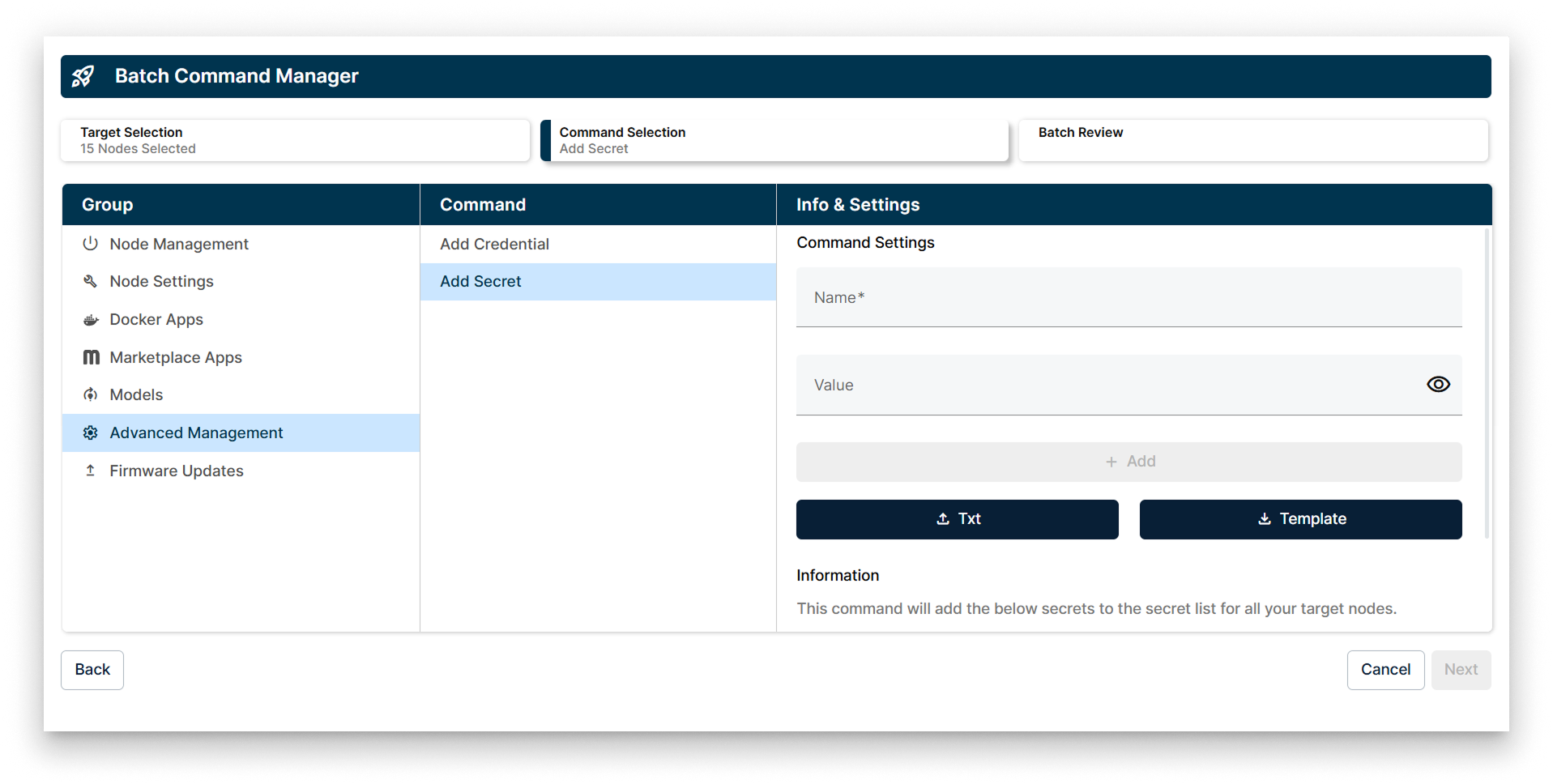
Add Secret batch wizard
Two ways to supply secrets:
- Fill in the Name and Value form to add them one by one.
- Upload a TXT file with one
KEY=valueper line. Use the Download TXT template action to get the correct layout.
If a secret with the same name already exists on the target node, the wizard updates its value. Otherwise, it is added as a new secret.
For the dedicated reference of the Secrets card on a single node, read Secrets.
Summary
Use the Advanced management batch category to roll out the credentials and secrets a fleet of nodes needs in one go — by hand for a couple of values, or via the CSV / TXT bulk upload when you have many. Both commands upsert, so the same wizard works for both initial provisioning and ongoing rotation.