KVM
This article refers to Platform v2.9.0. The current Platform version is v3.4.0.
Overview
This guide walks you through deploying Barbara OS on a Linux KVM virtual machine, using libvirt and virt-install to manage the lifecycle of the VM and OVMF to provide a UEFI firmware (Secure Boot disabled).
The procedure has four phases: install the prerequisites on the host, download the Barbara OS image from Panel, prepare the disk and firmware files, and create the VM with virt-install.
Pre-requisites
virt-installinstalled on the host — see the Ubuntu UEFI virt-install guide.libvirtservice installed and running — see the Ubuntu KVM hypervisor guide.- A working OVMF installation (
/usr/share/OVMF/OVMF_CODE.secboot.fdand/usr/share/OVMF/OVMF_VARS_4M.fd). On Debian/Ubuntu, install theovmfpackage. - The Barbara OS image for KVM, downloaded as a
.zipfrom Barbara Panel.
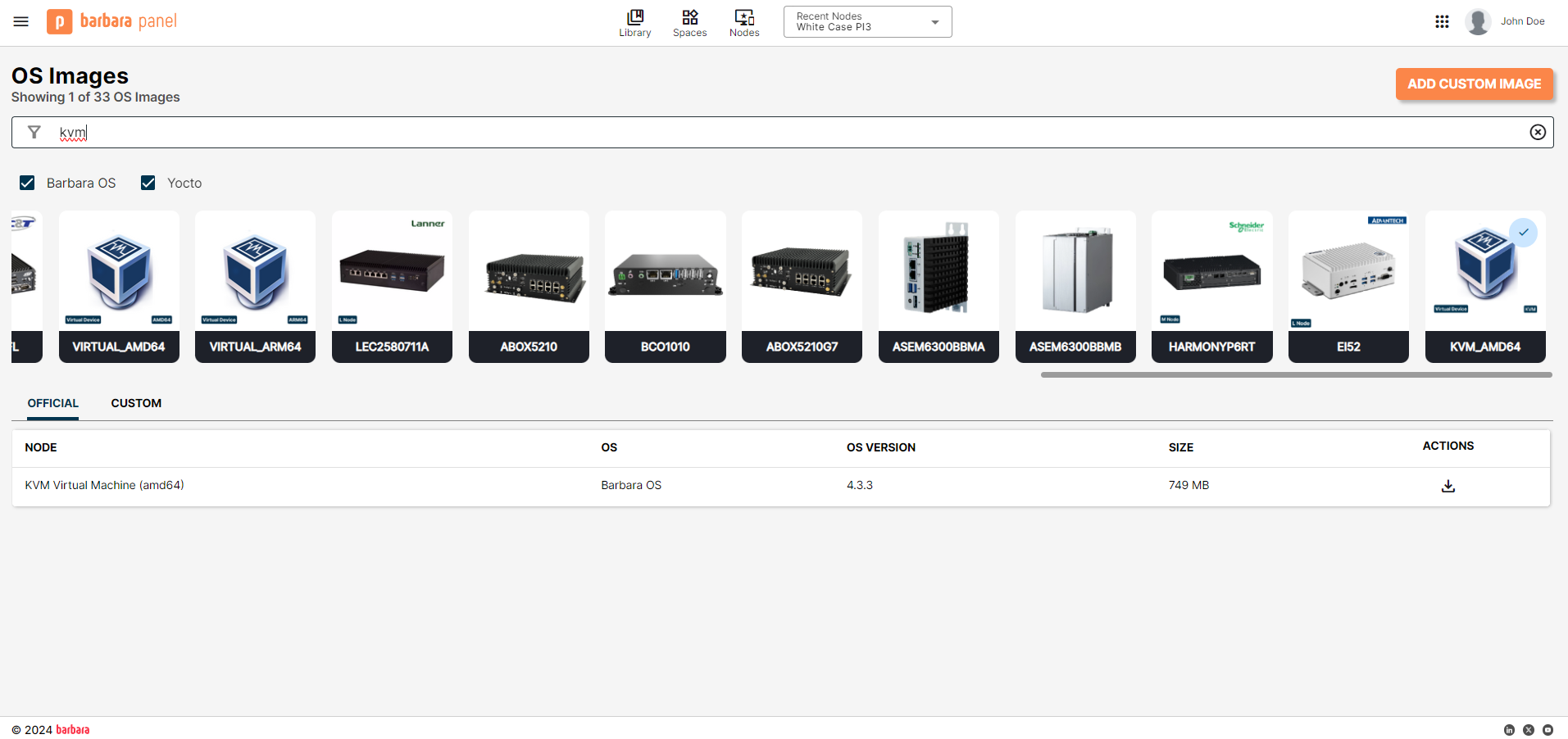
Download the KVM image from Barbara Panel
Hardware requirements
Minimum
- RAM: 2 GB
- Disk: 32 GB
- CPU: 1 socket / 2 cores
- Network: 1 × Ethernet interface
Recommended
- RAM: 4 GB
- Disk: 64 GB
- CPU: 2 sockets / 2 cores
- Network: 2 × Ethernet interfaces
Prepare the disk and firmware
The commands below use placeholder filenames — substitute the actual filename of the image you downloaded (the version suffix encodes the build date).
-
Unzip the downloaded archive.
unzip <kvm-image>.zip -
Create the libvirt images folder (if it does not exist):
sudo mkdir -p /var/lib/libvirt/images/ -
Keep a pristine copy of the disk (optional but recommended for repeat installs):
sudo cp <kvm-image>.qcow2 /var/lib/libvirt/images/<kvm-image>_original.qcow2 -
Copy the working disk the VM will boot from:
sudo cp /var/lib/libvirt/images/<kvm-image>_original.qcow2 \
/var/lib/libvirt/images/barbara-core-01.qcow2 -
Stage the OVMF NVRAM template (needed for UEFI boot with Secure Boot disabled):
sudo cp /usr/share/OVMF/OVMF_VARS_4M.fd \
/var/lib/libvirt/qemu/nvram/no-secure-boot.fd -
Resize the disk (optional). If you want more than 32 GB of disk, resize the working copy before the first boot:
sudo qemu-img resize /var/lib/libvirt/images/barbara-core-01.qcow2 32G
Create the virtual machine
Run virt-install to create and start the VM:
sudo virt-install \
  --name barbara-core-01 \
  --ram 2048 \
  --disk path=/var/lib/libvirt/images/barbara-core-01.qcow2,bus=virtio \
  --network network=default,model=e1000 \
  --import \
  --osinfo linux2022 \
  --graphics none \
  --boot uefi,loader=/usr/share/OVMF/OVMF_CODE.secboot.fd,loader.readonly=yes,loader.secure=no,loader.type=pflash,nvram=/var/lib/libvirt/qemu/nvram/no-secure-boot.fd
The most common parameters to tweak are:
--ram 2048— adjust the amount of RAM in MiB.--name barbara-core-01— pick a name that fits your inventory.--disk path=...— point to the working disk you created earlier.
Make sure Secure Boot is disabled (loader.secure=no above). Barbara OS is not signed against the Microsoft Secure Boot keys and will be rejected if Secure Boot is enabled.
Summary
You have prepared a KVM-ready Barbara OS disk, staged an OVMF firmware with Secure Boot disabled, and created the VM with virt-install. The VM boots straight into Barbara OS and prints the Barbara ID on the console. From there, retrieve the Barbara ID — see Get the Barbara ID of the node — and register the node in Panel.