Get the Barbara ID of the node
This article refers to Platform v3.4.0. The current Platform version is v3.4.0.
Overview
The Barbara ID is a unique hexadecimal string assigned to every Barbara edge node. It acts as a fingerprint that lets Barbara Panel identify, register, and manage the node. Before you can add a node to Panel, you need to know its Barbara ID.
This guide covers the three supported ways to find it:
- Direct display — recommended when a monitor is attached.
- USB Assistant Tool — for headless devices with a USB port.
- WiFi Hotspot — for unregistered nodes with a wireless interface.
Direct display on the node (recommended)
If you can connect a display to your node:
- At the end of the boot process, the screen shows the Barbara ID together with a QR code.
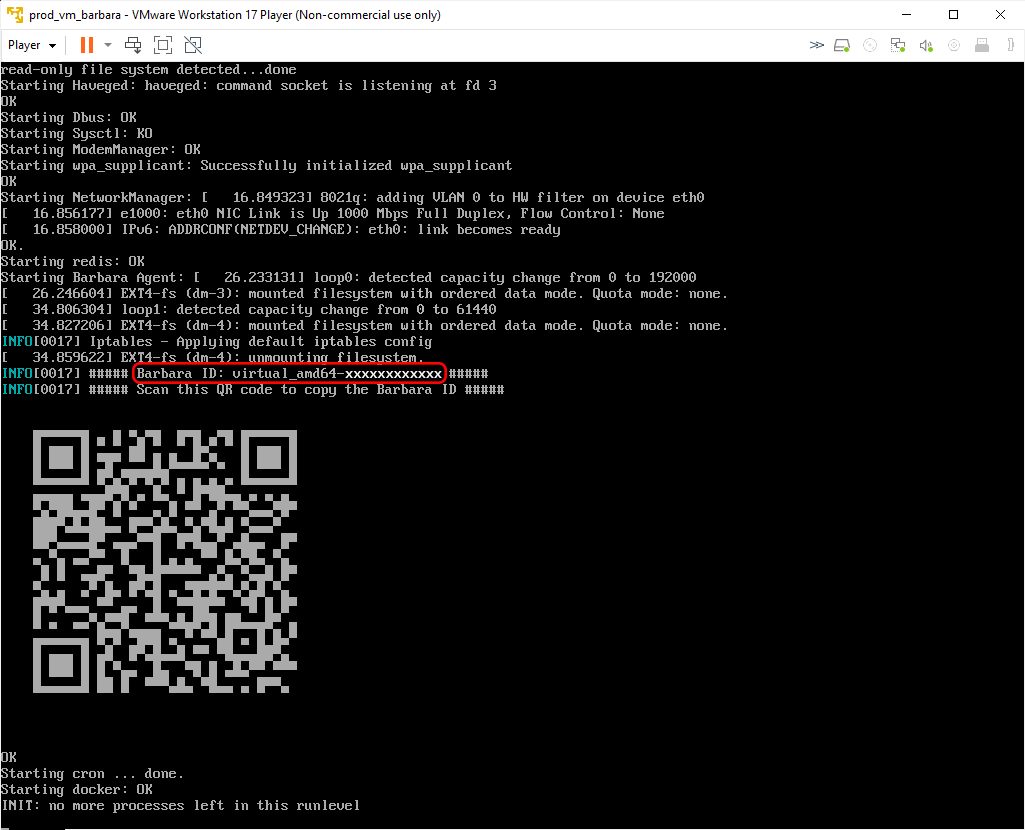
Barbara ID and QR code on the node display
- Scanning the QR code opens a web page that also shows the Barbara ID — handy for copying it onto your phone or laptop.
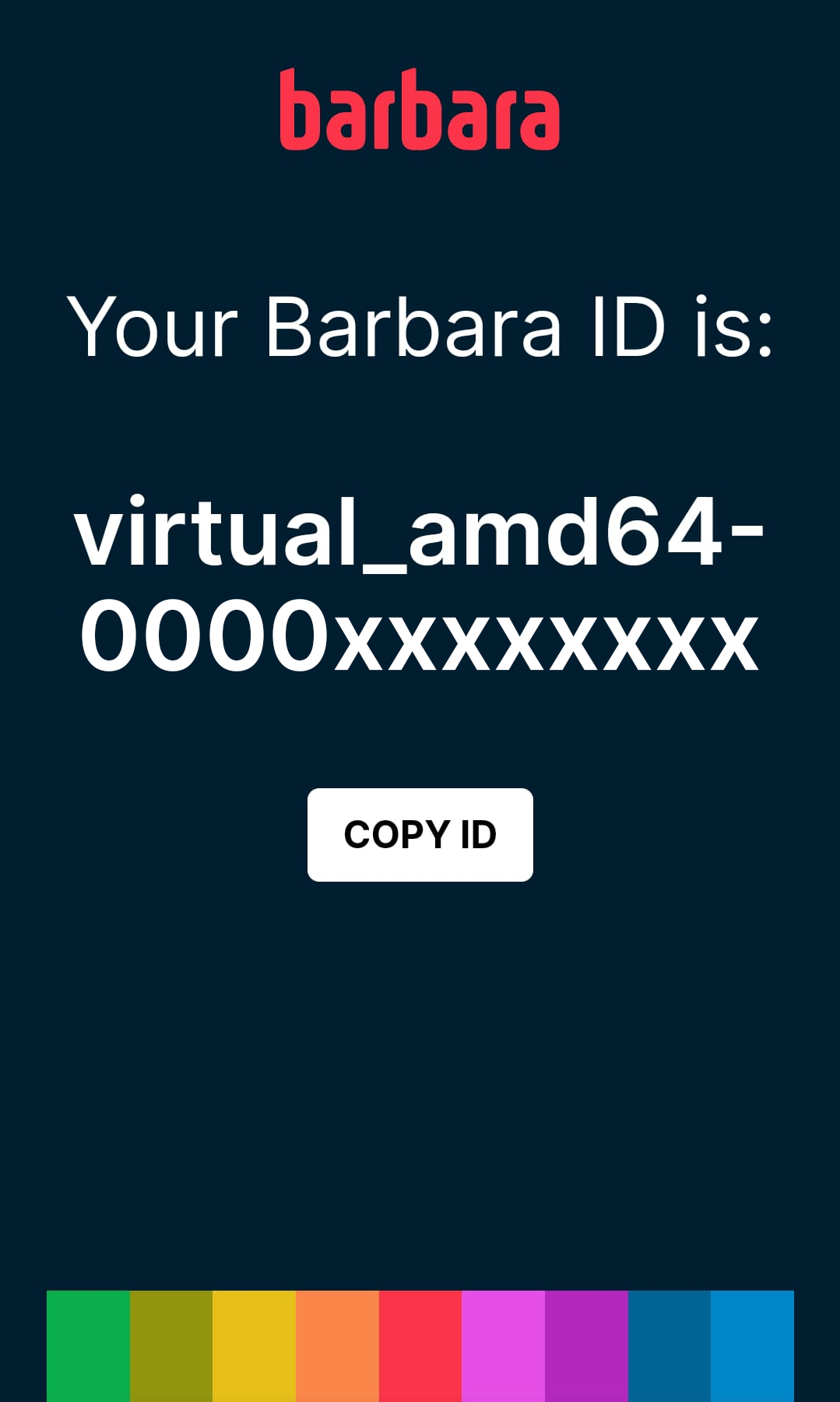
Web page reached by scanning the QR code
USB Assistant Tool
The Barbara USB Assistant Tool writes a file with node information — including the Barbara ID — onto a USB flash drive plugged into the node. Use it when the node has no display.
This tool can also do many other things. Read the full reference in USB Assistant Tool.
To retrieve the Barbara ID with the USB Assistant Tool:
- Prepare a USB flash drive formatted as FAT32.
- Plug the drive into the node. Wait a few seconds for the agent to detect it and write the data.
- Move the drive to your computer and open the file explorer.
- Open the
barbarafolder at the root of the drive.
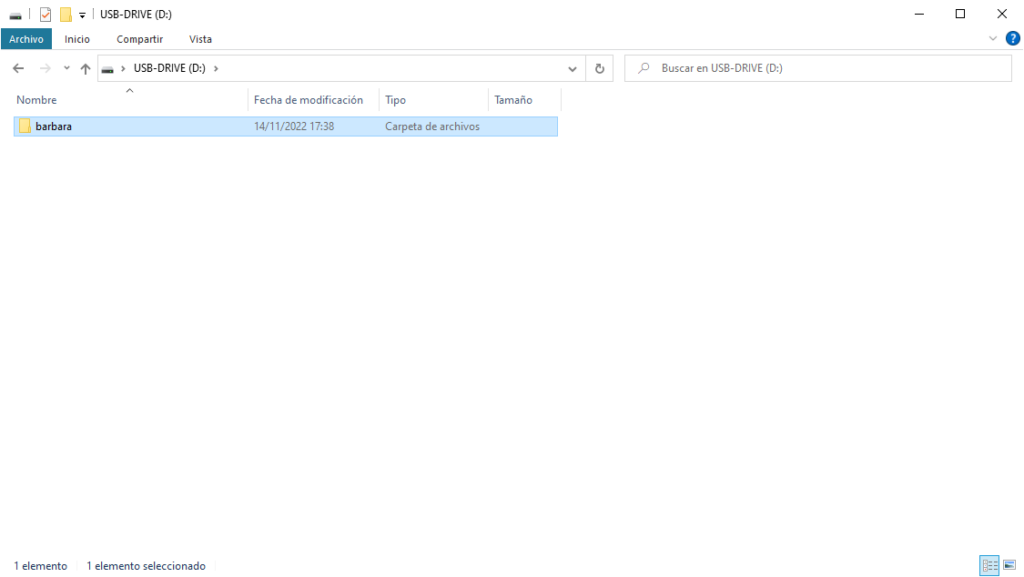
barbara folder at the USB drive root
- Open
barbaraInfo.txt. The Barbara ID is on lines 4–5 of the file:
Timestamp:
    334673

Barbara ID:
    pi3-xxxxxxxxxxxx

Barbara OS version:
    4.3.0

Barbara OS UTC:
    1685403411

Network info:
    Iface name: lo IP: 127.0.0.1/8
    Iface name: lo IP: ::1/128
    Iface name: wlan0 IP: 10.43.0.1/24
    Iface name: wlan0 IP: fe80::6b31:bcd4:1def:423e/64
    Iface name: docker0 IP: 172.17.0.1/16

Connectivity status:
    NmStateConnectedLocal

Docker support:
    true
Local Access
Local Access is a Barbara OS feature that opens a WiFi access point, an Ethernet fallback, or both, when the node cannot reach the Barbara platform. It only activates when both conditions are met:
- The node has not yet been activated in Barbara Panel.
- The node cannot reach the Barbara platform.
For the full feature reference, read Local Access.
When the WiFi access point is up, connect to it with the following credentials:
- SSID: the node's Barbara ID (a unique hexadecimal string).
- Password:
BarbaraHotspot.
Once connected, open a browser and navigate to http://10.43.0.1:4010, then log in with admin / admin. The Barbara ID is also shown on the node's own LOCAL ACCESS AVAILABLE screen, alongside the WiFi credentials and a QR code.
Summary
You now know how to retrieve the Barbara ID of a node, whether it has a display, a free USB port, or a WLAN interface. With the Barbara ID in hand, the next step is to add the node to Barbara Panel.