Swarm Volumes
This article refers to Platform v3.1.0. The current Platform version is v3.4.0.
Overview
Volumes in a Docker Swarm cluster are persistent storage units shared across the cluster's nodes. Unlike the local volumes covered in Docker Volumes on a single node, Swarm-level volumes are designed for distributed environments and let services on different nodes reach the same data reliably.
Volumes card
The Volumes card on the Cluster Details page shows every volume declared in the cluster, marks the ones currently in use, and exposes the actions you need to create and clean up volumes.
For each volume in use you can see:
- The apps and containers consuming the volume.
- The size the volume occupies on each node.
The interface supports:
- Single delete for an unused volume.
- Bulk delete to prune every unused volume at once.
- Manual create for a new external volume (specify its name).
Volumes you create manually from this card are external volumes — they live outside the regular Swarm orchestration and are not garbage-collected by the platform. They are flexible (any compose file can mount them by name), but you are responsible for their lifecycle.
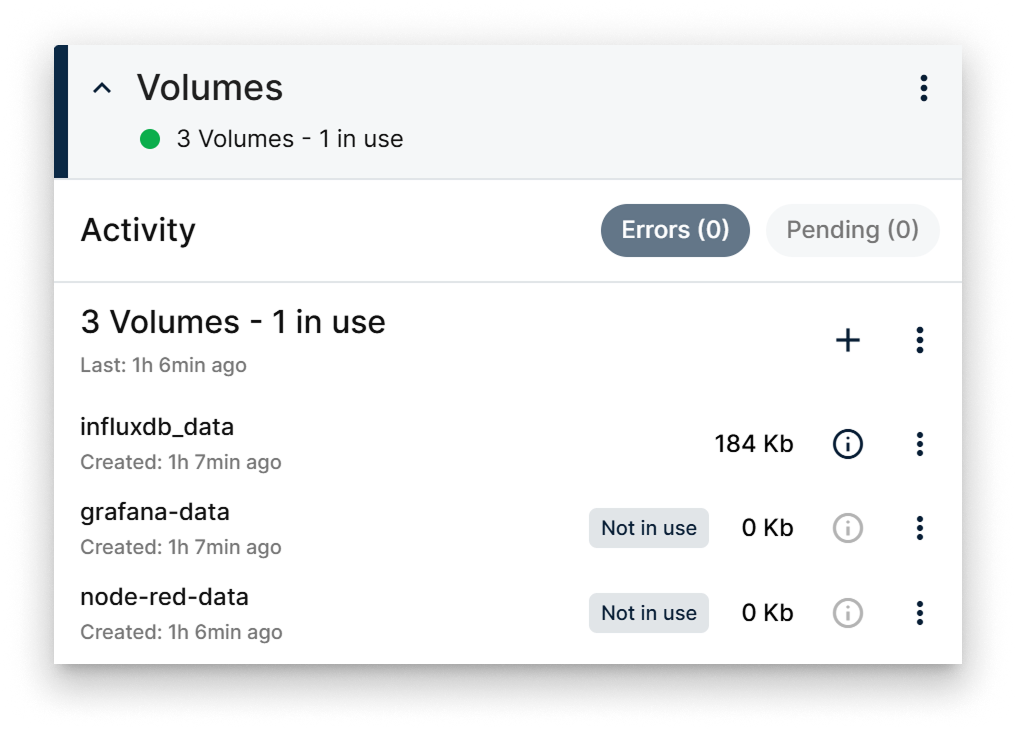
Volumes card
Create a manual volume
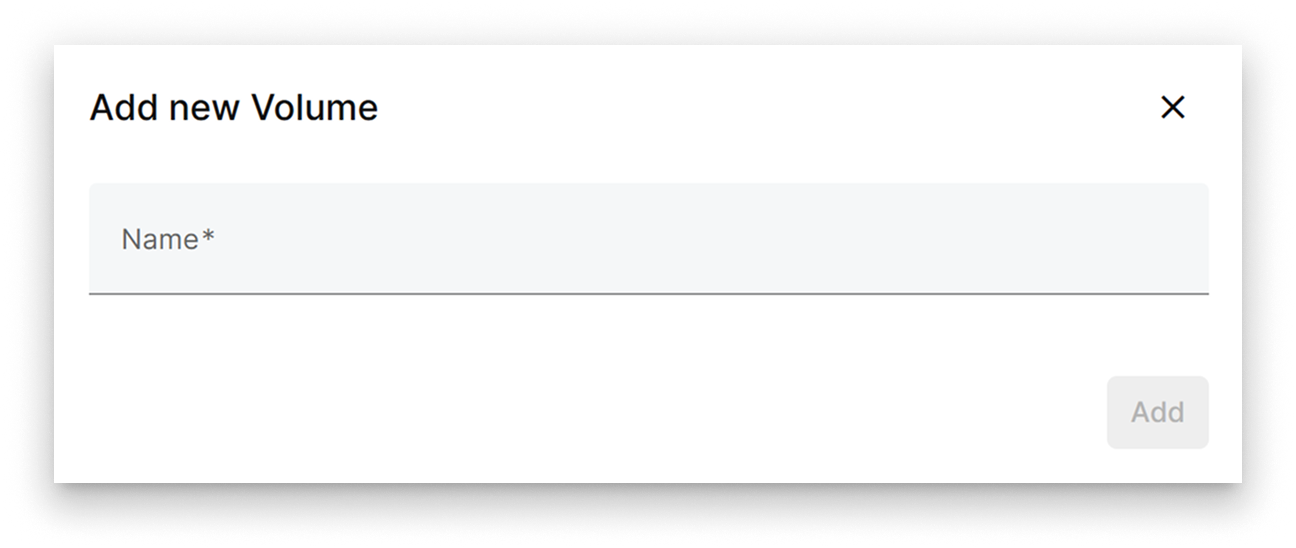
Add volume dialog
Click the + action on the card, enter a volume name in the popup, and confirm. The new external volume appears on the card and is available for apps to mount.
Summary
Use the cluster's Volumes card to track storage consumption, prune unused volumes, and provision external volumes you want to manage yourself. For per-node Docker volume operations, see the single-node Docker Volumes reference.