Global Secrets (cluster)
This article refers to Platform v3.1.0. The current Platform version is v3.4.0.
Overview
The Global Secrets card at the cluster level is the secure store for sensitive key-value pairs that every workload in the cluster can consume. Barbara distributes them to every node automatically and gates value visibility by role.
A secret is an encrypted value the platform shares with authorised services only. Typical use cases are passwords, API tokens, TLS material, and signing keys.
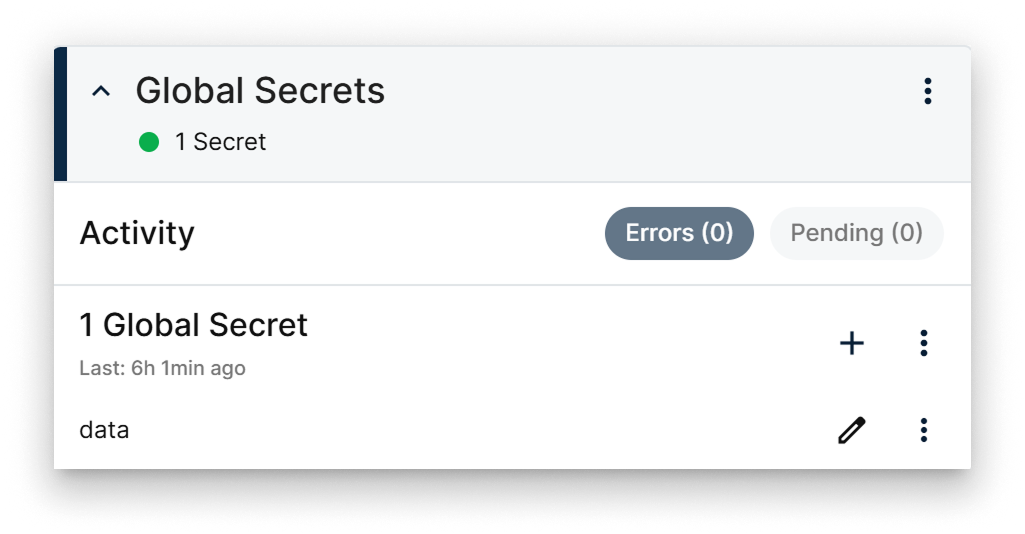
Global Secrets card
The card surfaces:
- The total number of secrets defined at the cluster level.
- Recent activity and Error / Pending indicators.
- Per-secret actions (add, edit, delete).
- Bulk actions in the card menu (see More actions).
Secrets are synchronised across every node in the cluster, so any workload in the cluster can read them.
Add or edit a secret
- When adding a secret, you choose its name and value.
- When editing, you can only change the value — the name is immutable.
- Both flows expose an Add file as a secret toggle. With it on, the secret's value is the contents of a file you upload — handy for certificates or keys.
Attaching a secret via file is the right choice for certificates and other multi-line credentials that don't fit in a single text field.
Only admin and supervisor users can reveal existing secret values during edit. Users with reader or editor roles can still trigger an edit, but the value field is masked.
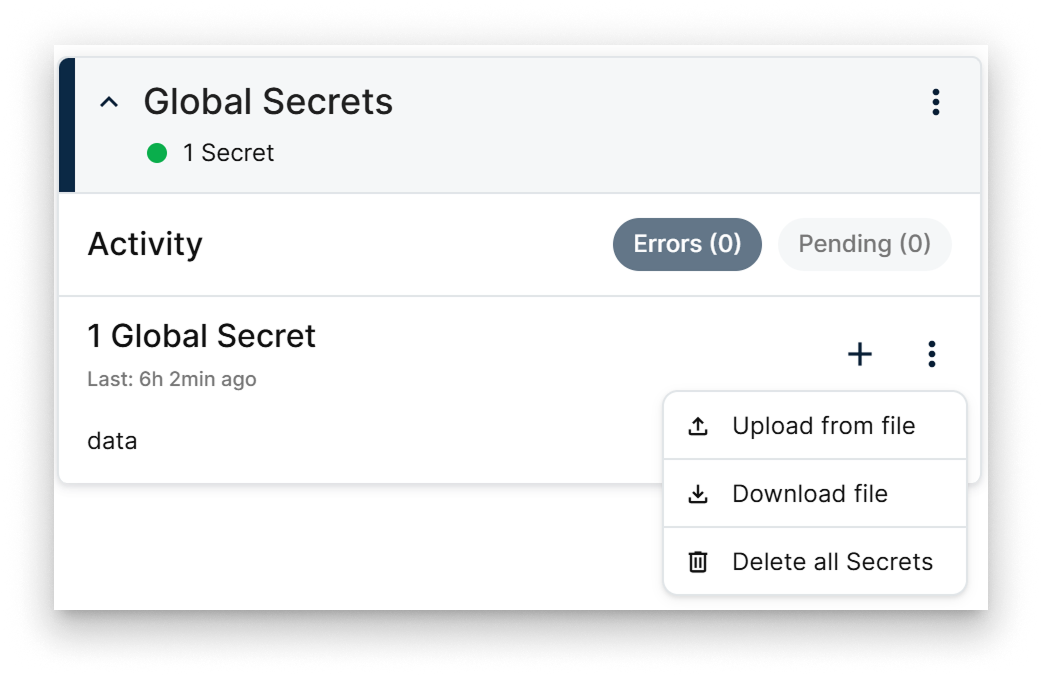
Global Secrets actions menu
The add / edit popup exposes:
- Name field (editable only on add).
- Add file as a secret toggle.
- Value field — masked by default, with a visibility toggle when the user is allowed to see it.
- Save / Cancel actions.
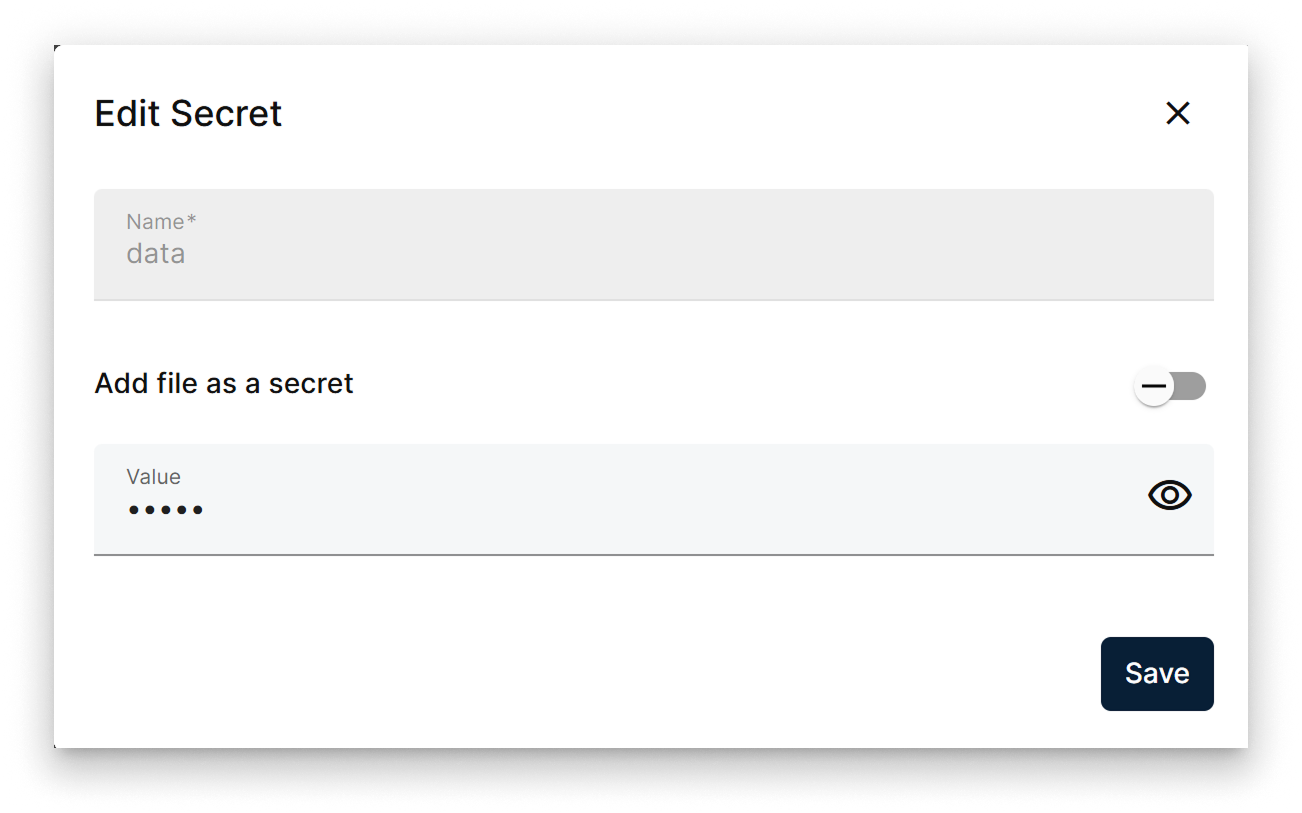
Edit secret popup
More actions
The card menu exposes three bulk operations:
- Upload a
.txtfile withKEY=valuelines to import many secrets at once. - Download the current set of secrets as a
.txtfile with the sameKEY="value"layout. - Delete all secrets defined in the cluster.
Summary
The cluster-level Global Secrets card stores the sensitive material every workload in the cluster shares — distributed automatically, gated by role, and bulk-importable via the .txt upload format.