Cluster Info card
This article refers to Platform v3.1.0. The current Platform version is v3.4.0.
Overview
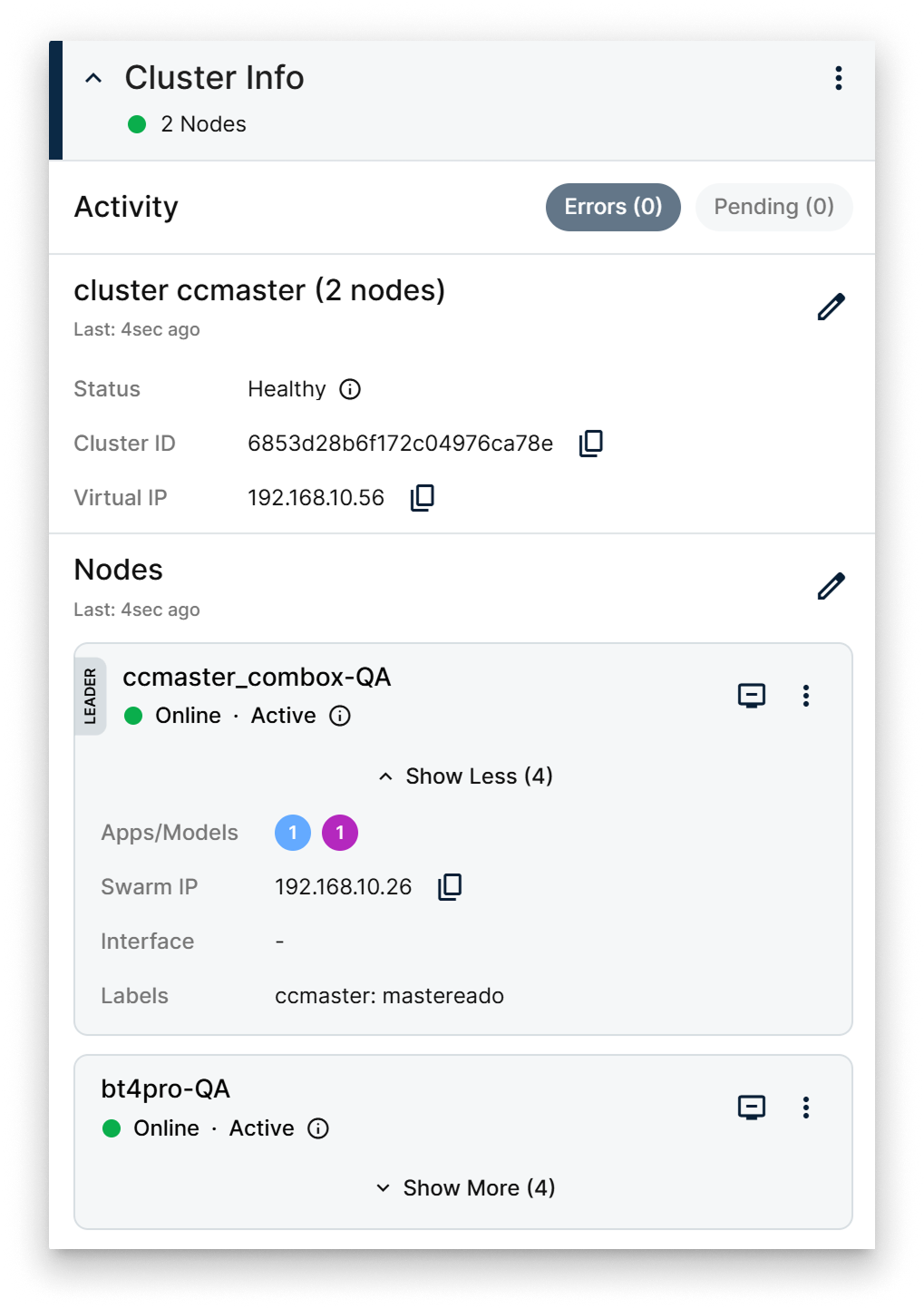
The Cluster Info card on the Cluster Details page shows the cluster's identity and exposes per-node actions. It has two segments — Cluster and Nodes — that can be expanded or collapsed independently.
Cluster segment
The Cluster segment shows the cluster's high-level state:
- Cluster name.
- Number of nodes.
- Cluster status.
- Cluster ID.
- Virtual IP assigned to the cluster.
A button on the segment opens the Edit Cluster popup where you can change the cluster's basic parameters.
Cluster Info card
Nodes segment
The Nodes segment lists every node in the cluster with:
- Whether the node is the Leader (the manager that orchestrates Swarm state).
- The node's online status.
- The node's availability (Active / Drained / Paused).
- The applications and models installed on the node.
- The Swarm traffic interface when traffic is restricted.
- The labels attached to the node.
A separate popup lets you add, edit, or remove nodes from the cluster.
Per-node actions
Node actions menu
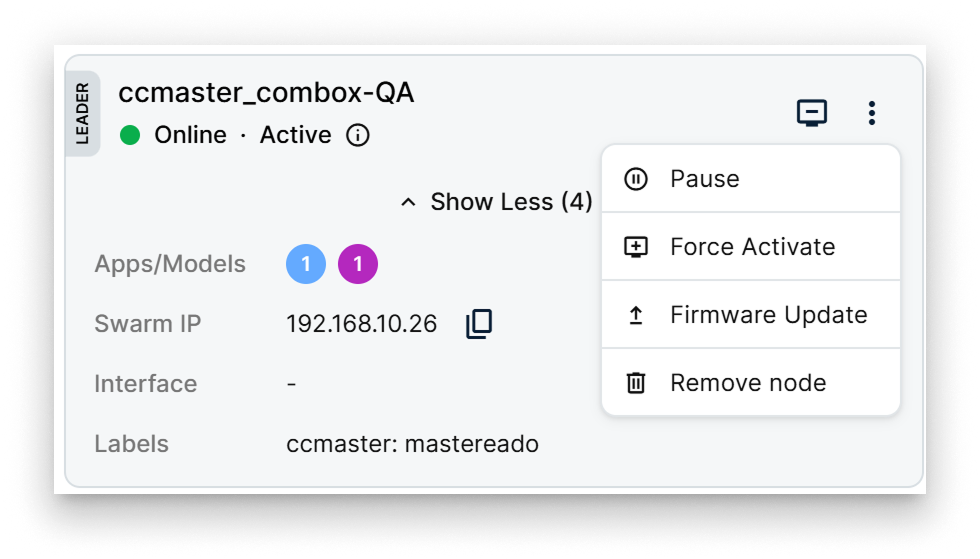
The actions available per node depend on its current availability state:
- Drain (or Force Drain) — move workloads off the node to prepare it for maintenance or removal. Force Drain drains a node that is in an unusual state.
- Pause (or Force Pause) — temporarily halt scheduling on the node without moving its current workloads. Force Pause applies the action even when the node is in an unusual state.
- Force Activate — bring a Drained or Paused node back to Active. Useful for recovery.
- Firmware Update — push a Barbara Core update to the node.
- Remove node — detach the node from the cluster.
The node marked as Leader manages the Swarm state. The role can migrate between manager nodes when the current leader becomes unavailable — Barbara surfaces the current leader on this card.
Summary
Use the Cluster Info card to verify a cluster's identity and to drive node lifecycle inside it. Drain a node before maintenance, Pause one to stop scheduling without disrupting running tasks, and reserve Force Activate / Force Drain / Force Pause for recovery situations where the node is in an unusual state.