Node settings
This article refers to Platform v3.1.0. The current Platform version is v3.2.0.
The "Enable Rollback" parameter available in all node management options is a critical feature for network stability. When enabled, the Barbara Edge Node will automatically detect loss of communication after a network configuration change and revert to the last valid network configuration. This ensures that nodes never lose communication due to network configuration errors.
Overview
The Node Management section in the batch wizard provides a comprehensive set of commands to configure and manage network settings on multiple nodes efficiently. These commands allow administrators to update Ethernet, WiFi, and Mobile configurations, as well as apply global settings and control standalone and proxy modes. Each option is designed to target specific network interfaces or apply changes globally, enabling flexible and precise network management across your deployment.
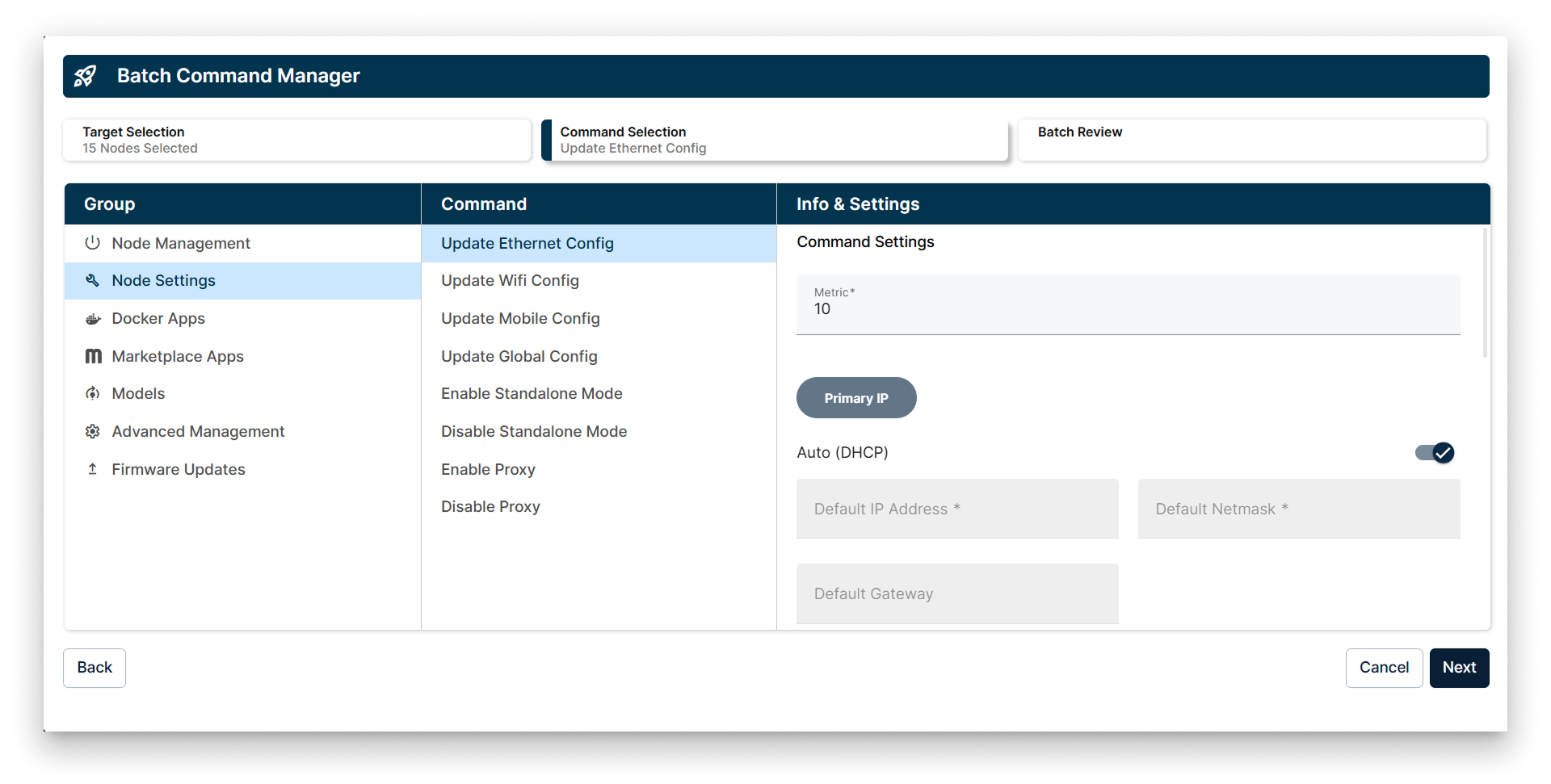
Batch Command Manager interface showing the Node Settings commands available for batch operations
Commands in Node Management
1. Update Ethernet Config
This command allows you to update the Ethernet network settings on selected nodes. You can configure parameters such as IP addressing, netmask, gateway, and DNS settings to ensure proper network connectivity.
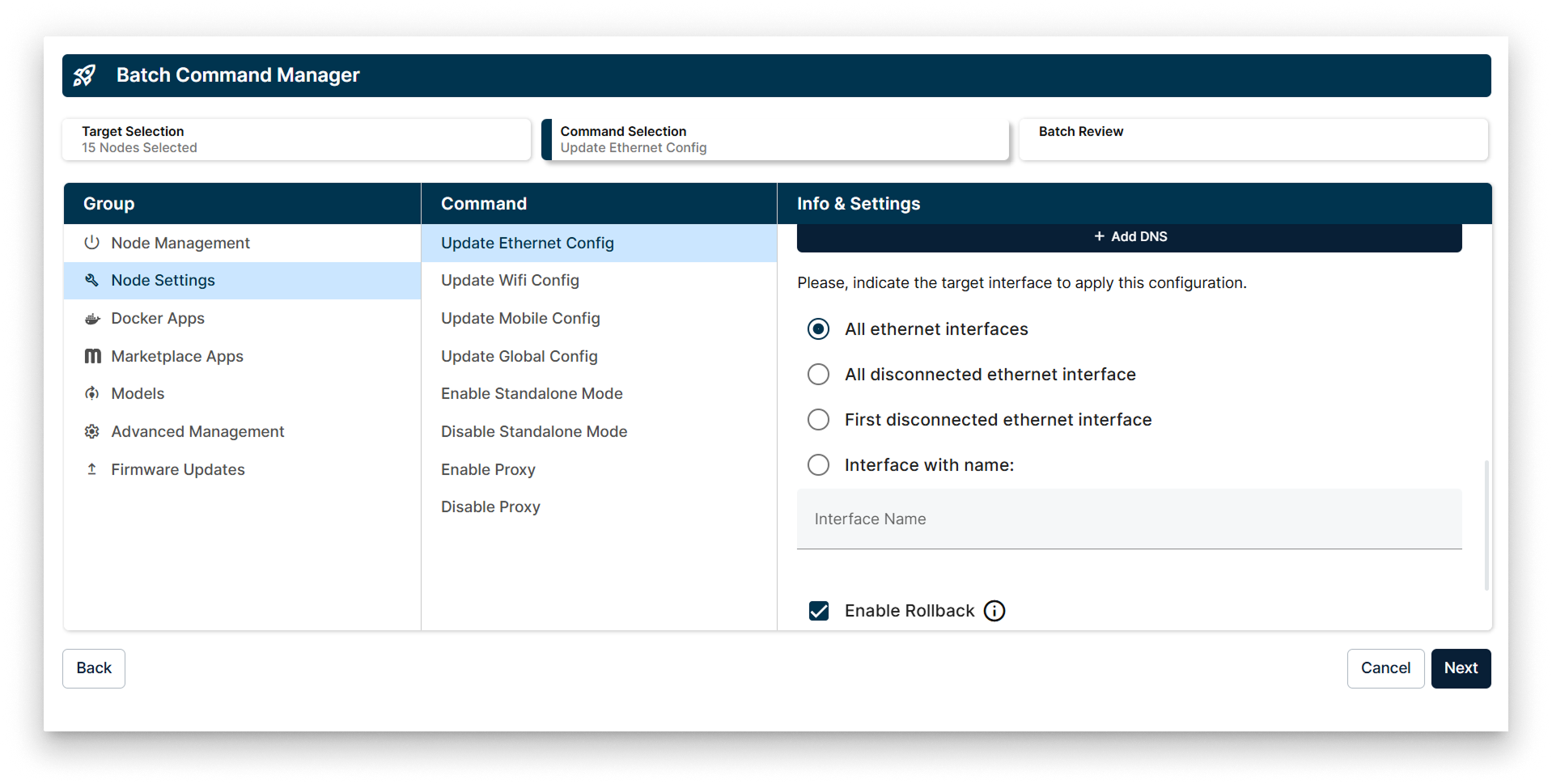
Target interface selection for applying Ethernet configuration updates
When applying the Ethernet configuration update, you can select the target interfaces using one of the following options:
- Apply the command to all the interfaces available.
- Apply the command to all the disconnected interfaces.
- Apply the command to the first disconnected interface.
- Apply the command to an interface specified by name.
2. Update Wifi Config
Use this command to modify WiFi network settings on the nodes. It supports configuration of SSID, security parameters, and connection preferences to maintain wireless connectivity.
The target interface selection for WiFi configuration updates includes:
- Apply the command to all the interfaces available.
- Apply the command to all the disconnected interfaces.
- Apply the command to the first disconnected interface.
- Apply the command to an interface specified by name.
3. Update Mobile Config
This option enables updating mobile network settings such as APN, authentication, and connection parameters for cellular interfaces on the nodes.
You can select the target mobile interfaces by:
- Applying the command to all the interfaces available.
- Applying the command to all the disconnected interfaces.
- Applying the command to the first disconnected interface.
- Applying the command to an interface specified by name.
4. Update Global Config
This command applies global network settings that affect all network interfaces and services on the node, ensuring consistent configuration across the device.
5. Enable Standalone Mode
Activates standalone mode on the node, allowing it to operate independently without relying on centralized management or network services.
6. Disable Standalone Mode
Deactivates standalone mode, returning the node to managed operation under centralized control.
7. Enable Proxy
Enables proxy settings on the node to route network traffic through a specified proxy server for security or monitoring purposes.
8. Disable Proxy
Disables any proxy settings, allowing the node to communicate directly without proxy intervention.