Marketplace apps
This article refers to Platform v3.1.0. The current Platform version is v3.2.0.
Only Marketplace applications that are already available in the application library can be installed. If the application you want to install does not appear in the library, please visit the Marketplace site and add the desired application there.
Overview
The Marketplace Apps section in the Batch Wizard allows you to manage applications available from the Marketplace across multiple target edge nodes. This section provides options to install, delete, run, or stop Marketplace applications in batch mode, streamlining deployment and management tasks.
The available commands are:
- Install: Deploy a Marketplace application to selected edge nodes.
- Delete: Remove installed Marketplace applications from the target nodes.
- Run: Start the selected Marketplace applications on the target nodes.
- Stop: Stop running Marketplace applications on the target nodes.
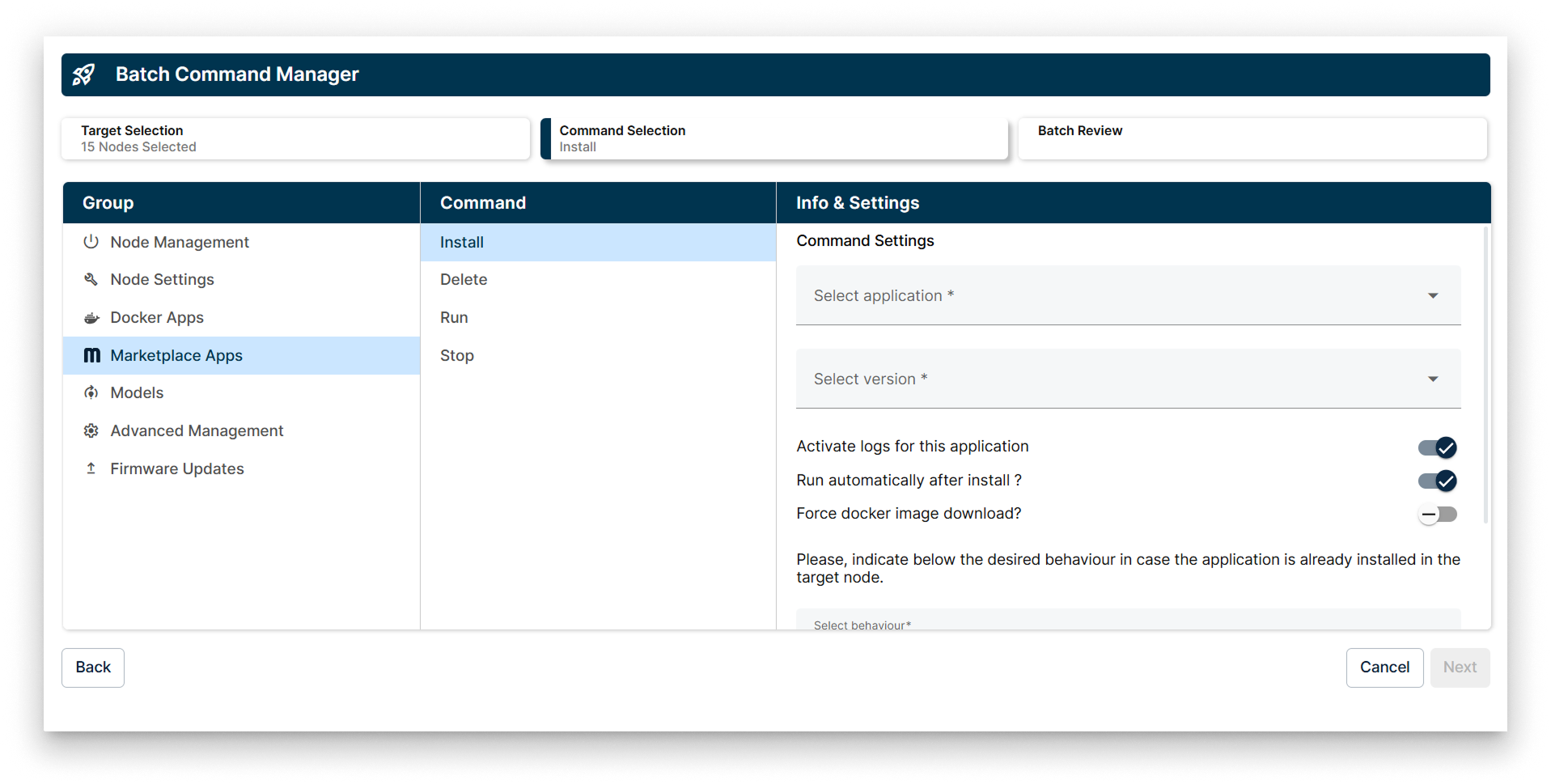
Marketplace Apps options
Commands in Marketplace Apps
1. Install
The Install command allows you to select a Marketplace application and version to deploy to your target edge nodes. You can configure additional options such as activating logs, running the application automatically after installation, and forcing the download of the Docker image.
If the application is already installed on the target edge node, you have four options to specify the desired behavior:
- Install a new instance of the application.
- Overwrite the already installed application.
- Update the application only if the installed version is outdated.
- Do not install the application.
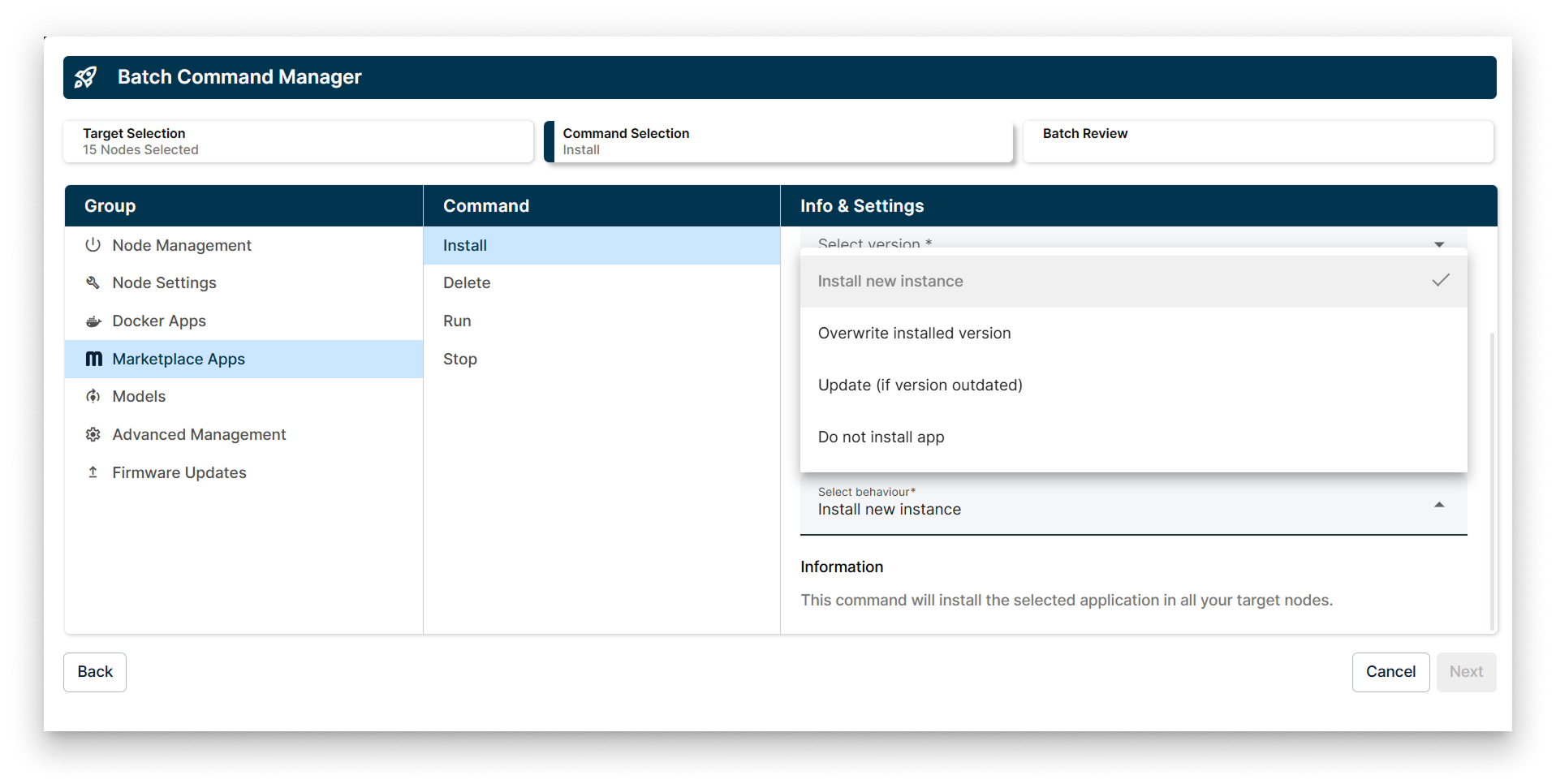
Install Policy the Marketplace Apps Batch Wizard
2. Delete
Use the Delete command to remove Marketplace applications from the selected edge nodes. This command will apply to all instances of the application present on the target nodes.
If more than one instance of the application is available on the target edge node, the Delete command will be applied to all instances in parallel.
3. Run
The Run command starts the selected Marketplace applications on the target edge nodes. This is useful for activating applications that have been installed but are not currently running.
If multiple instances of the application exist on the target edge node, the Run command will be executed on all instances simultaneously.
4. Stop
The Stop command halts running Marketplace applications on the target edge nodes. This can be used to temporarily disable applications without uninstalling them.
If more than one instance of the application is running on the target edge node, the Stop command will be applied to all instances in parallel.