Models
This article refers to Platform v3.1.0. The current Platform version is v3.2.0.
Overview
The Models section in the Batch Command Manager allows users to manage machine learning models deployed on edge nodes efficiently. This section provides commands to install, delete, run, and stop models across multiple nodes in a batch operation. Each command is designed to streamline the deployment and management process, ensuring consistent behavior across all targeted edge nodes.
Users can select specific models and versions, configure settings such as GPU usage and logging, and define behaviors for handling existing installations. This centralized approach simplifies large-scale model management in distributed environments.
Commands in Models
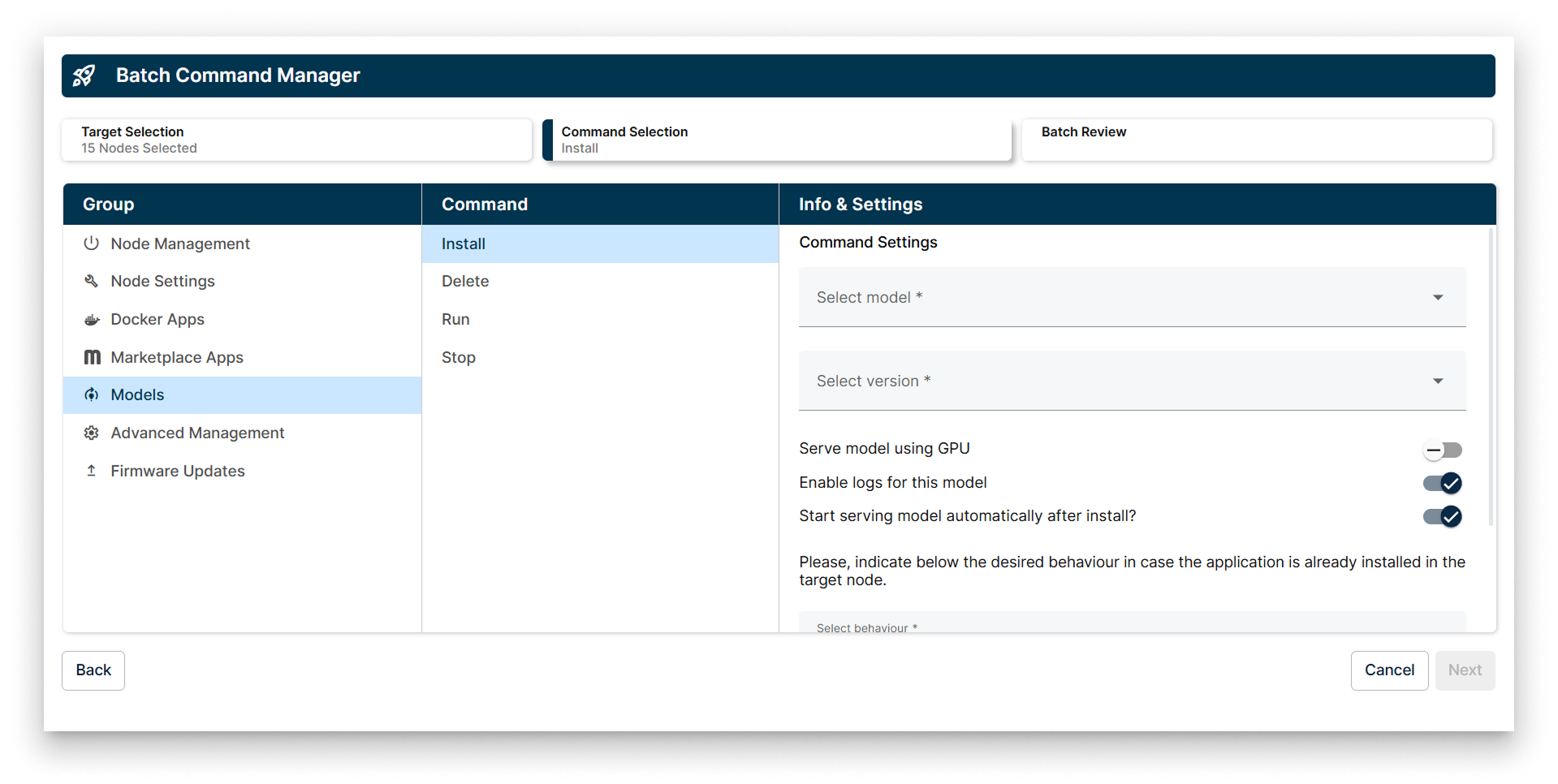
Models options in Batch Command Manager
The available commands in the Models batch wizard include:
- Install
- Delete
- Run
- Stop
1. Install
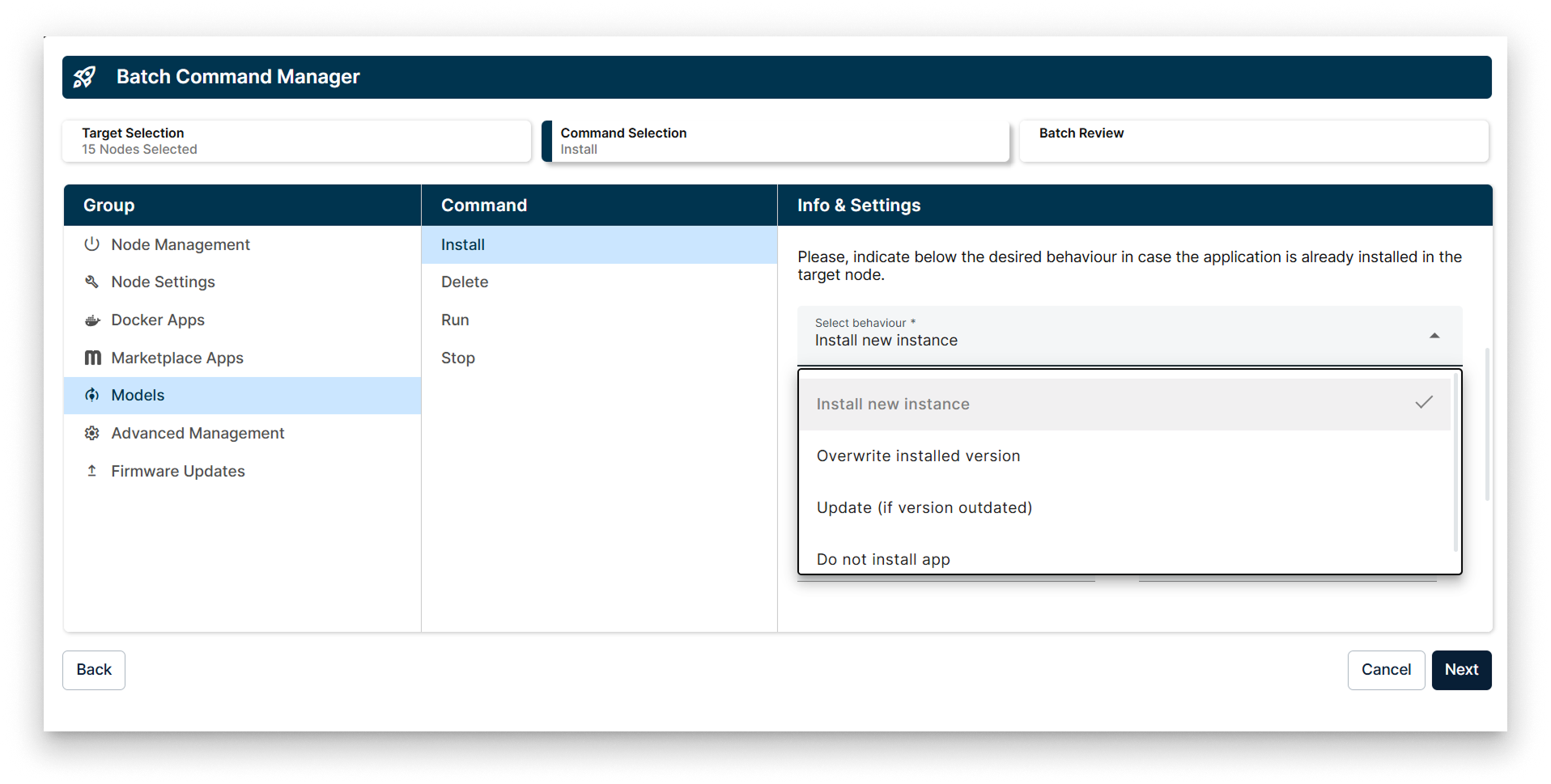
Install Policy in the Models Batch Wizard
The Install command allows you to deploy a selected model and version to the target edge nodes. You can configure options such as enabling GPU usage, activating logs for the model, and setting the model to start serving automatically after installation.
If the application is already installed on the target edge node, you have four options to define the installation behavior:
- Install a new instance of the application
- Overwrite the already installed application
- Update (overwrite only if the installed version is outdated)
- Do not install the application
2. Delete
The Delete command removes the selected model from the target edge nodes. This operation ensures that the model is completely uninstalled from all specified nodes.
If more than one instance of the application is available on the target edge node, the Delete command will be applied to all instances in parallel.
3. Run
The Run command starts the selected model on the target edge nodes, enabling it to serve requests.
If more than one instance of the application is available on the target edge node, the Run command will be applied to all instances in parallel.
4. Stop
The Stop command halts the execution of the selected model on the target edge nodes.
If more than one instance of the application is available on the target edge node, the Stop command will be applied to all instances in parallel.