Node management
This article refers to Platform v3.1.0. The current Platform version is v3.2.0.
Overview
The Batches View in the Barbara platform provides a streamlined interface to manage multiple Edge Nodes simultaneously. This feature enables administrators to perform bulk operations such as software deployment, device configuration, firmware updates, and node management commands efficiently, reducing manual effort and ensuring consistency across devices.
Commands in Node Management
The Node Management section within the batch wizard offers a set of commands designed to control the operational state of selected Edge Nodes. These commands allow you to activate, deactivate, reboot, or delete nodes, as well as remove all applications and models installed on them. Each command is tailored to facilitate bulk management tasks, ensuring that node fleets can be maintained and updated with minimal manual intervention.
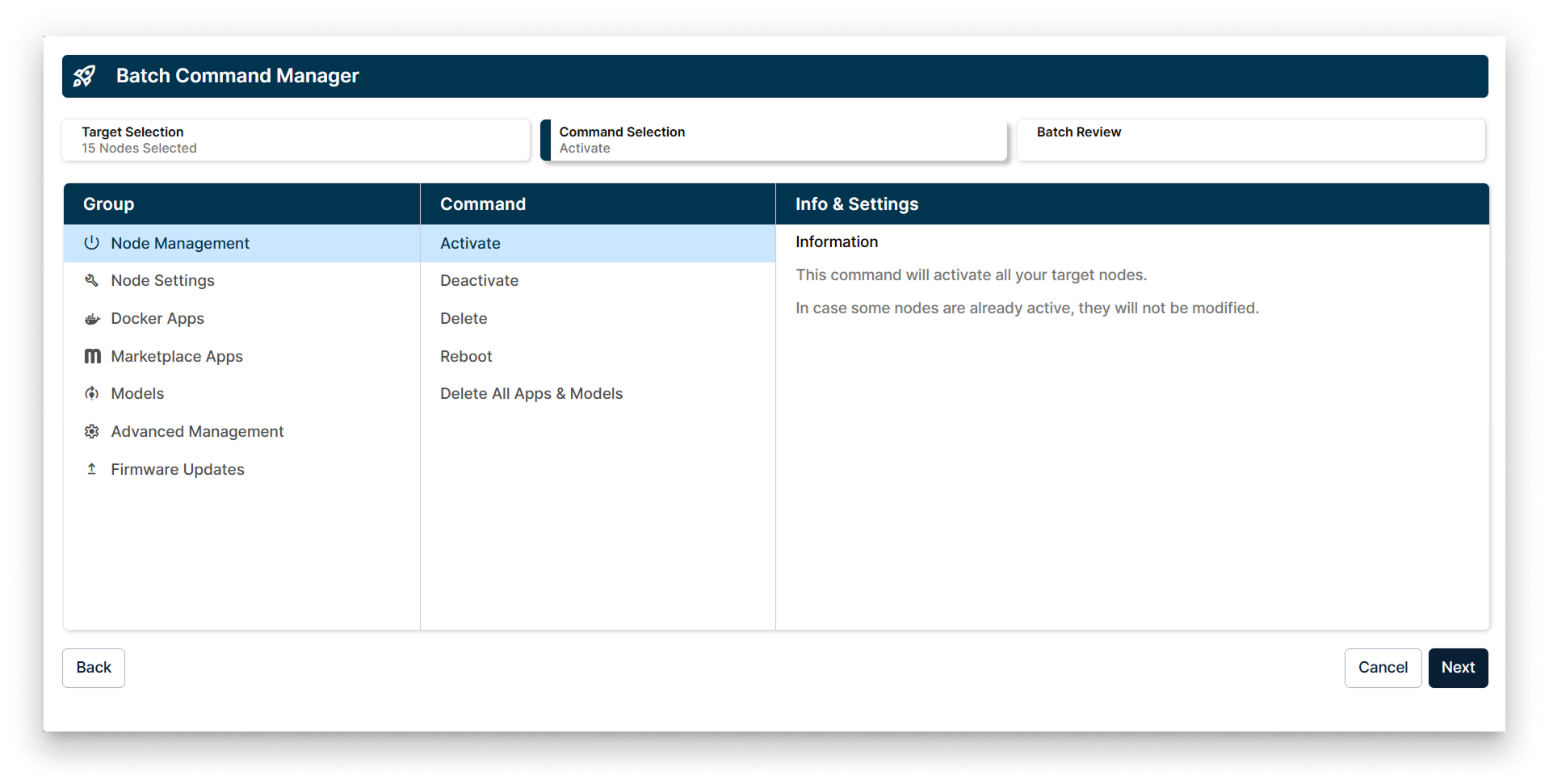
Batch Command Manager showing Node Management options
The available commands in Node Management include:
-
Activate
This command activates all selected target nodes. Nodes that are already active will remain unchanged, ensuring no disruption to currently operational devices. -
Deactivate
Deactivates the selected nodes, effectively stopping their operation without deleting any data or configurations. -
Delete
Removes the selected nodes from the system, freeing up resources and cleaning up the node list. -
Reboot
Restarts the selected nodes, useful for applying updates or recovering from transient issues. -
Delete All Apps & Models
Clears all installed applications and models from the selected nodes, preparing them for fresh deployments or repurposing.
These commands are accessible through a clear and intuitive interface, allowing users to select target nodes, choose the desired command, and review the batch operation before execution. This design ensures safe and efficient management of large node fleets.