Barbara Core updates
This article refers to Platform v3.1.0. The current Platform version is v3.2.0.
During the installation process, the following will occur:
- A full OS/Node Manager image will be deployed, replacing the current one available.
- Applications and settings will remain secure.
- The Edge Nodes will reboot after the update.
- If the Edge Node has an older OS/Node Manager update pending, its update will be skipped.
Overview
The Update Wizard within the Batch Wizard provides a streamlined interface to deploy firmware updates across multiple Edge Nodes efficiently. It offers options to select the type of firmware update—either Node Manager or OS—and configure how updates are applied, including handling nodes that already have the update installed.
Users can choose whether to reinstall the same firmware version on nodes that already have it or skip those nodes to avoid redundant updates. This flexibility ensures controlled and secure firmware management across the deployment.
Commands in Firmware Updates
- Node Manager
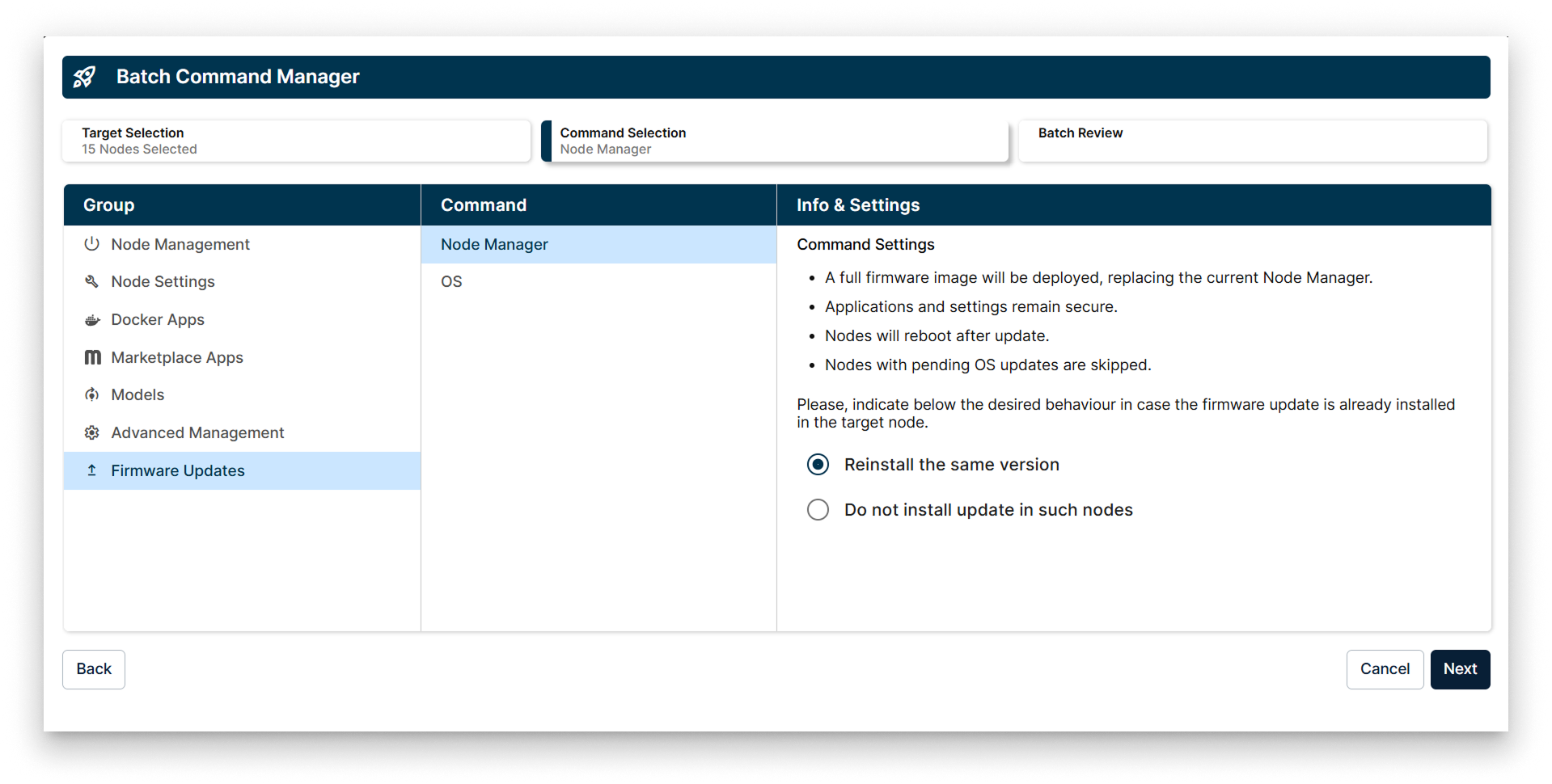
Node Manager in the Update Firmware Batch Wizard
The Node Manager update option allows deploying a full firmware image that replaces the current Node Manager on the target Edge Nodes. Key features include:
- Deployment of a complete Node Manager firmware image.
- Preservation of existing applications and settings.
- Automatic reboot of nodes after the update.
- Skipping nodes with pending OS updates to avoid conflicts.
- Option to either reinstall the same version or skip nodes where the update is already installed.
- OS
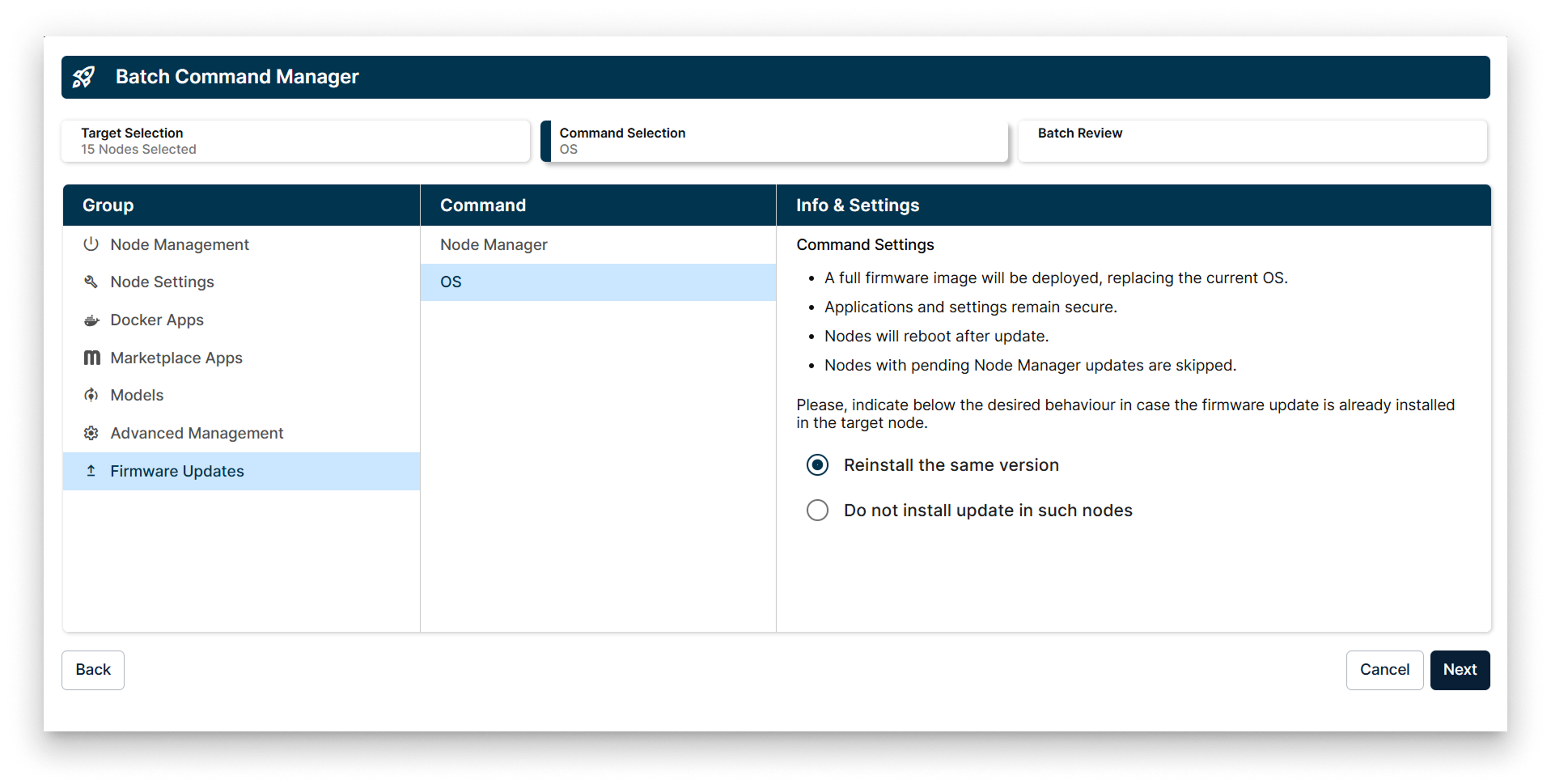
OS in the Update Firmware Batch Wizard
The OS update option enables deploying a full OS firmware image to the selected Edge Nodes. This process includes:
- Replacement of the current OS with the new firmware image.
- Retention of applications and settings to ensure continuity.
- Automatic reboot of nodes following the update.
- Skipping nodes with pending Node Manager updates to maintain update order.
- Choice to reinstall the same version or skip nodes where the update is already present.
When selecting the update behavior for nodes that already have the firmware installed, you must choose one of the following options:
- Reinstall the same version.
- Do not install the update on such nodes.