Advanced management
This article refers to Platform v3.1.0. The current Platform version is v3.2.0.
Overview
The Advanced Management section in the batch wizard provides powerful options to manage credentials and secrets across multiple nodes efficiently. This section allows users to add, update, and organize sensitive information required for node operations. Users can perform these actions either manually or by uploading batch files, streamlining the management process for large-scale deployments.
Key features include:
- Adding and updating credentials for nodes.
- Adding and updating secrets for nodes.
- Support for manual entry and batch uploads via CSV or TXT files.
- Downloadable templates to facilitate batch file creation.
Commands in Models
- Add Credentials
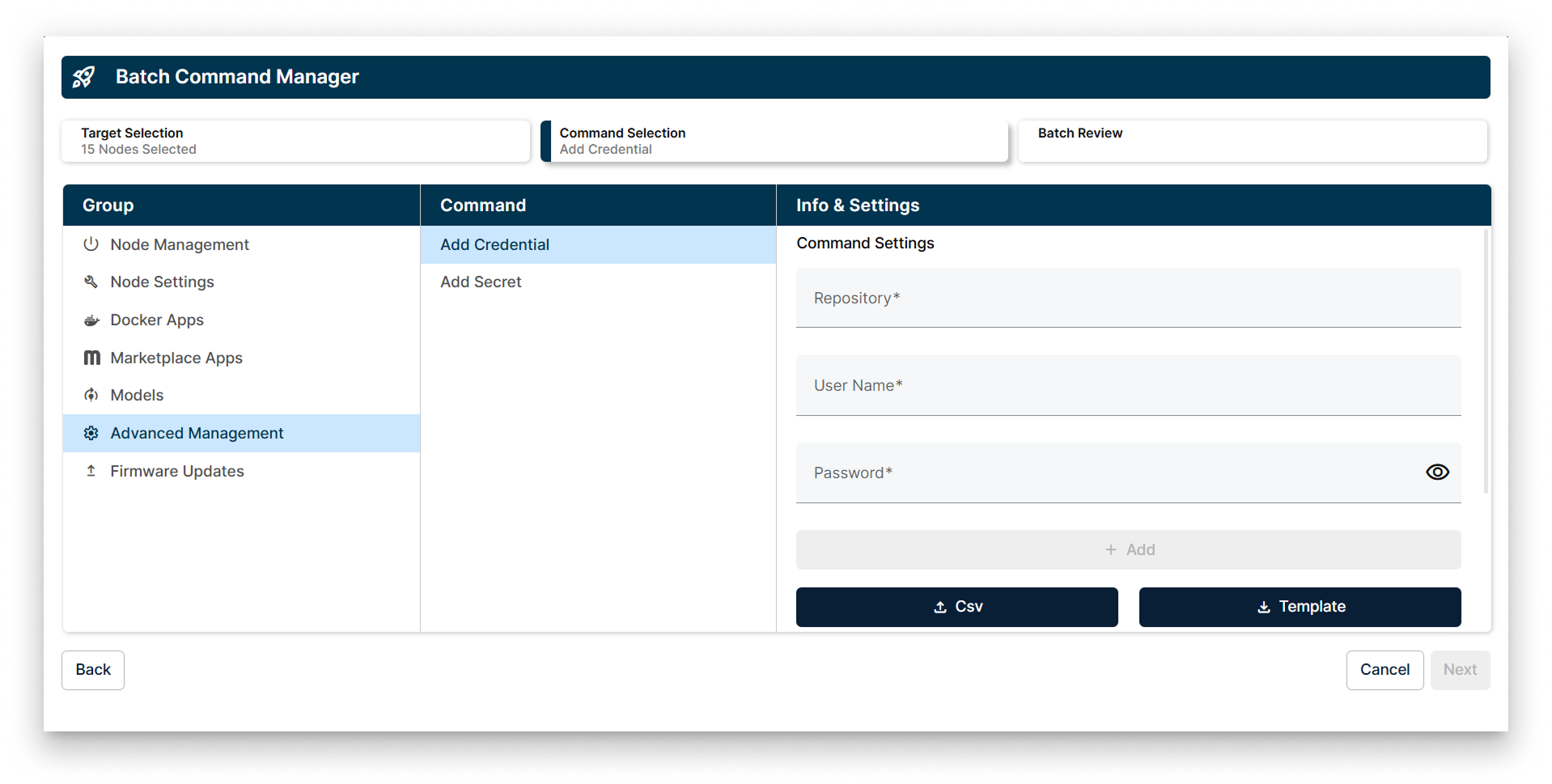
Add Credentials in the Advanced Management Batch Wizard
The Add Credentials command allows you to input repository credentials required for node operations. You can add credentials manually, one by one, or upload them in bulk using a CSV file. A downloadable template is available to help you format your CSV file correctly.
If the credential does not exist on the node, it will be created and added to the node's credential list. If the credential key already exists, it will be modified and updated accordingly.
Features shown in the image:
- Repository, User Name, and Password fields for credential input.
- Buttons to upload a CSV file or download a CSV template.
- Interface for adding credentials to multiple nodes simultaneously.
- Add a Secret
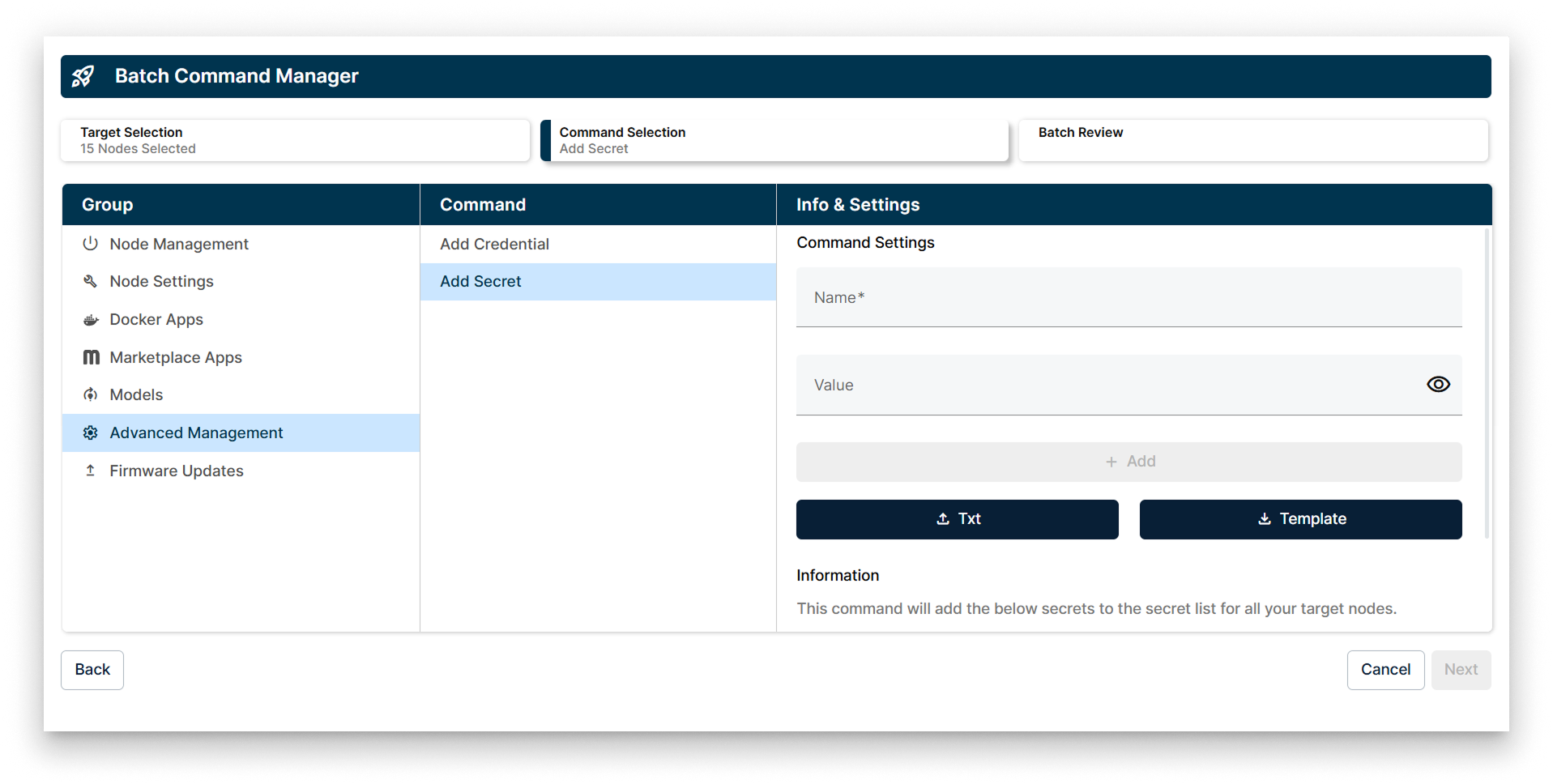
Add Secrets in the Advanced Management Batch Wizard
The Add Secret command enables you to manage secrets required by nodes. Secrets can be added manually, one by one, or in batch mode by uploading a TXT file. A template is available for download to assist in creating the TXT file with all secrets to be uploaded.
If the secret does not exist on the node, it will be created and added to the node's secret list. If the secret key already exists, it will be modified and updated accordingly.
Features shown in the image:
- Name and Value fields for secret input.
- Buttons to upload a TXT file or download a TXT template.
- Information section explaining the effect of the command on target nodes.