Step 0: What is a card
Once your node is activated and before you start deploying apps you should get familiar with what "cards" feature is.
If you select the Node’s name, the Node details view opens with a series of cards. These cards display important information about your Node and its applications, or allows you to execute some actions. In this tutorial we will explain only a few of the most important cards.
Check this article if you want a deeper dive into the Node Details view.
Cards to monitor the Edge Node Telemetry
Once your Edge Node is deployed, monitoring its health is crucial for preventing potential problems and performing predictive maintenance. Barbara PANEL enables monitoring all your provisioned Nodes through 2 main cards:
- The TELEMETRY card
- The ANALYTICS card
The TELEMETRY card
The TELEMETRY card displays real-time information. You can set the frequency of updates (in seconds) in the INTERVAL field. By default, an Edge Node sends telemetries every 4 minutes. The parameters monitored in this card are listed below:
- TEMPERATURE
- SYSTEM LOAD
- RAM usage
- DISK usage
The TELEMETRY card also displays the level of consumption for each of the processes running on your node.
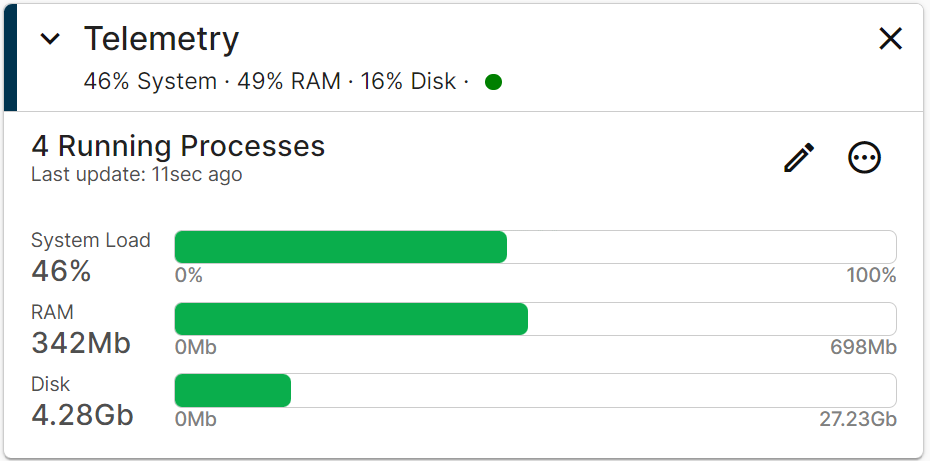
Telemetry Card
You have more details about this card on this article.
The ANALYTICS card
This ANALYTICS card allows checking how the parameters that represent your Edge Node’s health evolve. You can select the parameter to analyze and the time period to analyze, customizing the measurements for specific processes. RELATIVE means relative to the present time and ABSOLUTE requires specifying a time range.
The following parameters are monitored using the ANALYTICS card:
- Temperature: CPU temperature in ºC reported by your node
- RAM: degree of consumption of the node’s RAM memory
- DISK: degree of occupation of your node’s storage memory
- System Load: level (in %) of overall workload on your node’s system
- CPU: level (in %) of workload on your node’s system for each active process
- Files: number of files open for each process.
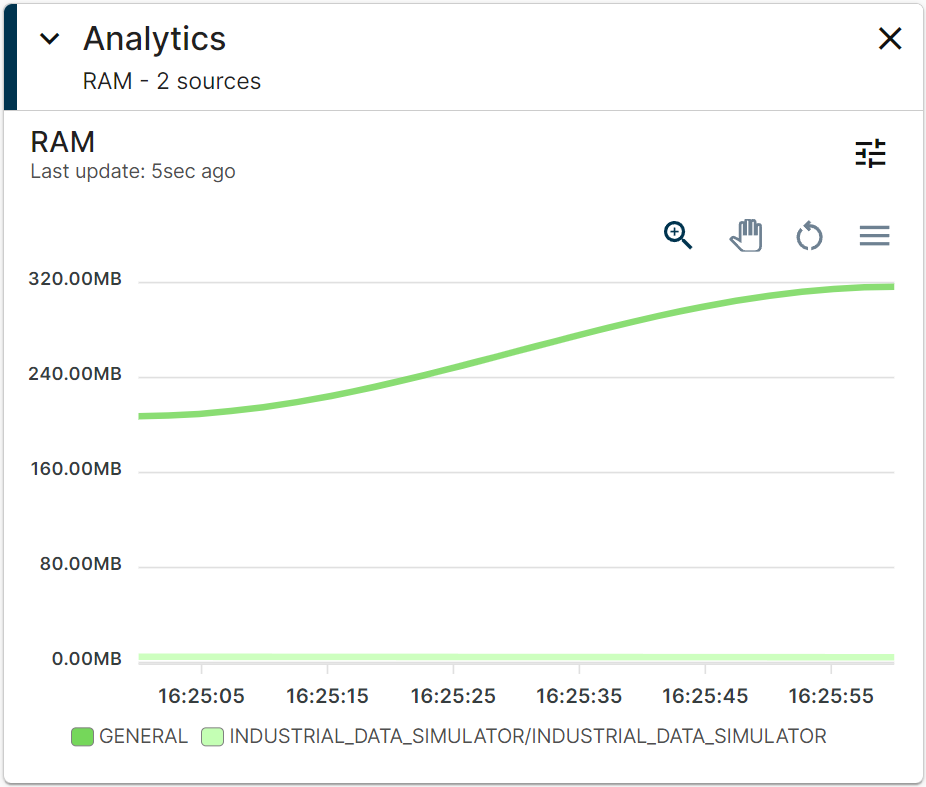
Analytics Card
You have more details about this card on this article.
Configuring the network: the NETWORKING card
A network connection is critical in Edge Node deployment. This section explains how to check the network information shown in Barbara PANEL and adjust the settings for the network interfaces available in your node.
To monitor and adjust everything related to your network connectivity, use the NETWORKING card
The number and types of interfaces in this card depend on your node’s hardware model. One or more interfaces of the following types can be adjusted: WIFI, ETHERNET, and MOBILE.:
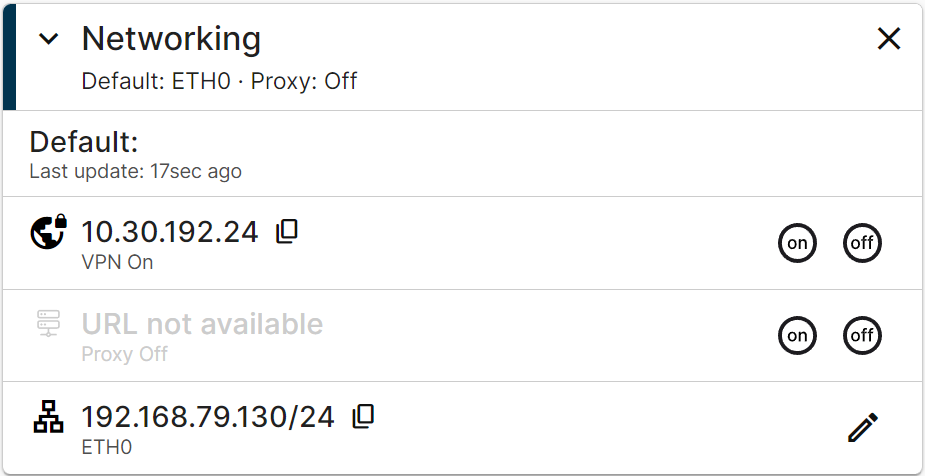
Networking Card
You have more details about this card on this article..