Step 4 — Deploy Ultralytics YOLOv8
This article refers to Platform v3.0.0. The current Platform version is v3.4.0.
This step assumes the MQTT Broker, Video Simulator, and Video Player are already running on the node.
Overview
The Ultralytics YOLOv8 Inference Server runs real-time object detection on the video stream the simulator publishes. It subscribes to the simulator's MQTT topic, runs YOLOv8 on every frame, then publishes back to MQTT:
- A video output stream with the original frames overlaid by detections (bounding boxes, labels).
- A telemetry stream with the inference metrics (object types, counts, inference time).
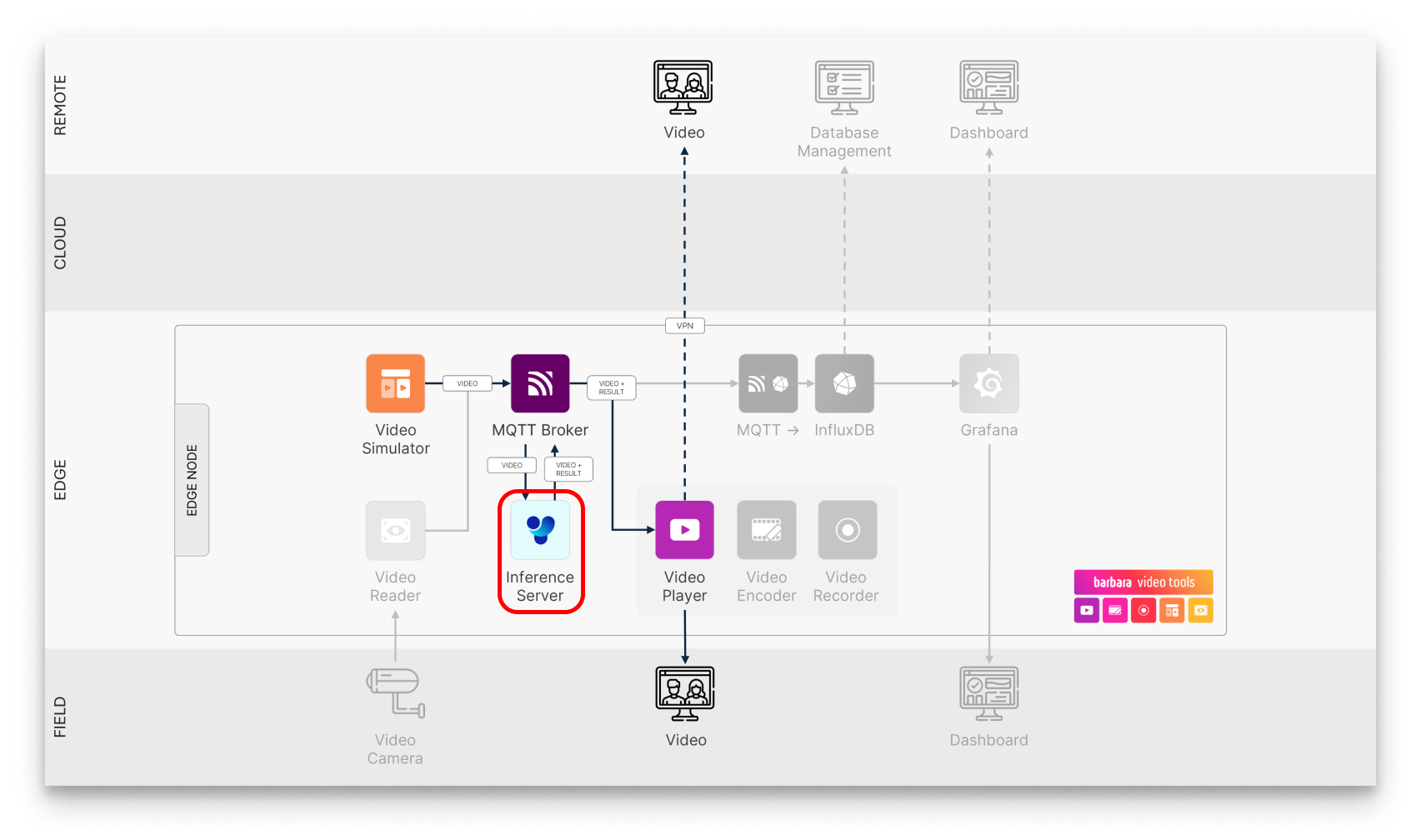
YOLOv8 in the pipeline
Feature summary:
- Tasks supported — object detection, pose estimation, segmentation, classification, oriented bounding box (OBB) detection.
- Models — a curated set of pre-trained YOLOv8 models, plus support for uploading your own
.pt(TorchScript) model. - Outputs — annotated video stream + telemetry stream, both over MQTT.
Add Ultralytics YOLOv8 to your Library


Ultralytics YOLOv8 Inference Server
Subscribes to an MQTT video stream, runs YOLOv8 inference, and publishes annotated video plus telemetry back over MQTT.
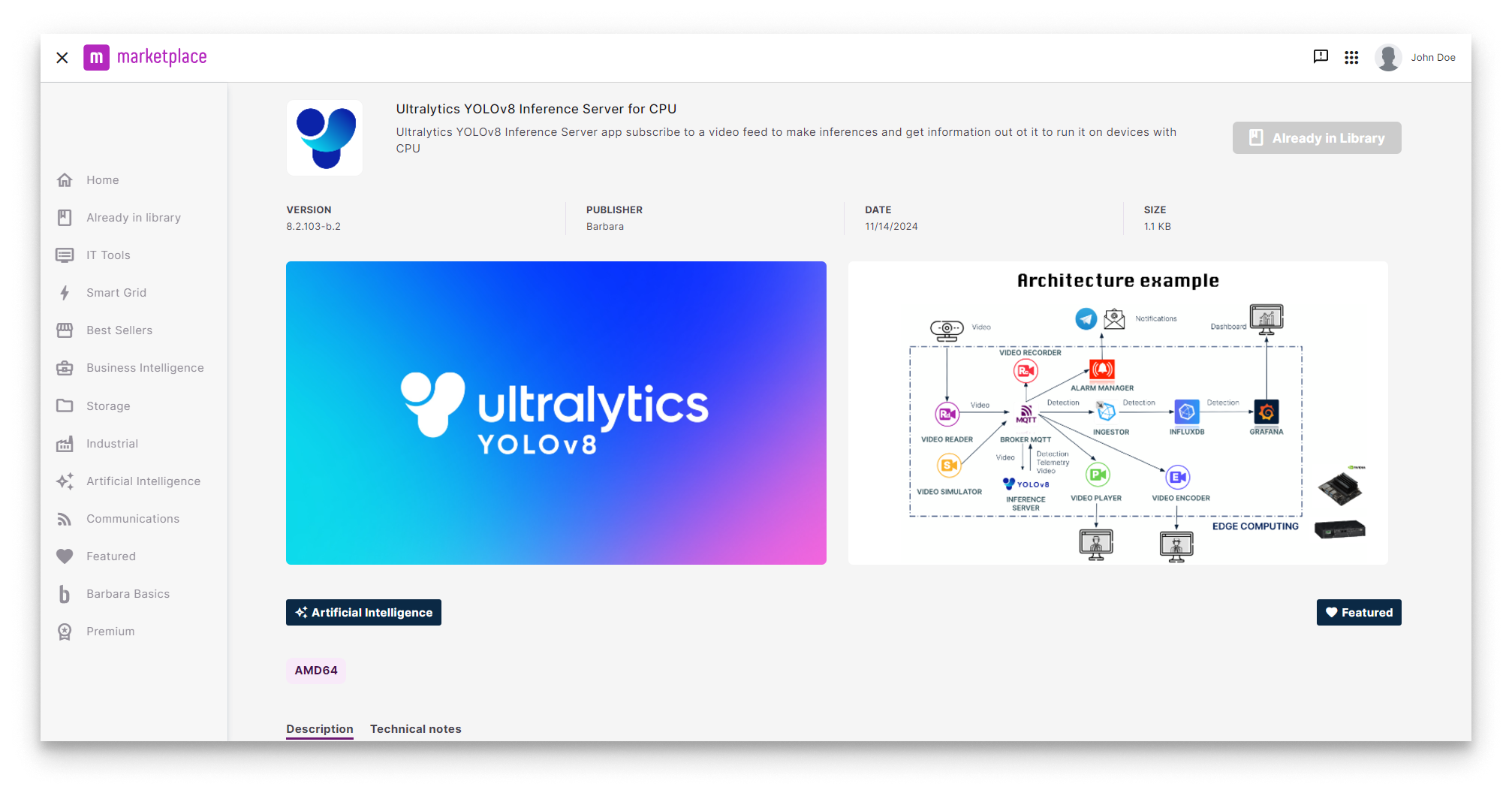
YOLOv8 in the Marketplace
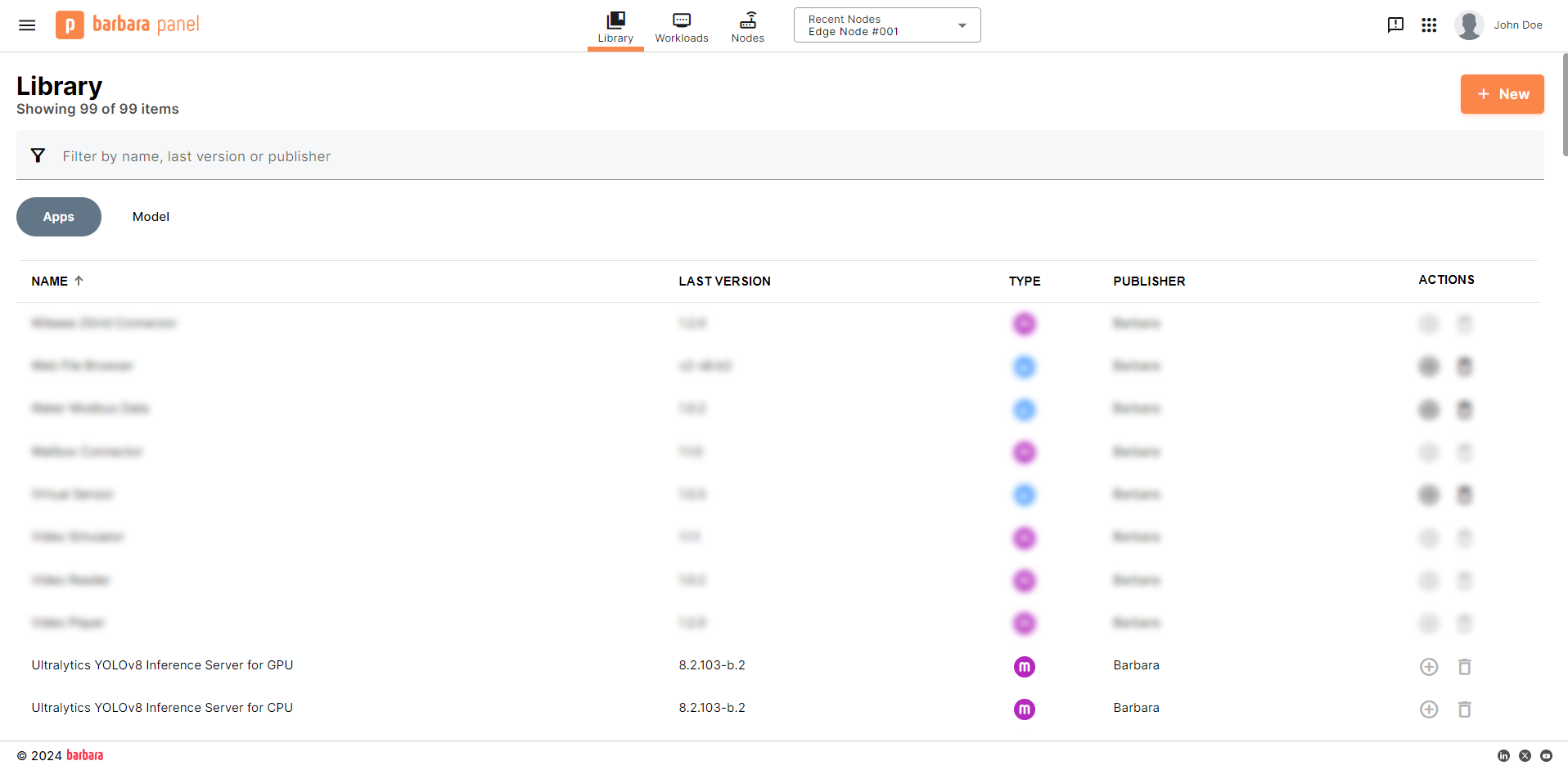
YOLOv8 in the App Library
Deploy Ultralytics YOLOv8
- Open the Node Details page and click Add card → Application.
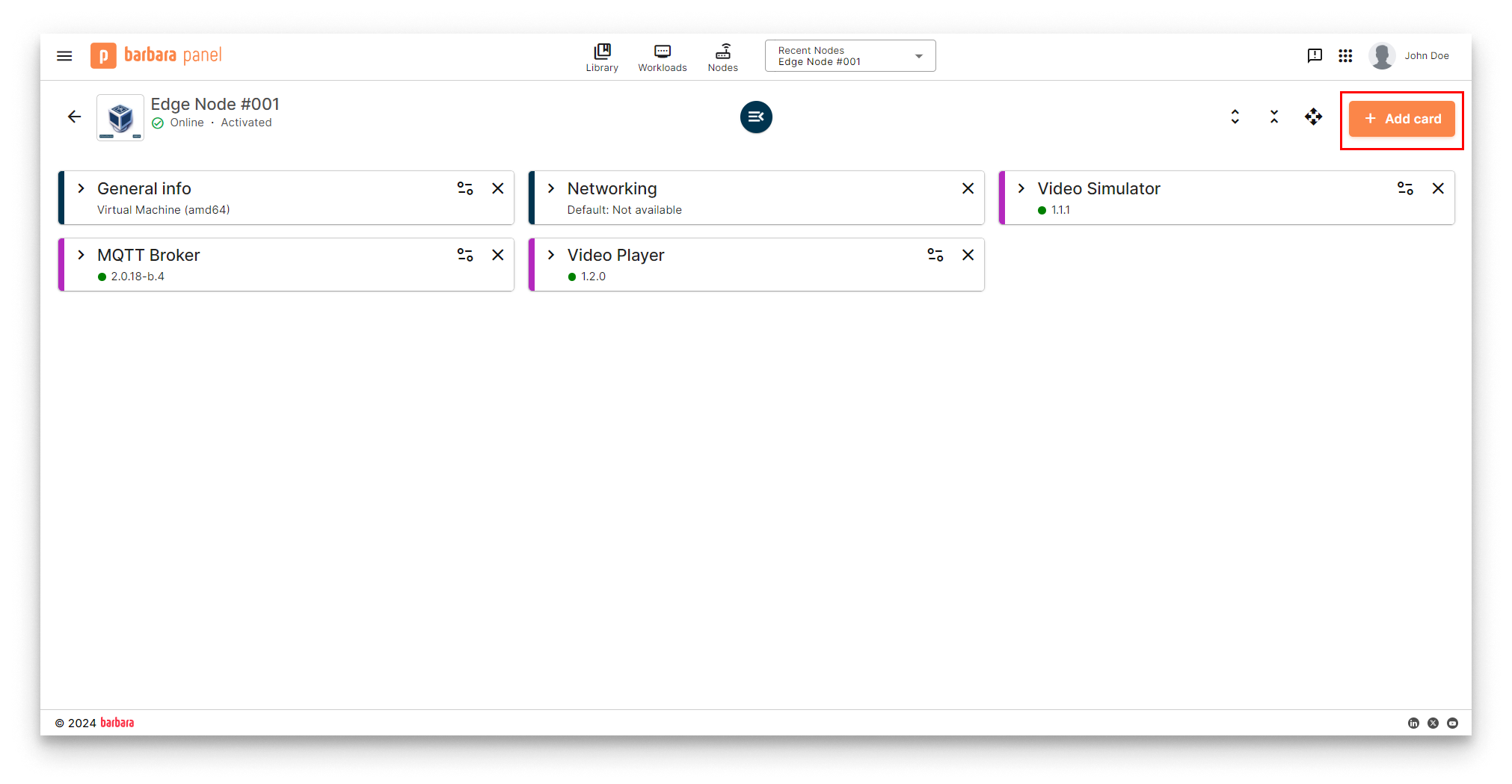
Add card menu
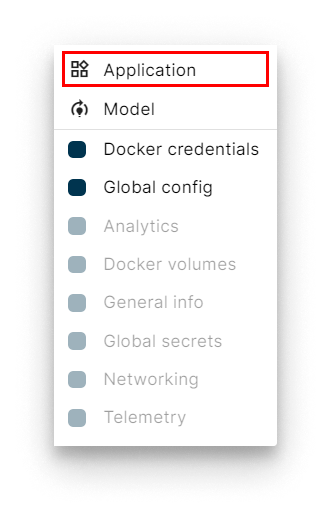
Select Application
- Select app and version. Pick Ultralytics YOLOv8 Inference Server and its latest version. Click Next.
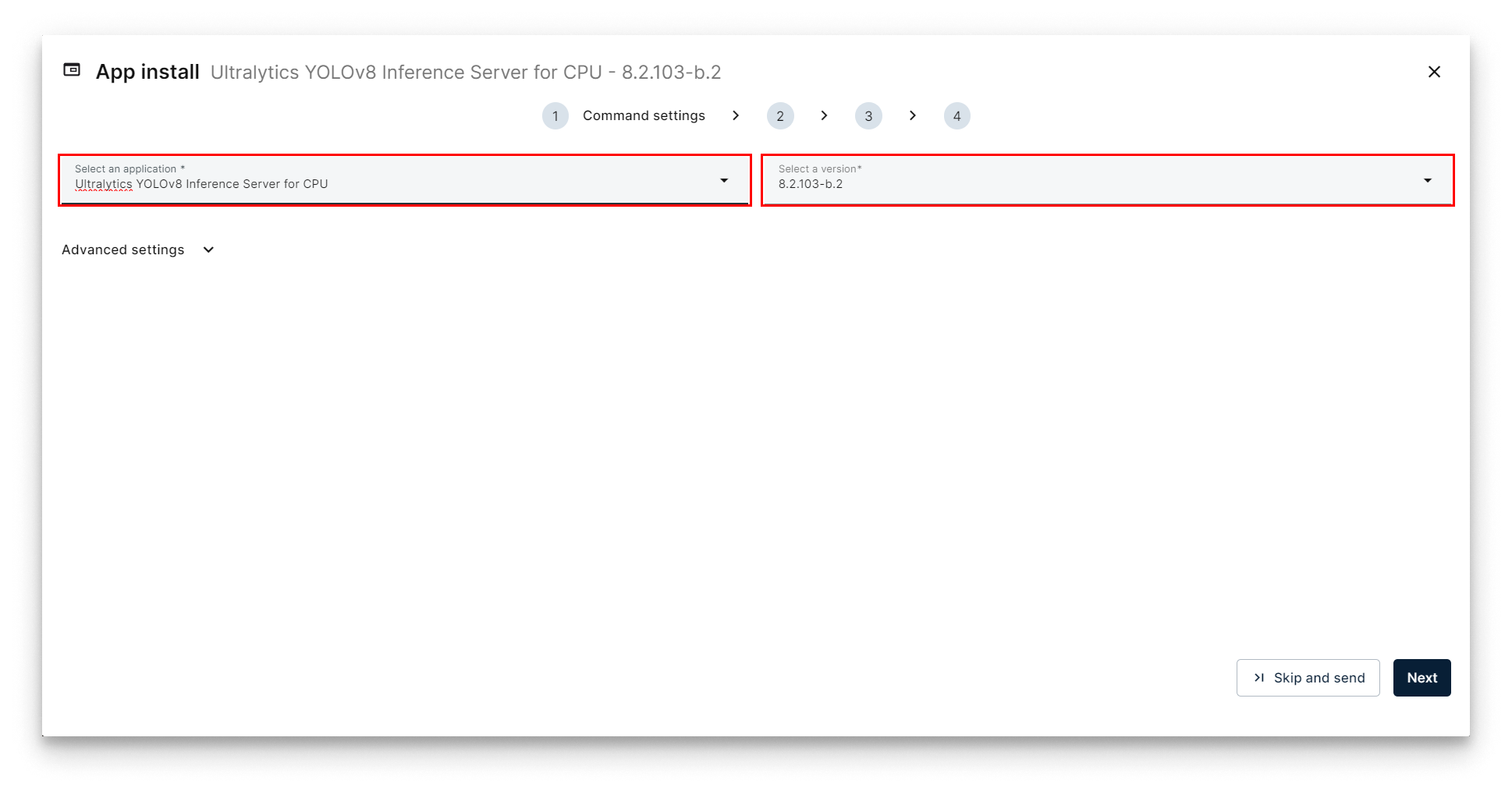
Select YOLOv8
- App Secrets. Keep the defaults and click Next.
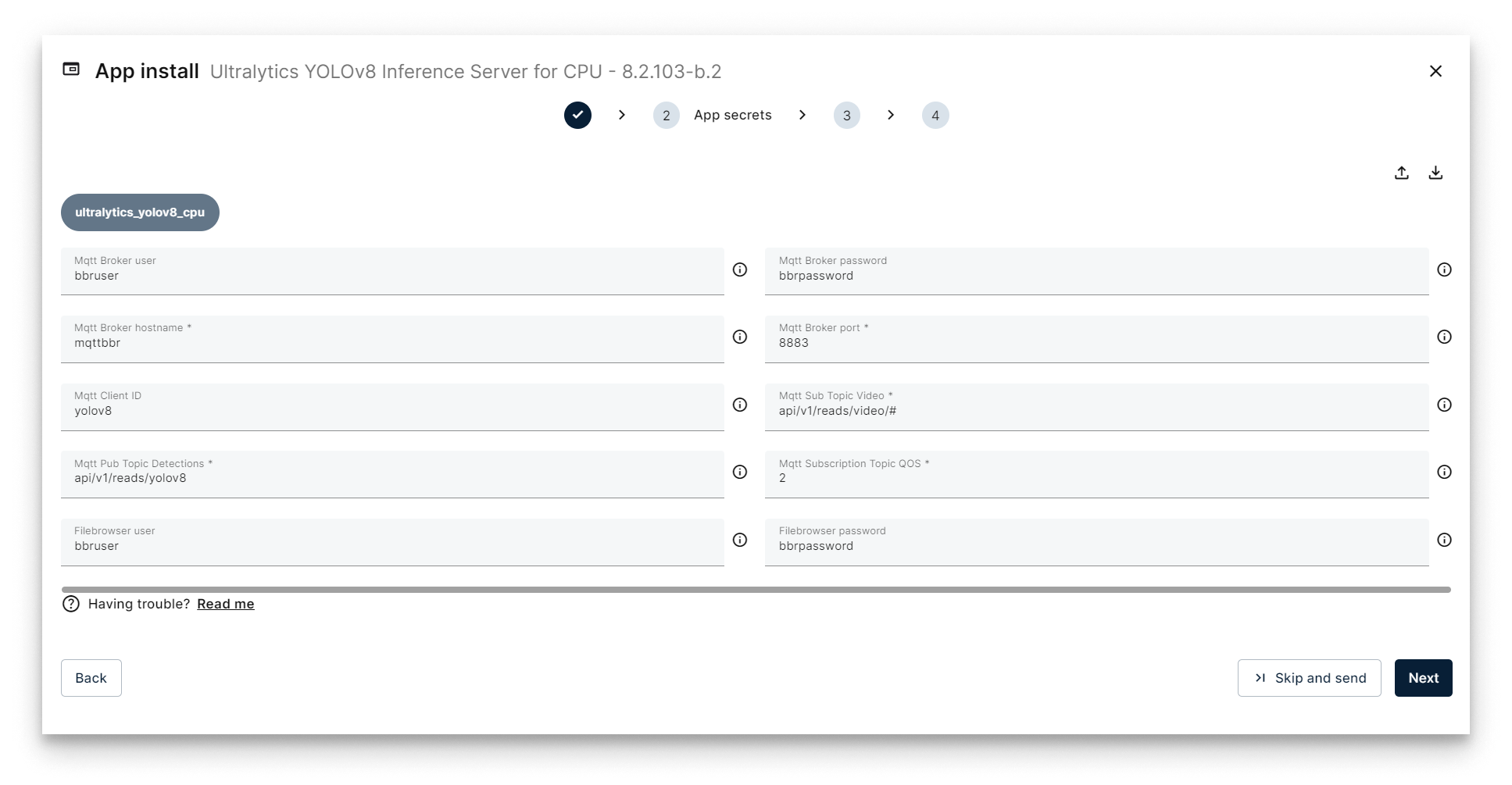
App Secrets for YOLOv8
- Compose Config. The exposed knob is the Yolo Webbrowser Port — the port for the app's file browser, used later to upload custom models. Leave the default
10020.
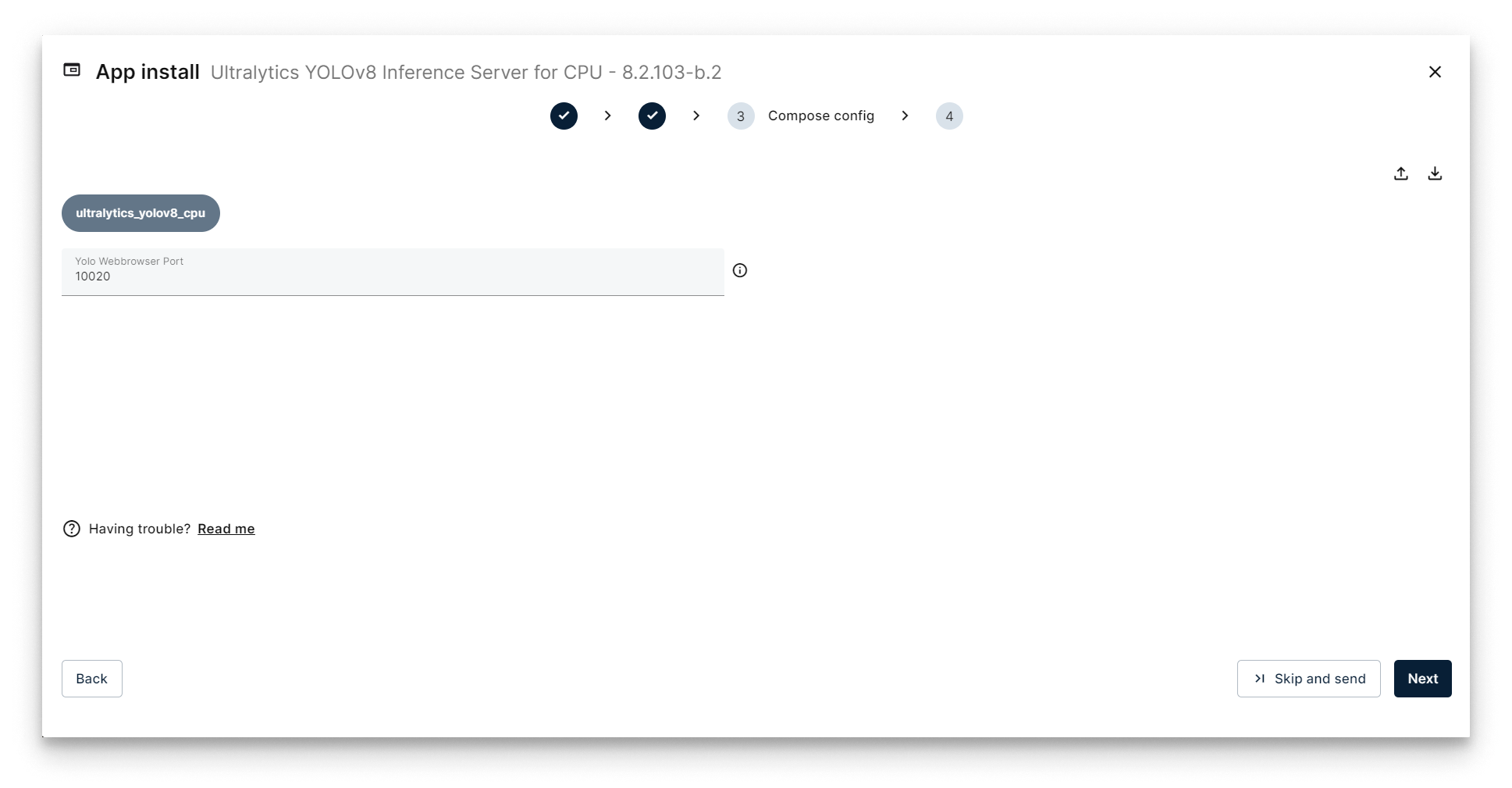
Compose Config for YOLOv8
-
App Config. Paste the JSON below to detect objects on the simulator's stream with the
coco_yolov8nmodel.{
"yolov8": {
"inference_server": {
"agnosticNms": false,
"augment": false,
"classes": [],
"conf": 0.5,
"displayNameDetections": "yolov8_detections_01",
"displayNameTelemetry": "yolov8_telemetry_01",
"displayNameVideoOutput": "yolov8_video_01",
"iou": 0.7,
"lineWidth": 0,
"maxDet": 300,
"model": "coco_yolov8n",
"showBoxes": true,
"showConf": true,
"showLabels": true,
"streamBuffer": true,
"vidStride": 1,
"videoOutputEnabled": true
},
"system": {
"debugLevel": "info"
},
"video_input": {
"displayName": "video_simulator_01"
}
}
}Key fields:
Section Parameter Value Description video_inputdisplayNamevideo_simulator_01The input video stream — must match the Video Simulator's displayName.yolov8displayNameVideoOutputyolov8_video_01The output video stream the server publishes back to the broker. yolov8displayNameTelemetryyolov8_telemetry_01The output telemetry stream (used in step 6 to ingest into InfluxDB). yolov8modelcoco_yolov8nThe pre-trained YOLOv8 model to run. See Pre-trained models below. Every field is documented in the right-hand README panel of the wizard.
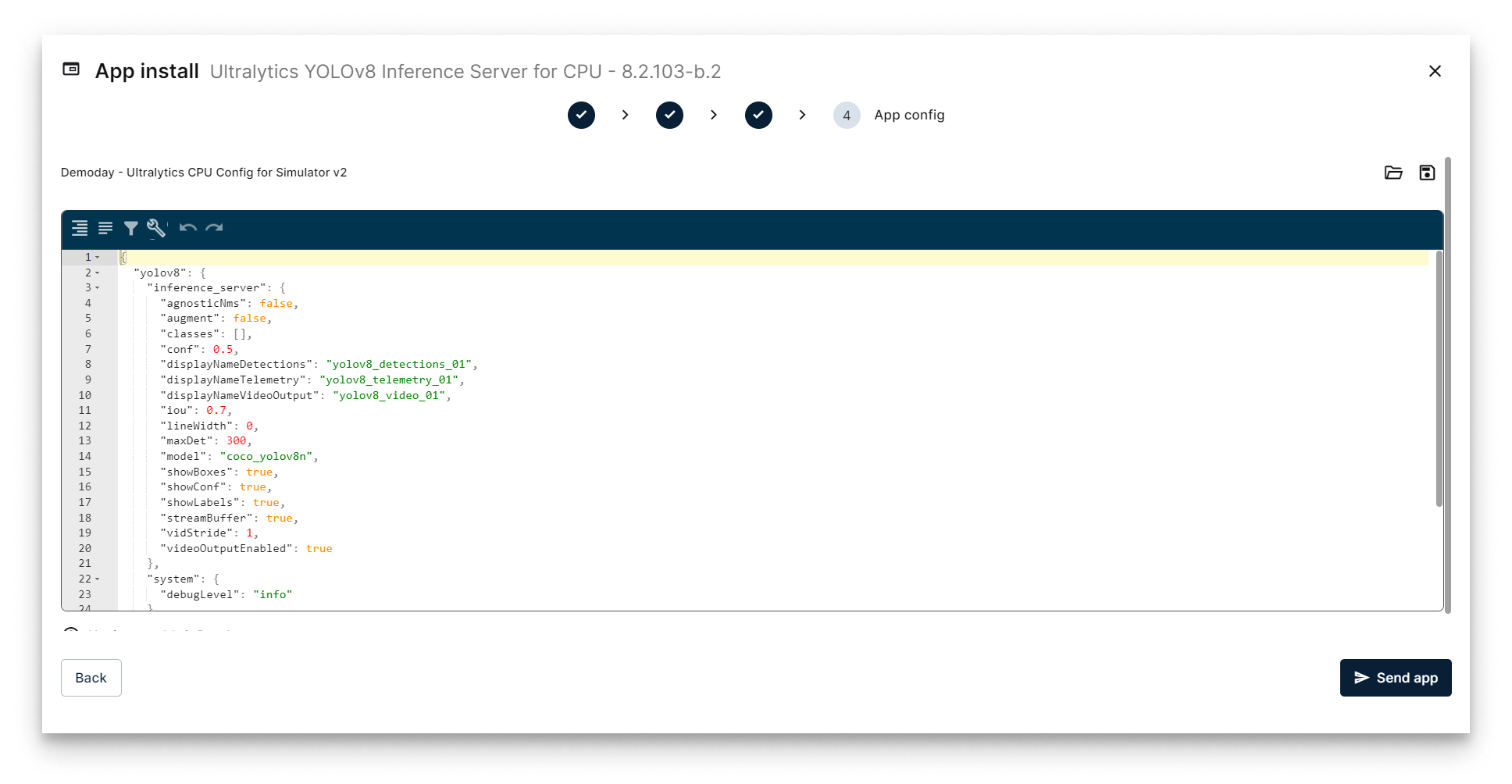
Send YOLOv8 deployment
The telemetry stream is what gets persisted in InfluxDB and rendered in Grafana later in the tutorial. Keep displayNameTelemetry aligned with the Ingester configuration in Step 6.
Verify the deployment
The YOLOv8 workload card appears on the Node Details page. When it turns green (Started), the inference server is running.
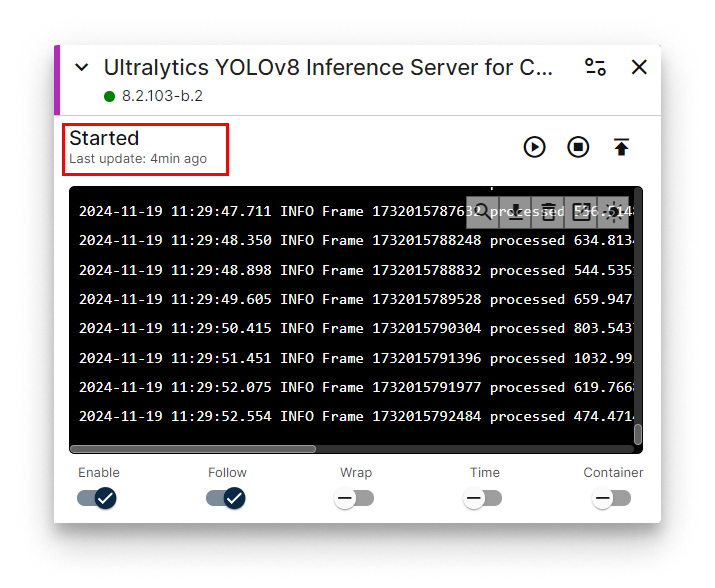
YOLOv8 workload card
Watch the annotated stream
Switch the Video Player to the YOLOv8 output stream by editing its App Config (pencil icon on the Video Player workload card).
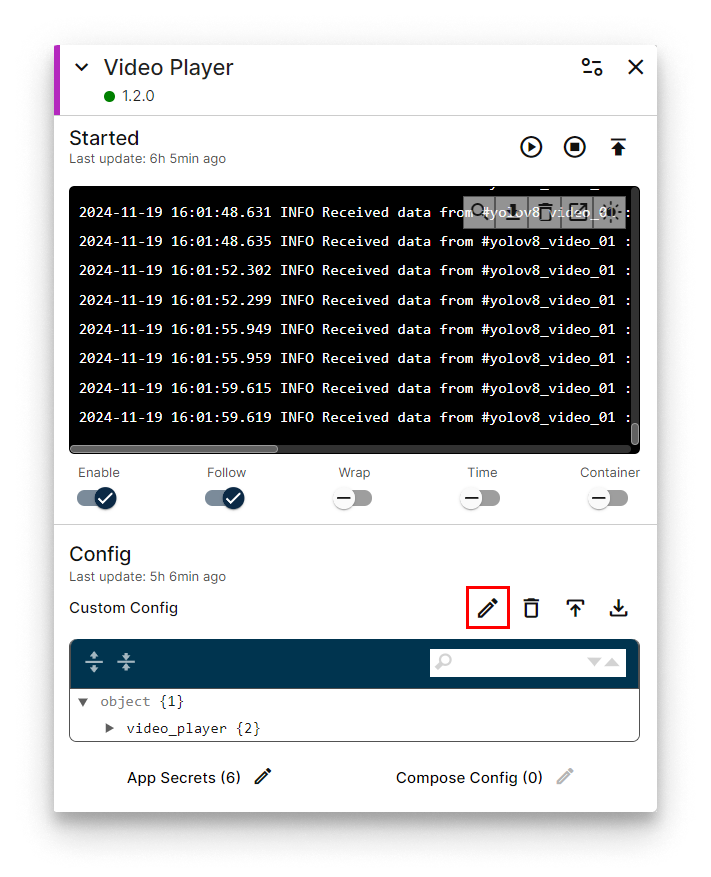
Edit Video Player App Config
Replace its config with:
{
  "video_player": {
    "system": {
      "debugLevel": "info"
    },
    "video": {
      "deviceDisplayName": "yolov8_video_01"
    }
  }
}
Open http://<NODE_IP>:5080 again — the player now shows the same video annotated with detected objects.
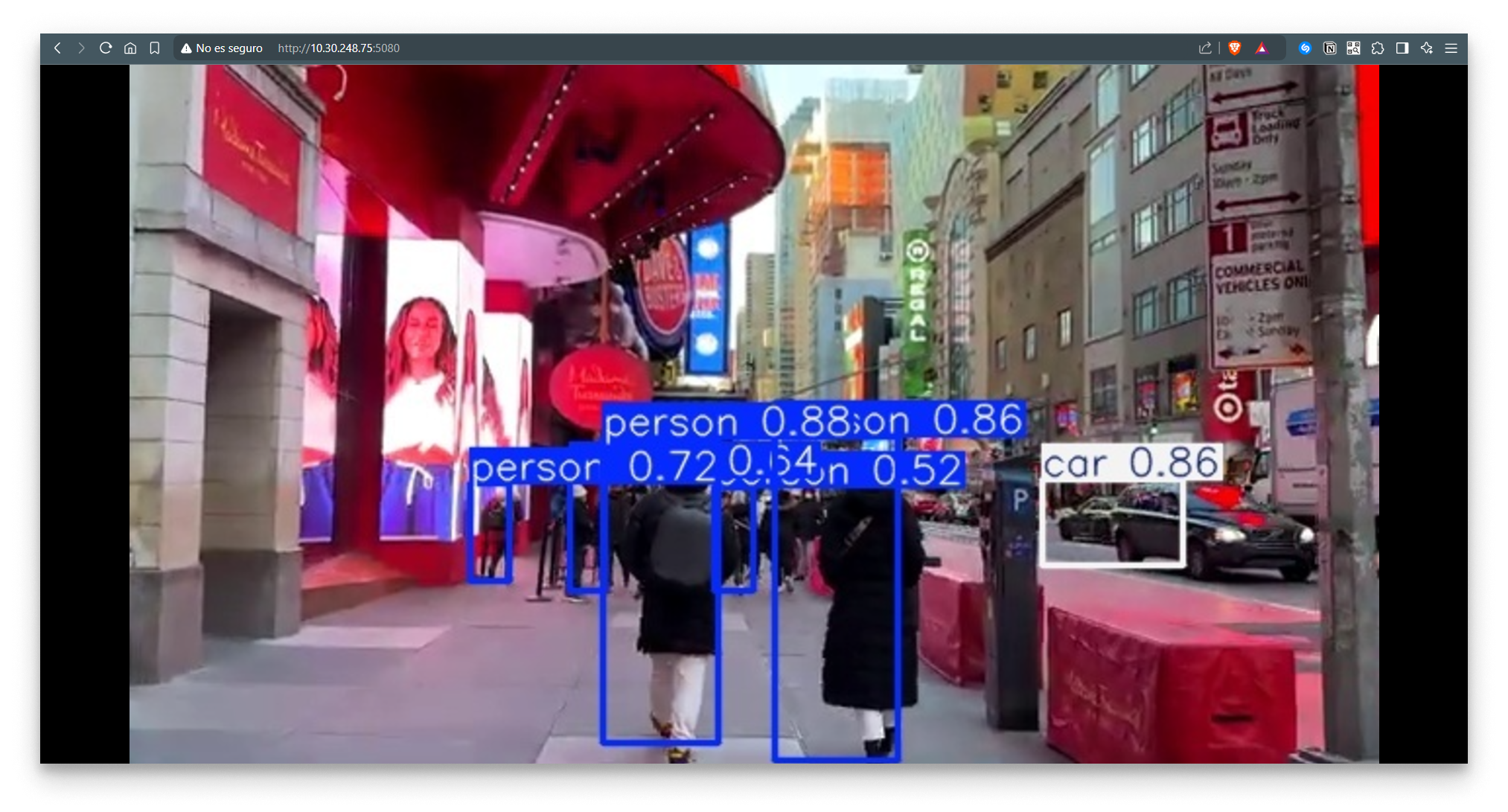
Annotated stream in the Video Player
Use a different pre-trained model
Switch the model field in App Config to any of the curated names below. For example, to run pose estimation use coco_yolov8n-pose.
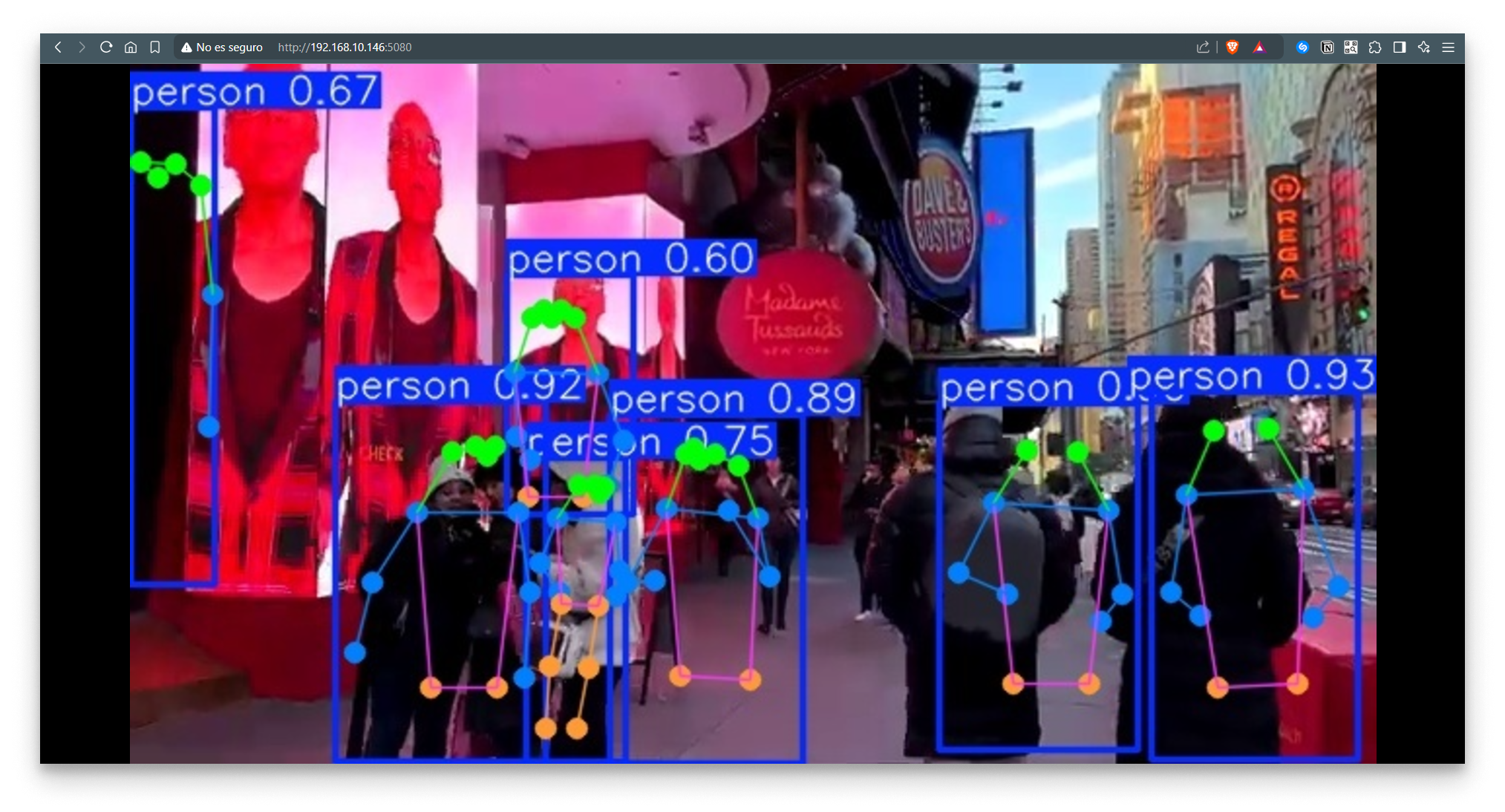
Pose estimation in the Video Player
Available pre-trained models:
| Type | Model | Size (px) | mAP val 50-95 | CPU ONNX (ms) | A100 TensorRT (ms) | Params (M) | FLOPs (B) |
|---|---|---|---|---|---|---|---|
| Object detection | coco_yolov8n | 640 | 37.3 | 80.4 | 0.99 | 3.2 | 8.7 |
| Object detection | coco_yolov8s | 640 | 44.9 | 128.4 | 1.20 | 11.2 | 28.6 |
| Object detection | coco_yolov8m | 640 | 50.2 | 234.7 | 1.83 | 25.9 | 78.9 |
| Object detection | coco_yolov8l | 640 | 52.9 | 375.2 | 2.39 | 43.7 | 165.2 |
| Object detection | coco_yolov8x | 640 | 53.9 | 479.1 | 3.53 | 68.2 | 257.8 |
| Object detection | openimagev7_yolov8n | 640 | 18.4 | 142.4 | 1.21 | 3.5 | 10.5 |
| Object detection | openimagev7_yolov8s | 640 | 27.7 | 183.1 | 1.40 | 11.4 | 29.7 |
| Object detection | openimagev7_yolov8m | 640 | 33.6 | 408.5 | 2.26 | 26.2 | 80.6 |
| Object detection | openimagev7_yolov8l | 640 | 34.9 | 596.9 | 2.43 | 44.1 | 167.4 |
| Object detection | openimagev7_yolov8x | 640 | 36.3 | 860.6 | 3.56 | 68.7 | 260.6 |
| Segmentation | coco_yolov8n-seg | 640 | 36.7 / 30.5 | 96.1 | 1.21 | 3.4 | 12.6 |
| Segmentation | coco_yolov8s-seg | 640 | 44.6 / 36.8 | 155.7 | 1.47 | 11.8 | 42.6 |
| Segmentation | coco_yolov8m-seg | 640 | 49.9 / 40.8 | 317.0 | 2.18 | 27.3 | 110.2 |
| Segmentation | coco_yolov8l-seg | 640 | 52.3 / 42.6 | 572.4 | 2.79 | 46.0 | 220.5 |
| Segmentation | coco_yolov8x-seg | 640 | 53.4 / 43.4 | 712.1 | 4.02 | 71.8 | 344.1 |
| Pose | coco_yolov8n-pose | 640 | 50.4 / 80.1 | 131.8 | 1.18 | 3.3 | 9.2 |
| Pose | coco_yolov8s-pose | 640 | 60.0 / 86.2 | 233.2 | 1.42 | 11.6 | 30.2 |
| Pose | coco_yolov8m-pose | 640 | 65.0 / 88.8 | 456.3 | 2.00 | 26.4 | 81.0 |
| Pose | coco_yolov8l-pose | 640 | 67.6 / 90.0 | 784.5 | 2.59 | 44.4 | 168.6 |
| Pose | coco_yolov8x-pose | 640 | 69.2 / 90.2 | 1607.1 | 3.73 | 69.4 | 263.2 |
| Pose | coco_yolov8x-pose-p6 | 1280 | 71.6 / 91.2 | 4088.7 | 10.04 | 99.1 | 1066.4 |
| OBB | dotav1_yolov8n-obb | 1024 | 78.0 | 204.77 | 3.57 | 3.1 | 23.3 |
| OBB | dotav1_yolov8s-obb | 1024 | 79.5 | 424.88 | 4.07 | 11.4 | 76.3 |
| OBB | dotav1_yolov8m-obb | 1024 | 80.5 | 763.48 | 7.61 | 26.4 | 208.6 |
| OBB | dotav1_yolov8l-obb | 1024 | 80.7 | 1278.42 | 11.83 | 44.5 | 433.8 |
| OBB | dotav1_yolov8x-obb | 1024 | 81.36 | 1759.10 | 13.23 | 69.5 | 676.7 |
| Classification | imagenet_yolov8n-cls | 224 | 69.0 / 88.3 | 12.9 | 0.31 | 2.7 | 4.3 |
| Classification | imagenet_yolov8s-cls | 224 | 73.8 / 91.7 | 23.4 | 0.35 | 6.4 | 13.5 |
| Classification | imagenet_yolov8m-cls | 224 | 76.8 / 93.5 | 85.4 | 0.62 | 17.0 | 42.7 |
| Classification | imagenet_yolov8l-cls | 224 | 78.3 / 94.2 | 163.0 | 0.87 | 37.5 | 99.7 |
| Classification | imagenet_yolov8x-cls | 224 | 79.0 / 94.6 | 232.0 | 1.01 | 57.4 | 154.8 |
Use your own TorchScript model
The YOLOv8 server can also run your own TorchScript (.pt) models. Upload the file via the app's file browser, then point model at it.
-
Open
http://<NODE_IP>:10020in a browser to reach the YOLOv8 file browser.Parameter Default value Set in Port 10020Compose Config Username bbruserApp Secrets Password bbrpasswordApp Secrets
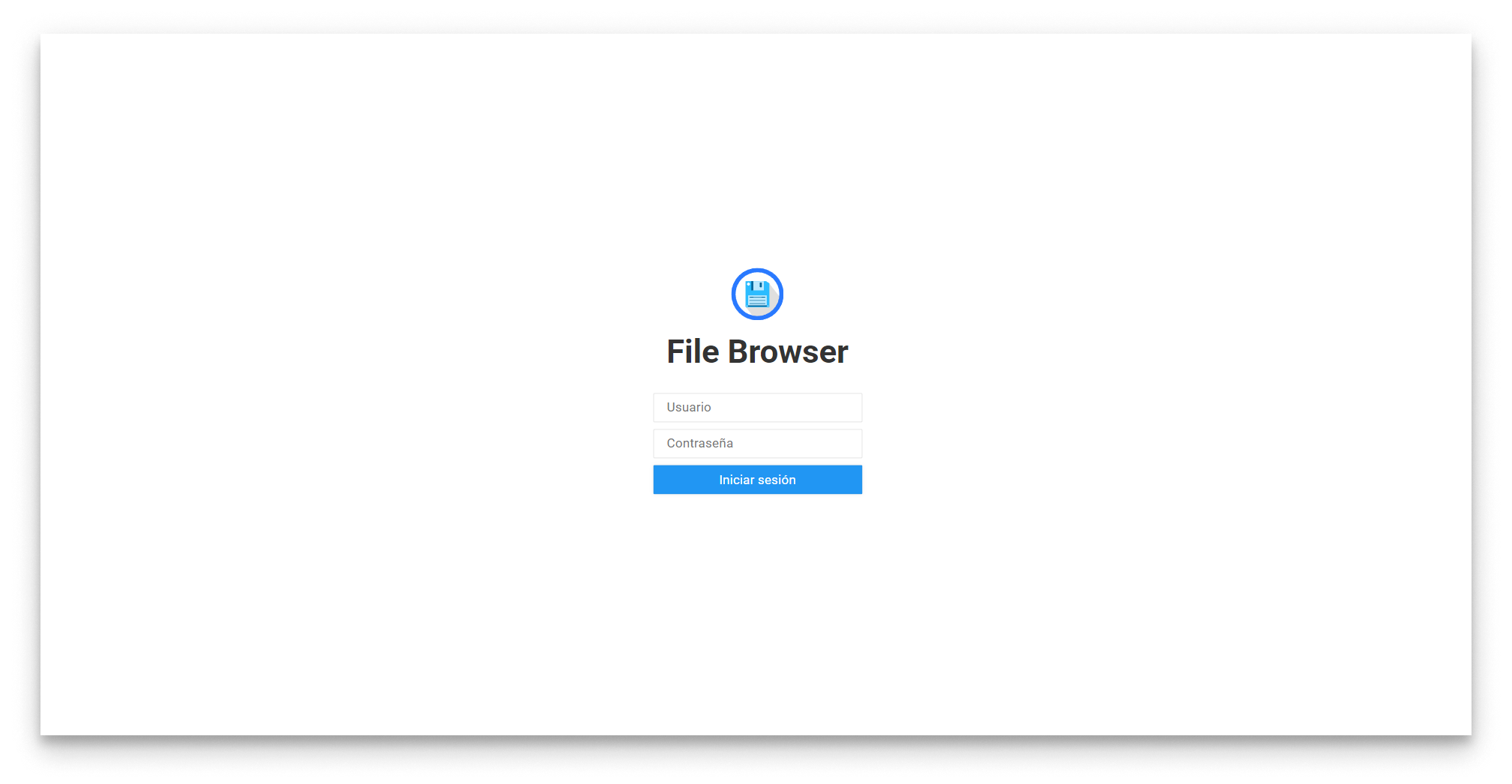
YOLOv8 file browser login
- Click Upload and pick the
.ptfile.
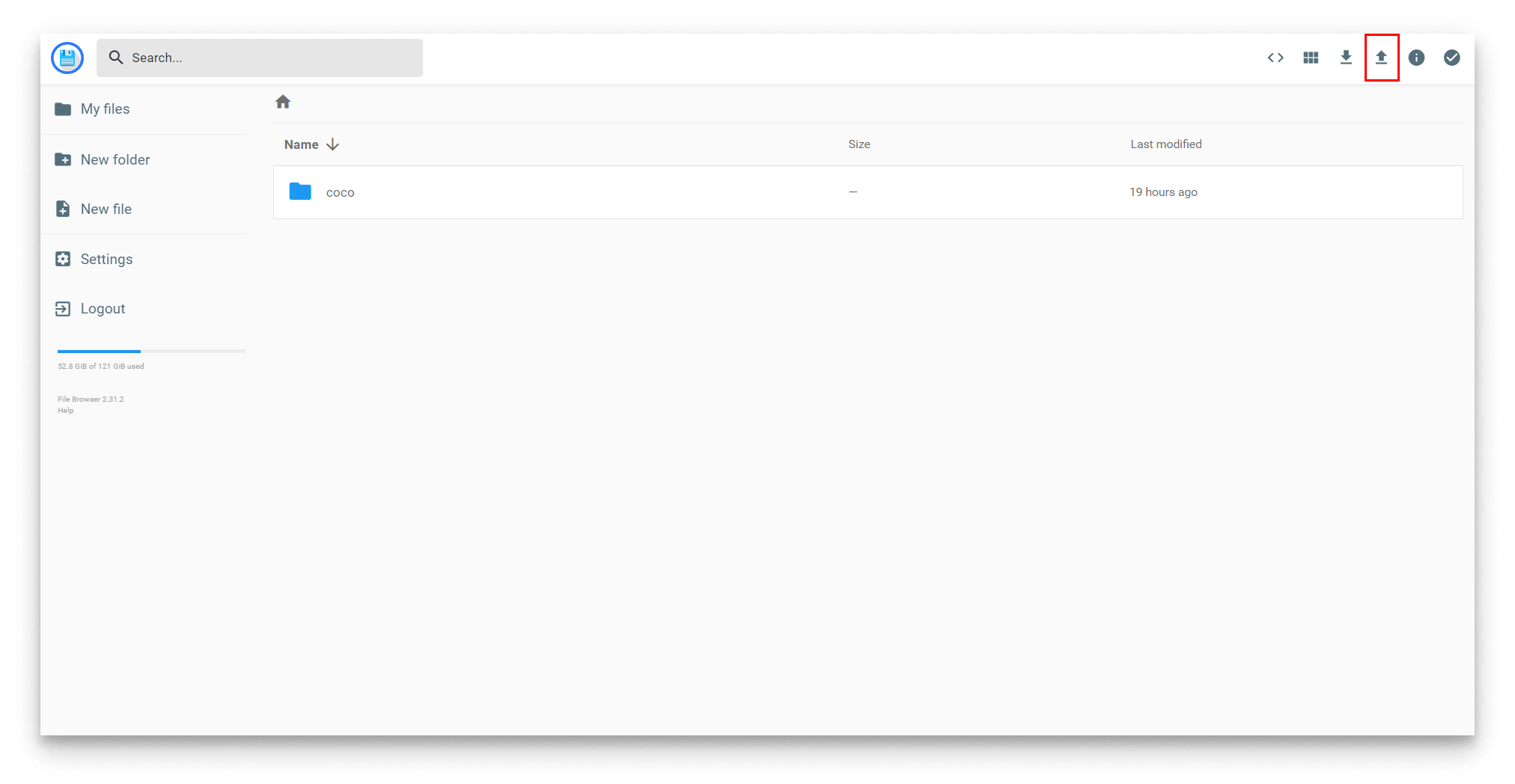
Upload a model
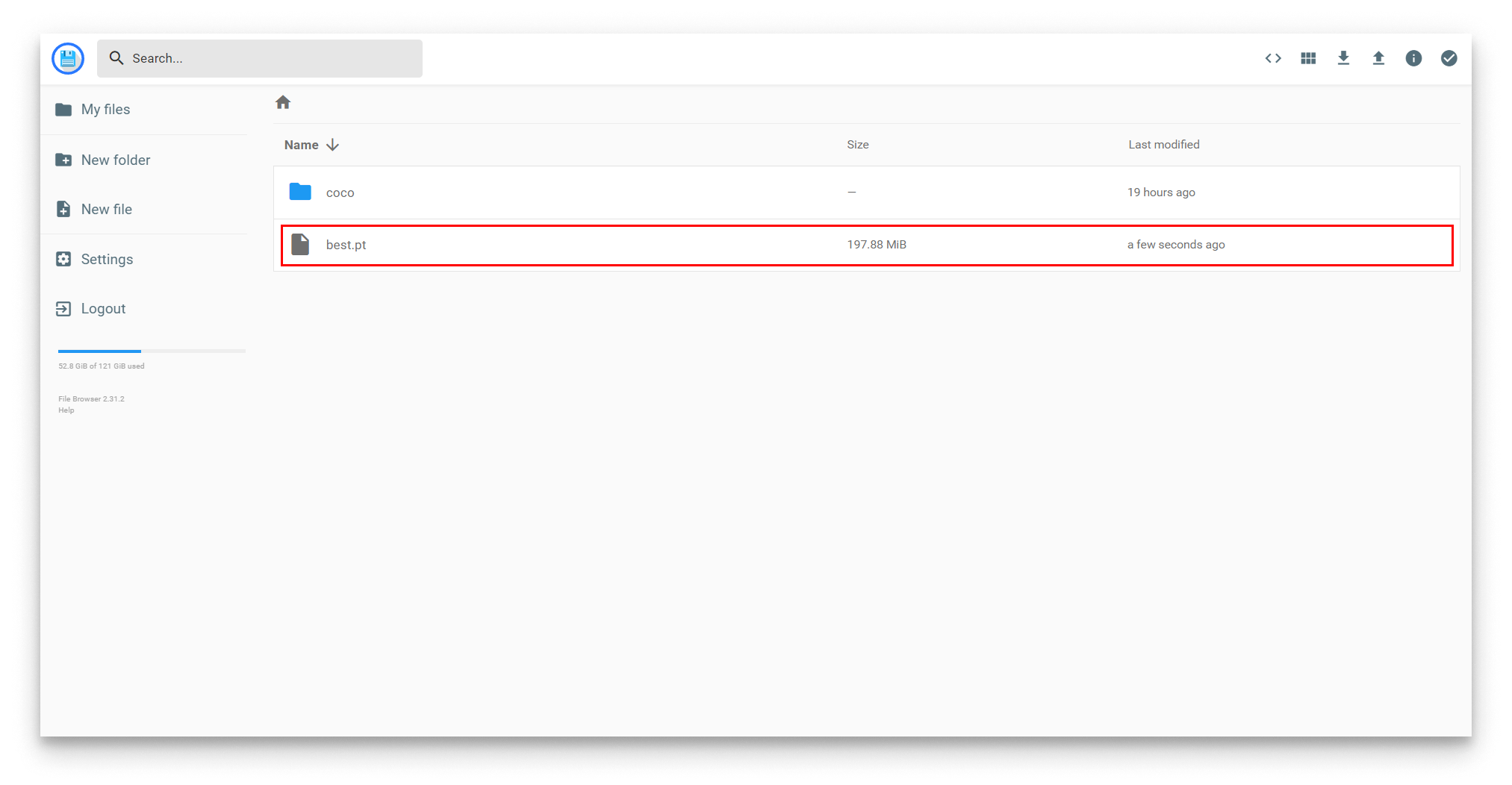
Model uploaded
-
Edit the YOLOv8 App Config and replace
modelwith the file name. For example,best.pt:{
"yolov8": {
"inference_server": {
"model": "best.pt",
...
},
...
}
}
Summary
The YOLOv8 server runs real-time object detection on the simulator's stream and publishes both an annotated video and a telemetry stream back to MQTT. In Step 5 you will deploy InfluxDB to persist the telemetry; the next two steps wire it through to a Grafana dashboard.