Deploy from the Marketplace
This article refers to Platform v3.3.0. The current Platform version is v3.3.0.
Overview
You deploy the Schneider Softdpac Portable Runtime on a single edge node in Standard mode, the default: the runtime starts empty and you manage its application from EAE in the next step. The only values you change are the plant-network settings; keep the defaults for everything else.
The application must be in your App Library first. If it isn't, add it as described in Add a Marketplace application to your library.
Deploy to your node
On the node's Workloads tab, click Add Application.
1) Command settings
Choose Schneider Softdpac Portable Runtime and keep the latest version (v25.0.25197-b.14). Click Next.
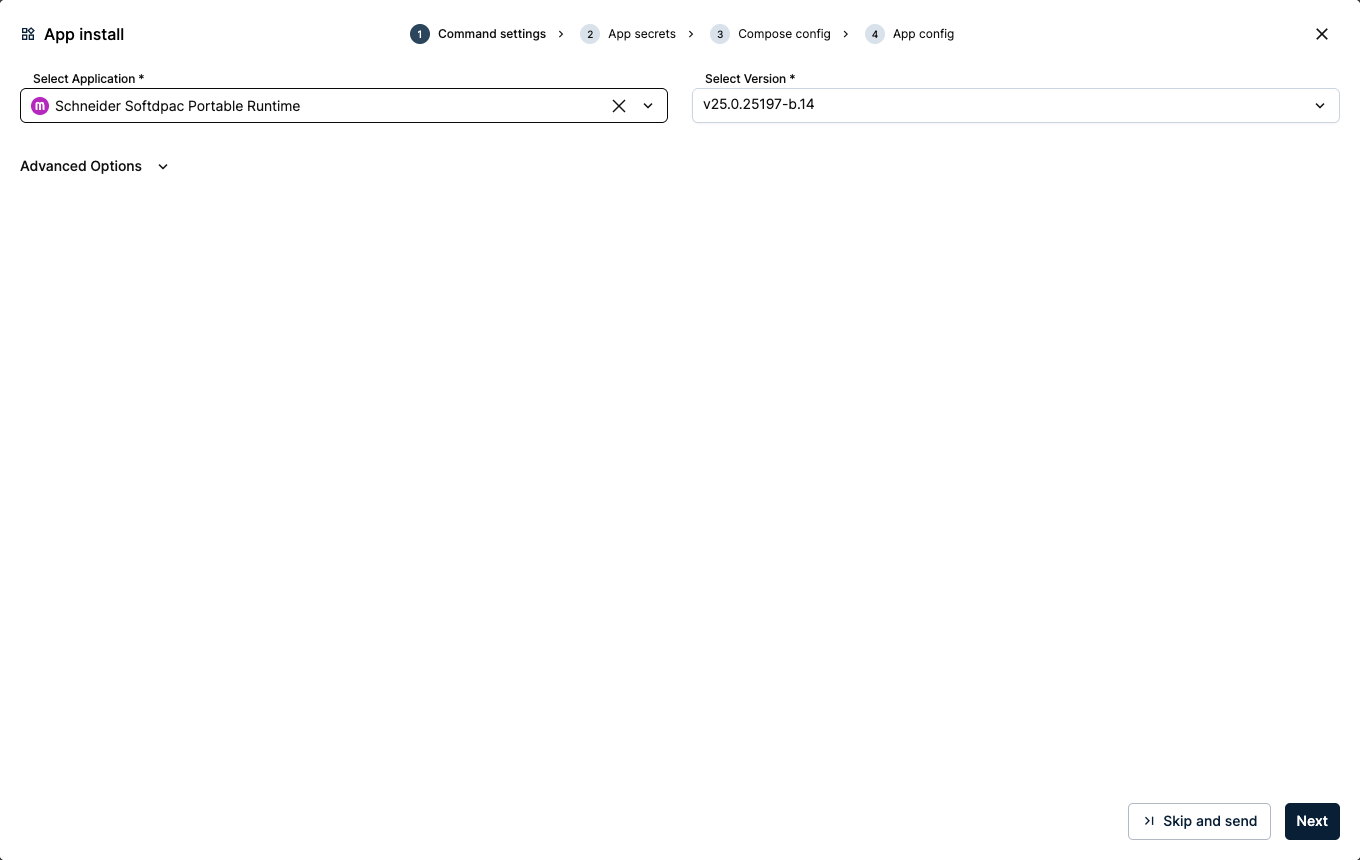
Selecting the application and version
2) App secrets
The App secrets are grouped by service: softdpac-init and softdpac. Set the plant-network values below and keep the defaults for the rest.
| Variable | Value | Tab | Meaning |
|---|---|---|---|
BBR_VLAN_SUBNET | 172.16.50.0/24 | softdpac-init | Your plant network in CIDR. |
BBR_VLAN_GATEWAY | 172.16.50.1 | softdpac-init | Your plant-network gateway. |
BBR_VLAN_IP | 172.16.50.24 | softdpac | A free IP for the runtime on your LAN. |
Keep BBR_VLAN_MODE at its default ipvlan, which works on both physical and virtual nodes (use macvlan on physical nodes that need their own MAC address). Keep BBR_VLAN_PARENT at auto to detect the interface from the network range, and leave PIPELINE_MODE and INTEGRATION at false for Standard mode. Click Next.
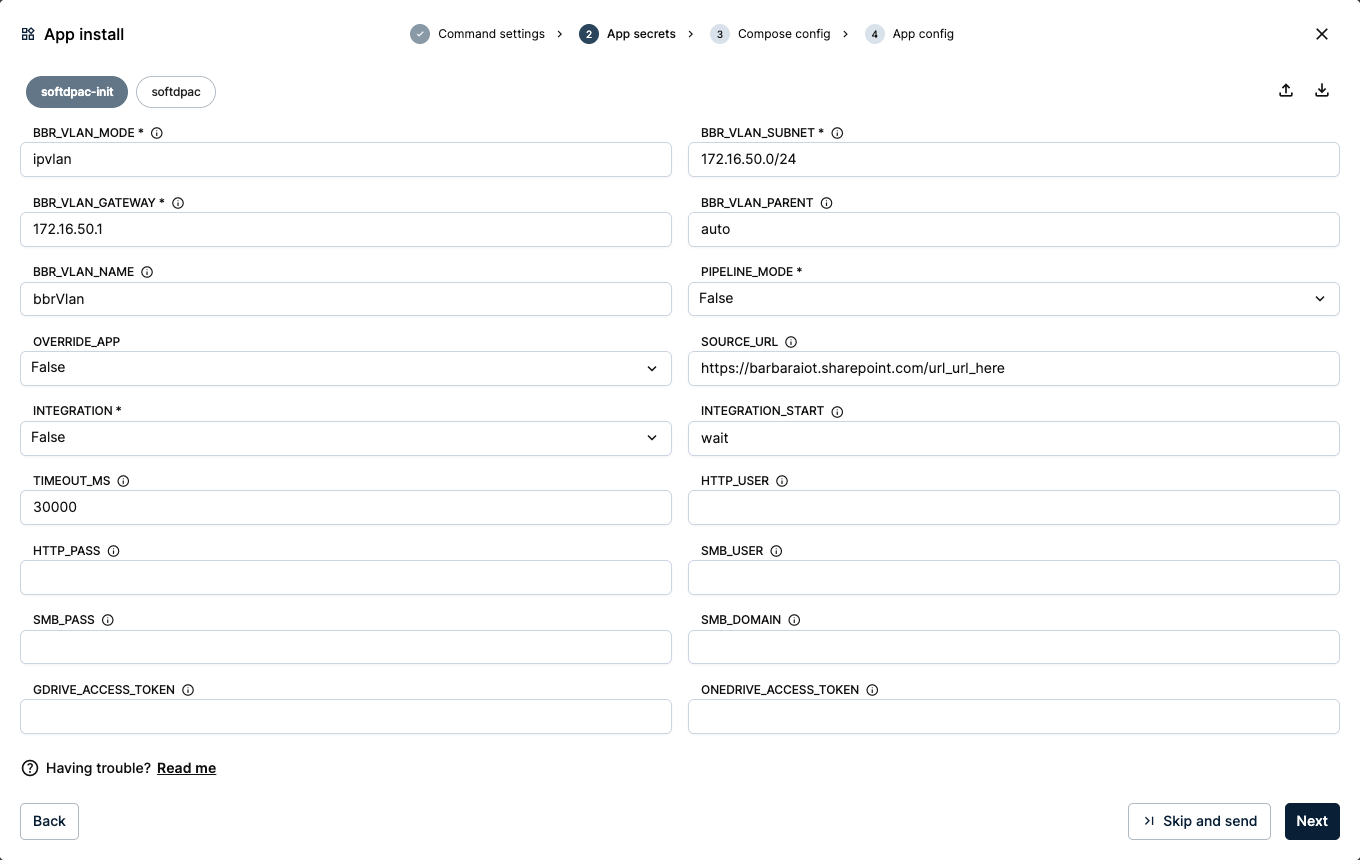
App secrets for Standard mode
Every variable, port and volume is documented in the application's Technical Notes on its Marketplace page.
3) Compose config
Keep the default ports 4840 (OPC UA) and 51499 (runtime API), and the default volume names. Click Next.
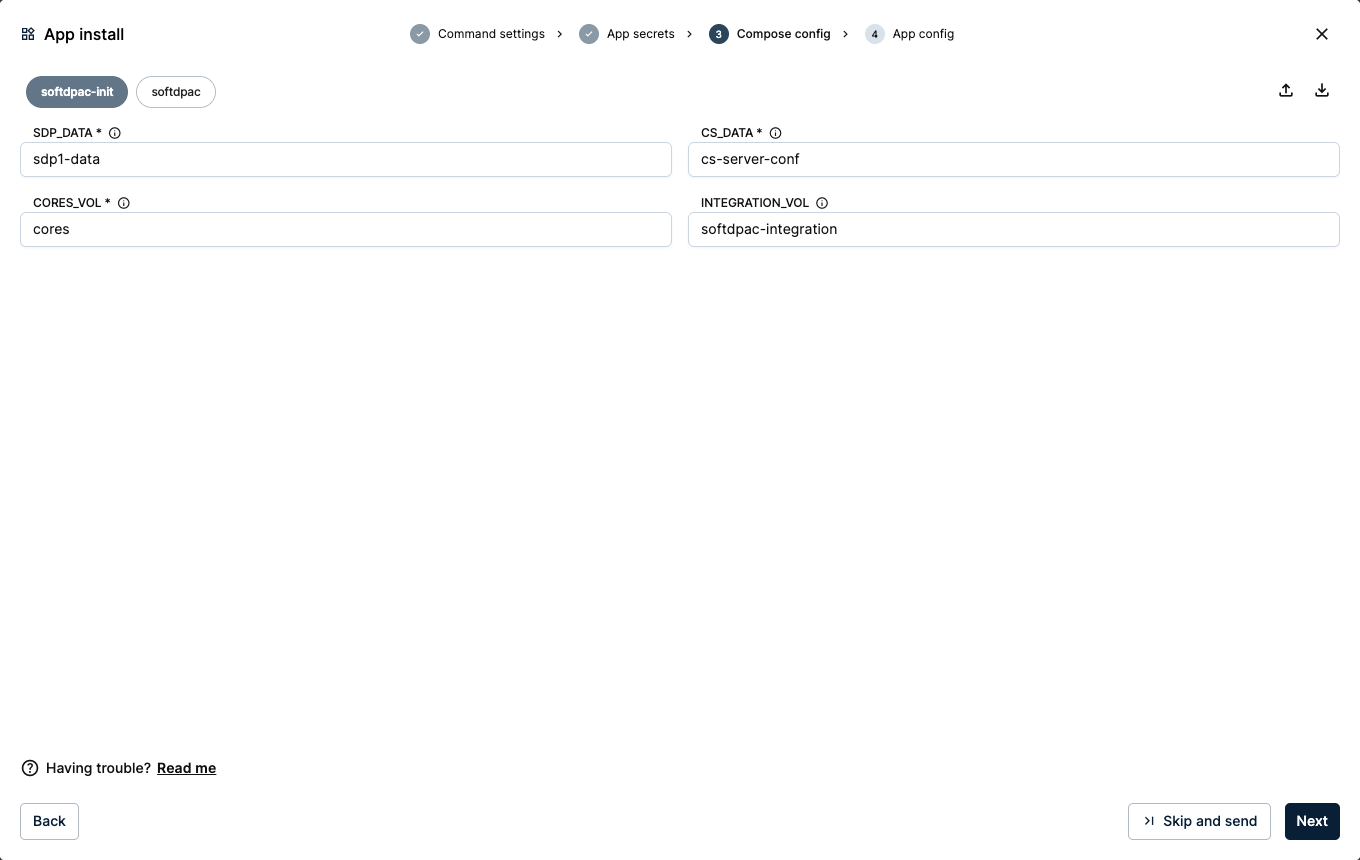
Keeping the default ports and volumes
4) App config
This application needs no App config, so leave it empty and send it with Skip and send.
Verify and reach the runtime
A workload card appears under Workloads. Within a few seconds it reads Started, with its two services running: softdpac and softdpac-init.
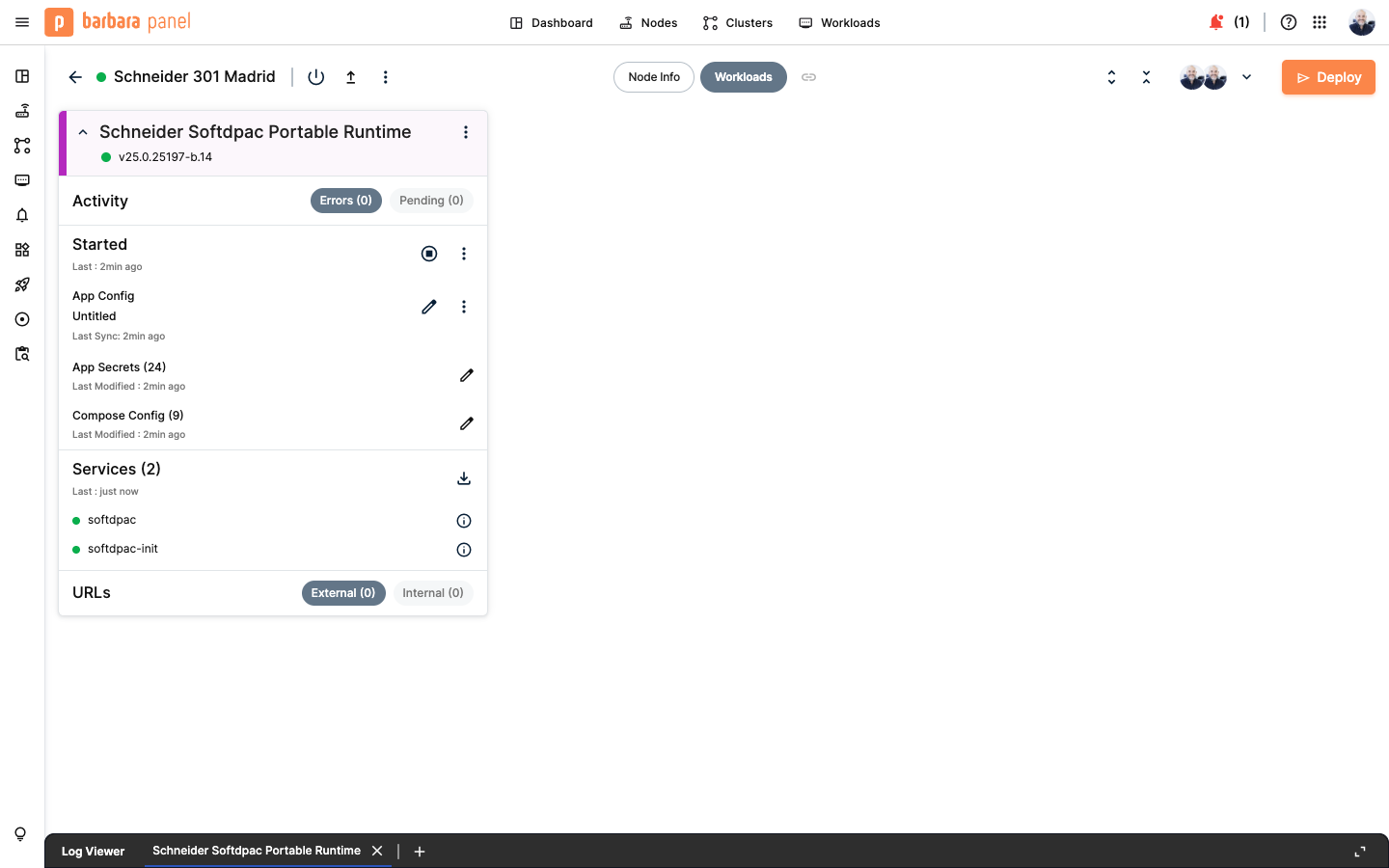
Runtime started
The runtime is reachable three ways, so it fits both plant and remote-access setups. Its OPC UA and runtime-API ports (4840, 51499) are available at:
- Its own LAN IP,
172.16.50.24(the device network). - The node's host IP (the ports are published on the host).
- The Barbara VPN address.
Other apps on the same node reach it by the name softdpac on the shared barbaraServices network.
If the deployment fails with invalid pool request: Pool overlaps with other one on this address space, a Docker network from a previous deployment is still on the node and overlaps the device network's subnet. Remove the failed workload, then open the node's actions menu (the ⋮ icon on the node's detail header) and run Docker Prune Containers and Docker Prune Networks. Deploy again once the leftover networks are gone.
Summary
The SoftdPAC runtime is running on your node in Standard mode, with its plant-network IP in place and reachable on the LAN, the host IP, or the Barbara VPN. Next, connect from EAE to deploy and run your IEC 61499 application.
Continue with Connect from EAE and run your application.