Connect from EAE and run your application
This article refers to Platform v3.3.0. The current Platform version is v3.3.0.
Overview
In Standard mode, you manage the application from EcoStruxure Automation Expert (EAE). You model the runtime as a workstation with a Soft dPAC runtime, point it at the controller on your LAN, disable encryption, and then log in, clean, deploy and run.
Model the device
In the System editor, open the device palette and, under Workstations & Servers → Generic, drag Workstation onto the canvas. This creates Workstation_1, a PC that hosts runtimes.
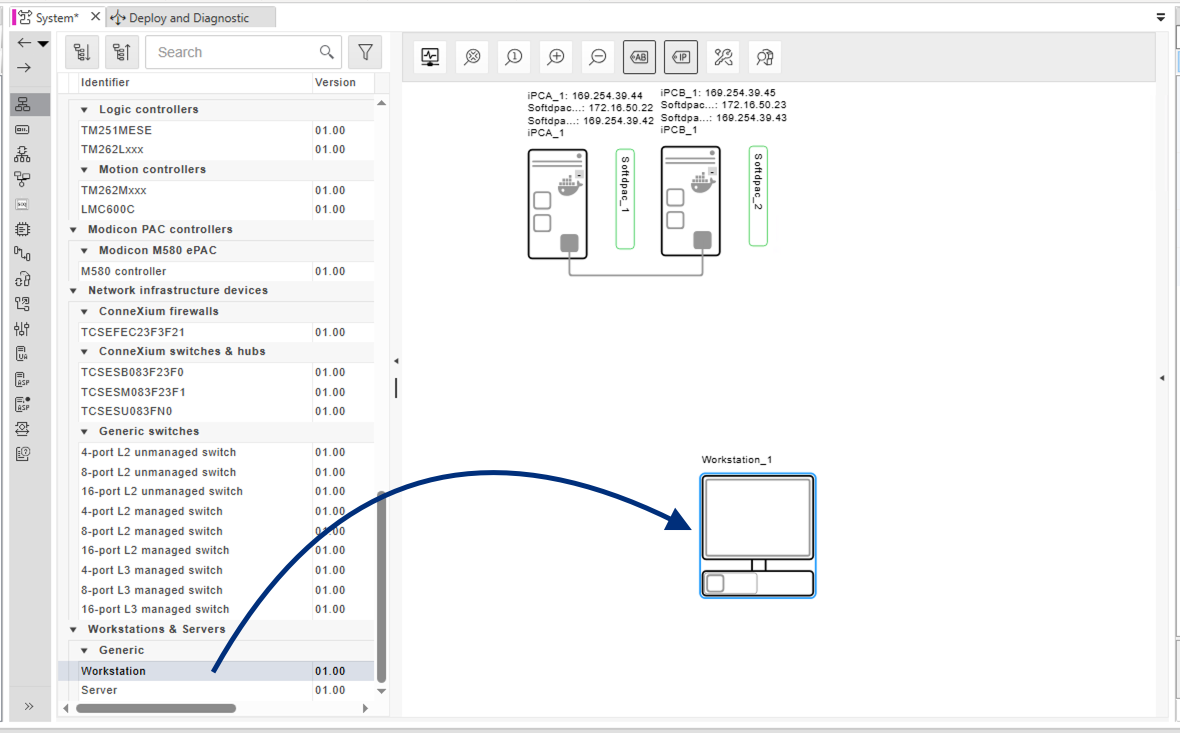
Adding the workstation
Select the workstation and, in Properties → Runtimes Settings → Runtimes, click the … button to open the Runtimes Editor.
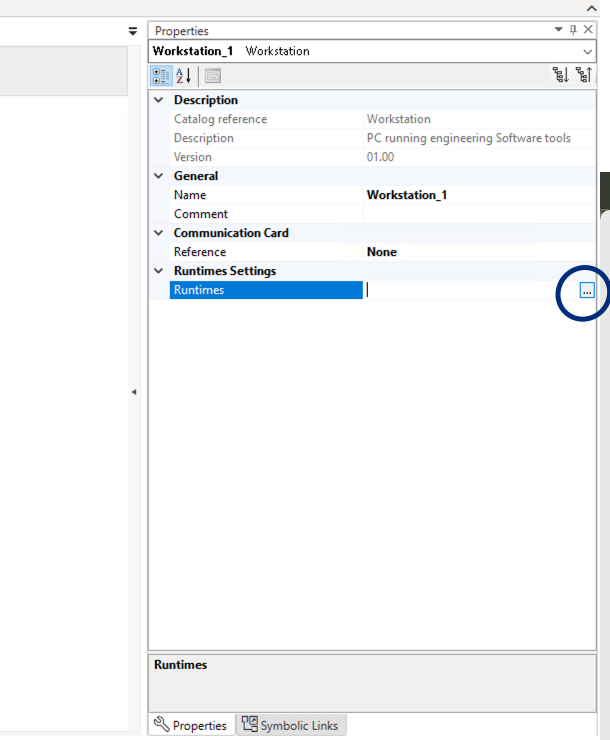
Opening the Runtimes Editor
In the Runtimes Editor, click Add and choose Soft dPAC.
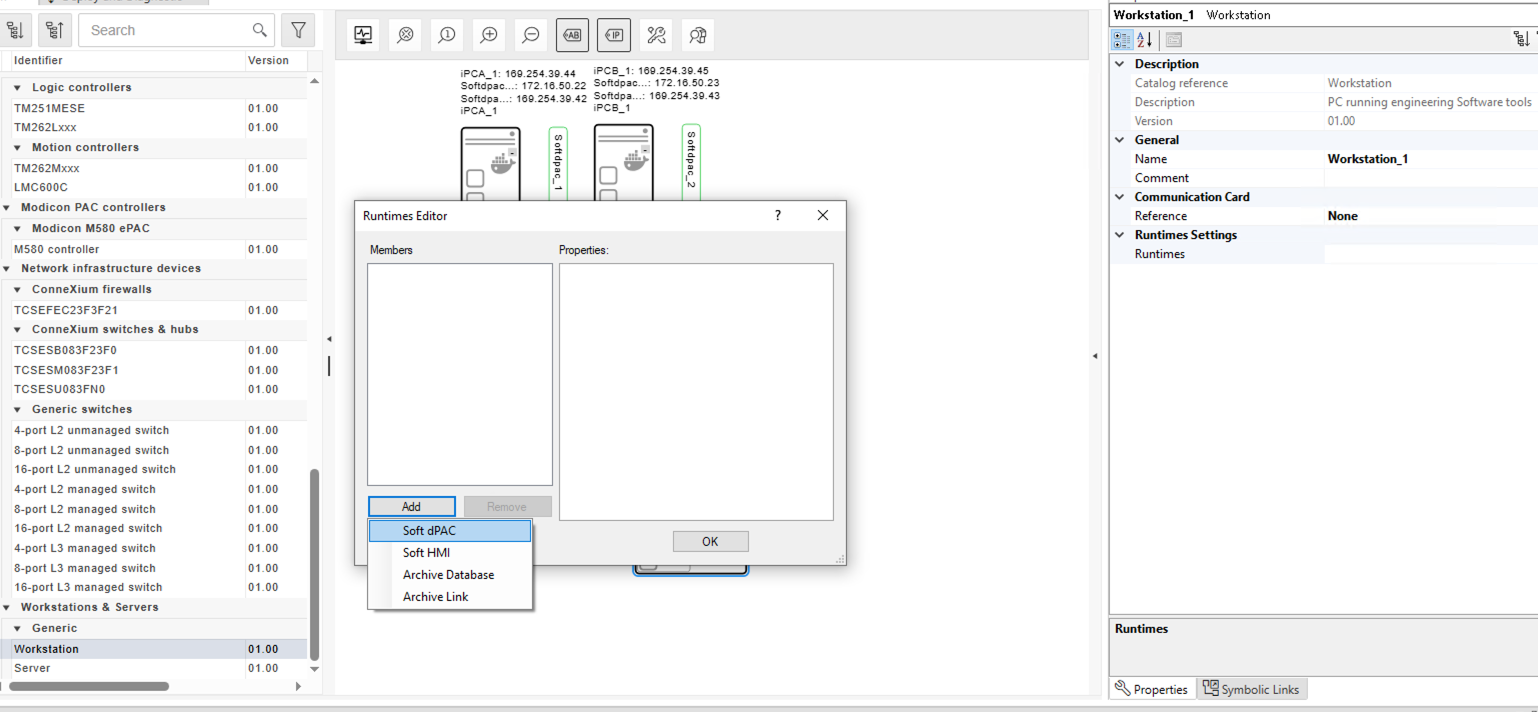
Adding the Soft dPAC runtime
Configure the network and assign the controller
On the workstation's NIC, set the IPv4 Address to the PLC IP used on Barbara, 172.16.50.24 (the BBR_VLAN_IP from the deployment), on your LAN (OfficeNetwork, subnet 172.16.50.0/24, gateway 172.16.50.1).
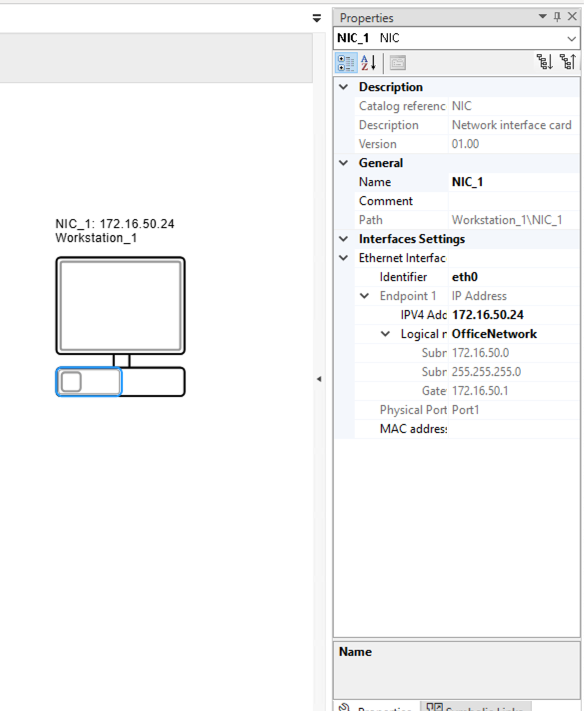
Setting the controller IP
In the Logical Device view, assign the physical device Workstation_1 (Runtime_1) to the logical SE.DPAC.Soft_dPAC device.
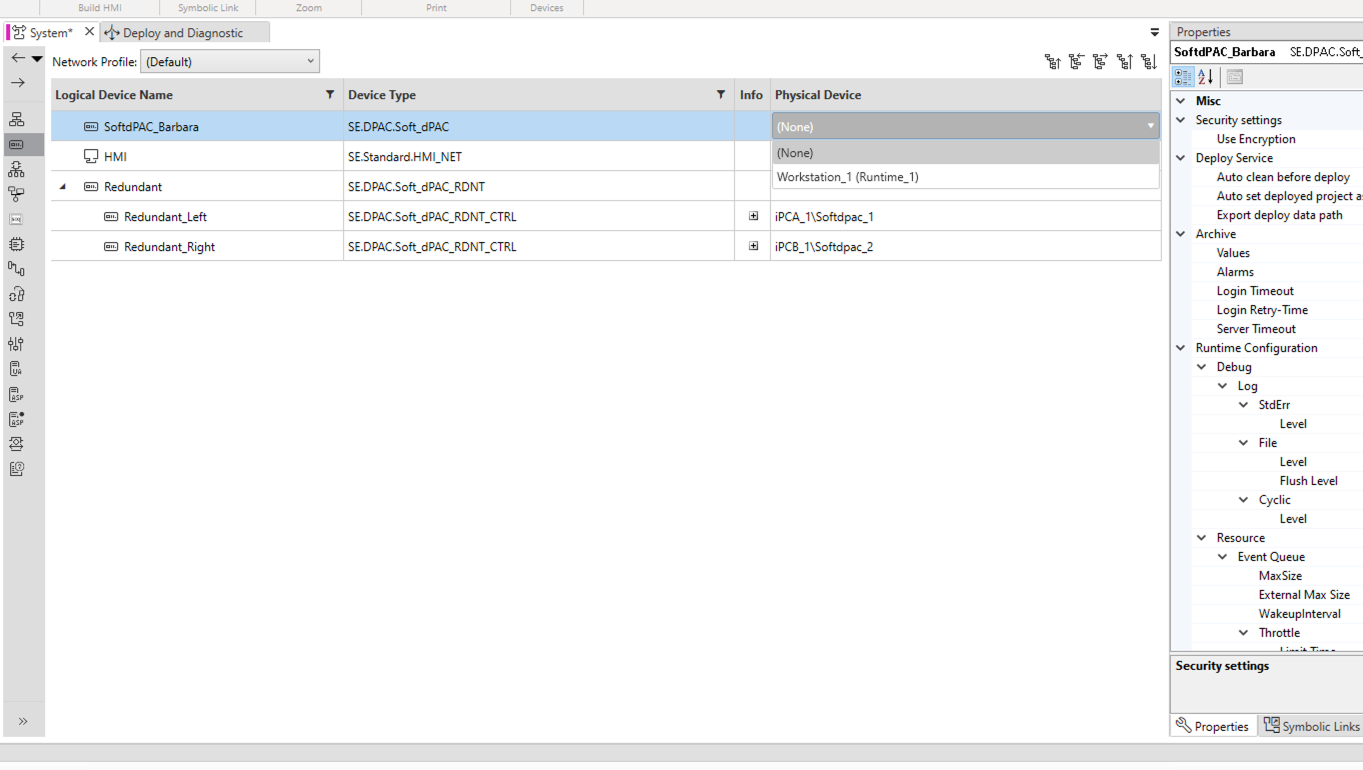
Assigning the physical controller
Disable encryption
This runtime is set up without TLS, so encryption must be off for EAE to connect. In the logical device's Properties → Security settings, set Use Encryption to False.
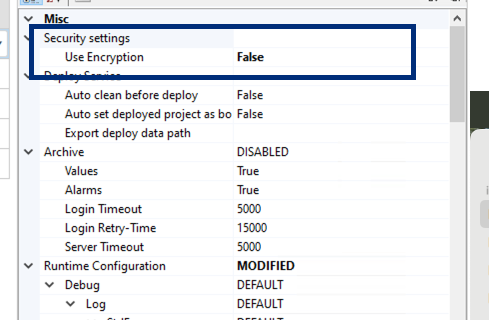
Disabling encryption
Log in, clean, deploy and run
Open the Deploy and Diagnostic editor. The device shows its address at 172.16.50.24:51499 (the runtime API port). On its row, open the Action menu and choose Login. The runtime comes preloaded with an empty project, so its status reads Deploy necessary.

Logged in, deploy necessary
Here EAE uses the controller's LAN IP (172.16.50.24). The runtime port 51499 is also published on the node's host IP and reachable over the Barbara VPN, so when the PLC isn't on a routable LAN you can point EAE at the host or VPN address on 51499 instead. See Configure the VPN.
Before the first deployment, clean the device: Action → Deploy → Clean.
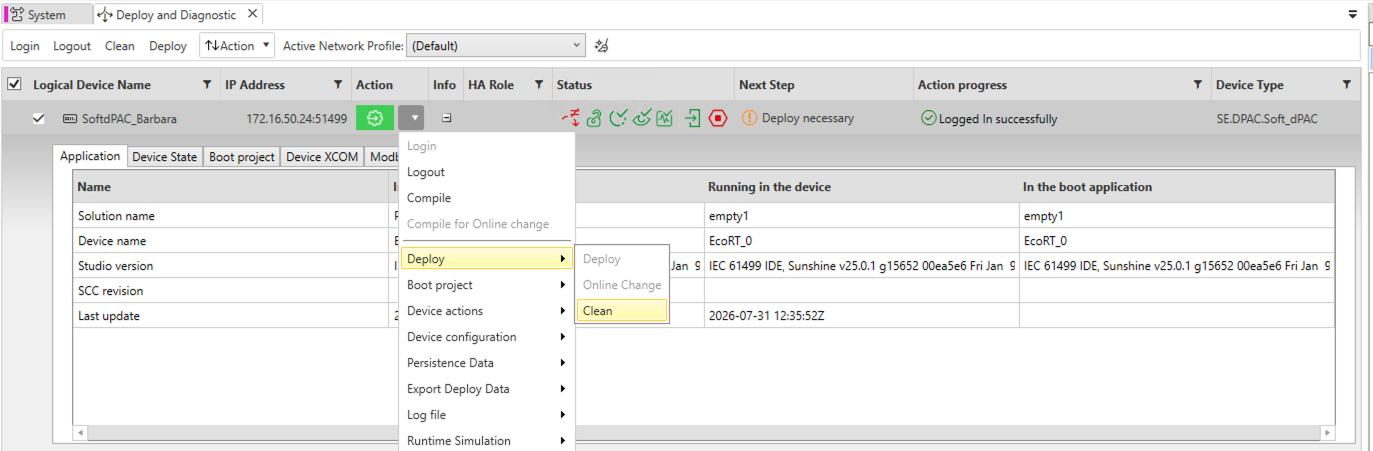
Clean before deployment
Then deploy your application with Action → Deploy → Deploy, and run it with Action → Device actions → Run.
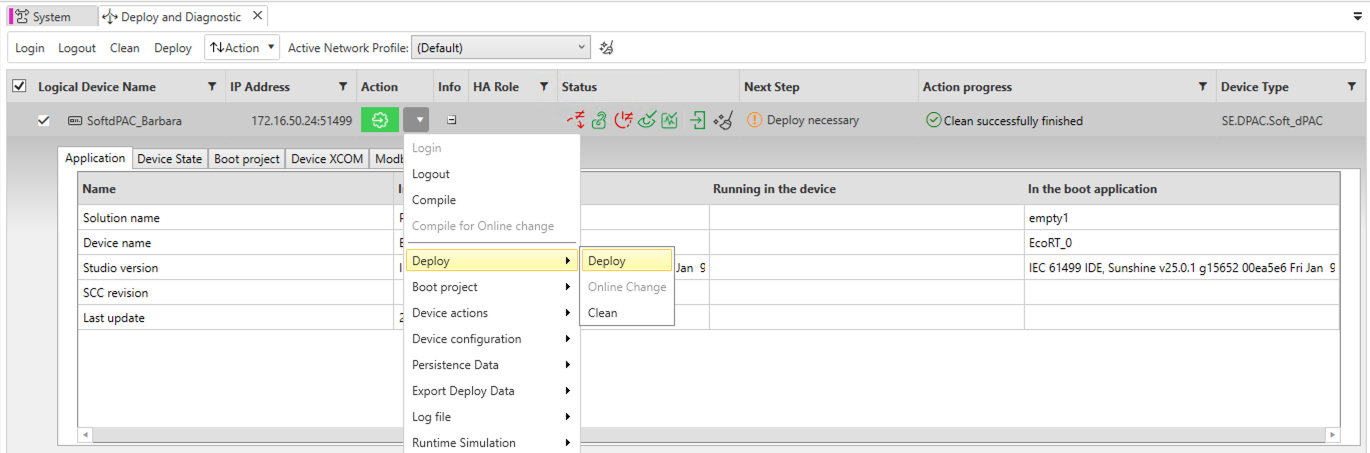
Deploying the application
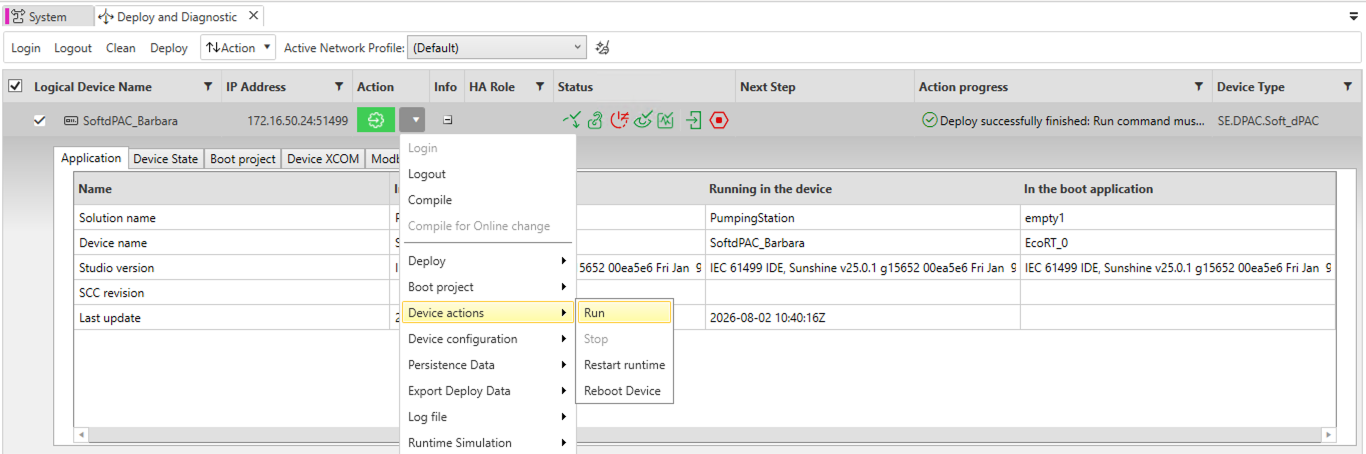
Running the application
If the IP Address column is empty in Deploy and Diagnostic, click Verify (F8) in the System editor. The IEC application and the device need to be compiled before their addresses appear.
Confirm from the HMI
With the application running, the HMI shows live process data from the controller.
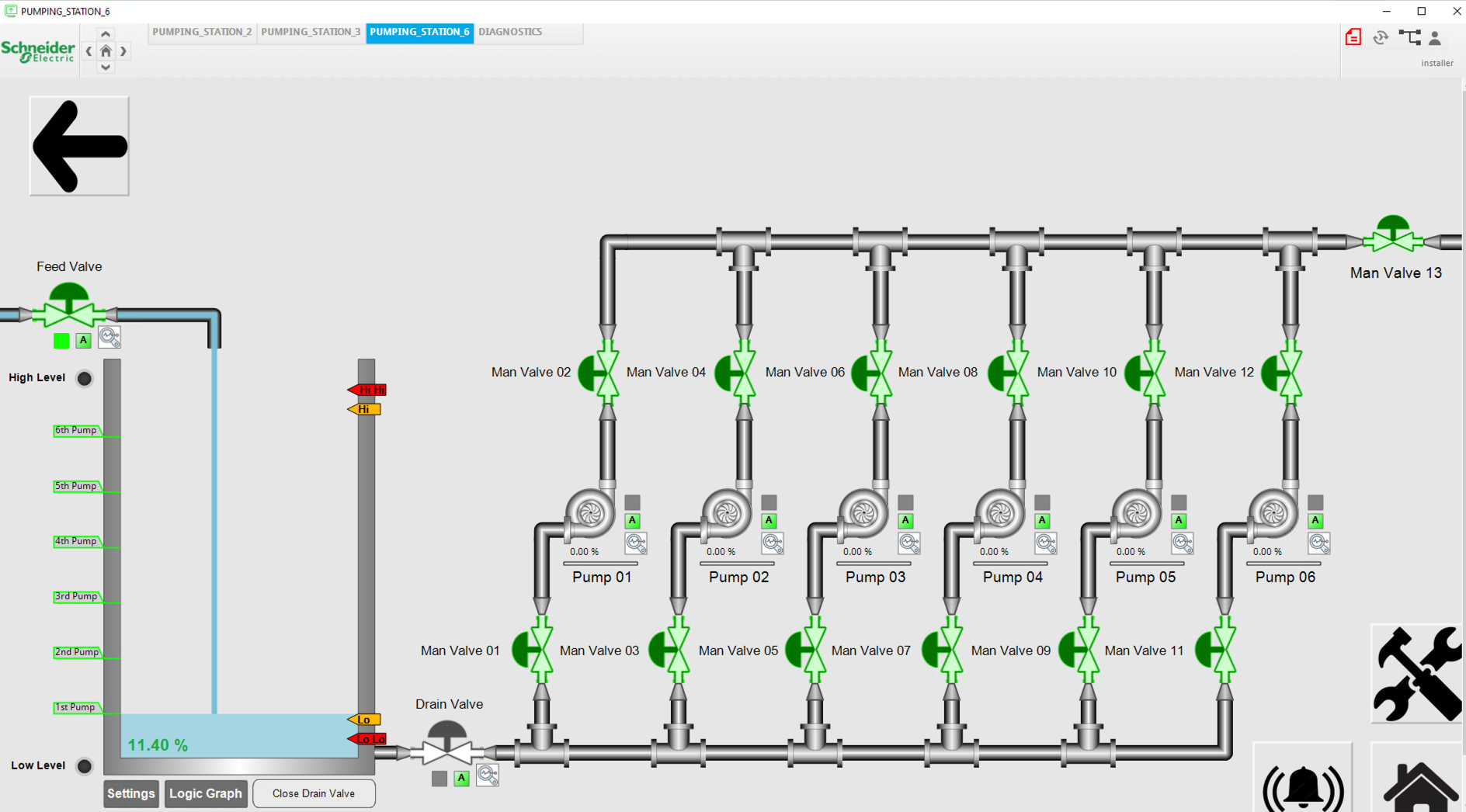
HMI running against the controller
Summary
Your IEC 61499 application is running on the SoftdPAC runtime, deployed and managed from EAE. This is the Standard way to work. Next, see how Pipeline mode deploys an application straight from a URL, without EAE.
Continue with Deploy your application from a URL (Pipeline mode).