Deploy your application from a URL (Pipeline mode)
This article refers to Platform v3.3.0. The current Platform version is v3.4.0.
Overview
Pipeline mode deploys your application straight from a URL, without EAE. You export the application once, host it somewhere the node can reach, and point the runtime at it. On startup the runtime downloads and applies it.
Export the application from EAE
First, get a package to host. In EAE, raise the user level so the export action is available: Settings → General → Generic Settings → User Level → Advanced.
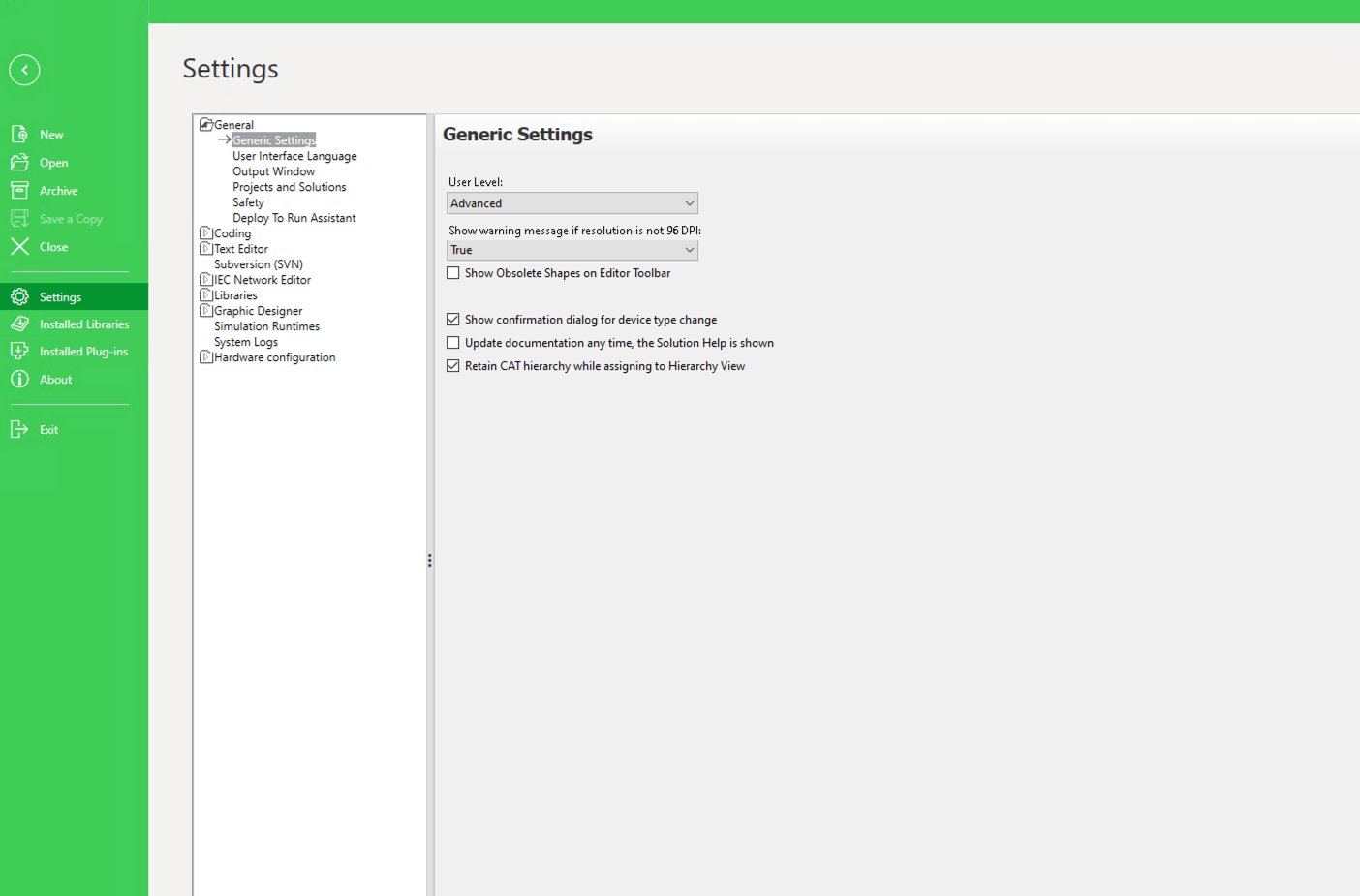
Enabling the Advanced user level
Then, in Deploy and Diagnostic, open the device's Action menu and choose Export Deploy Data → Export Deploy Data. EAE writes the application as a package.
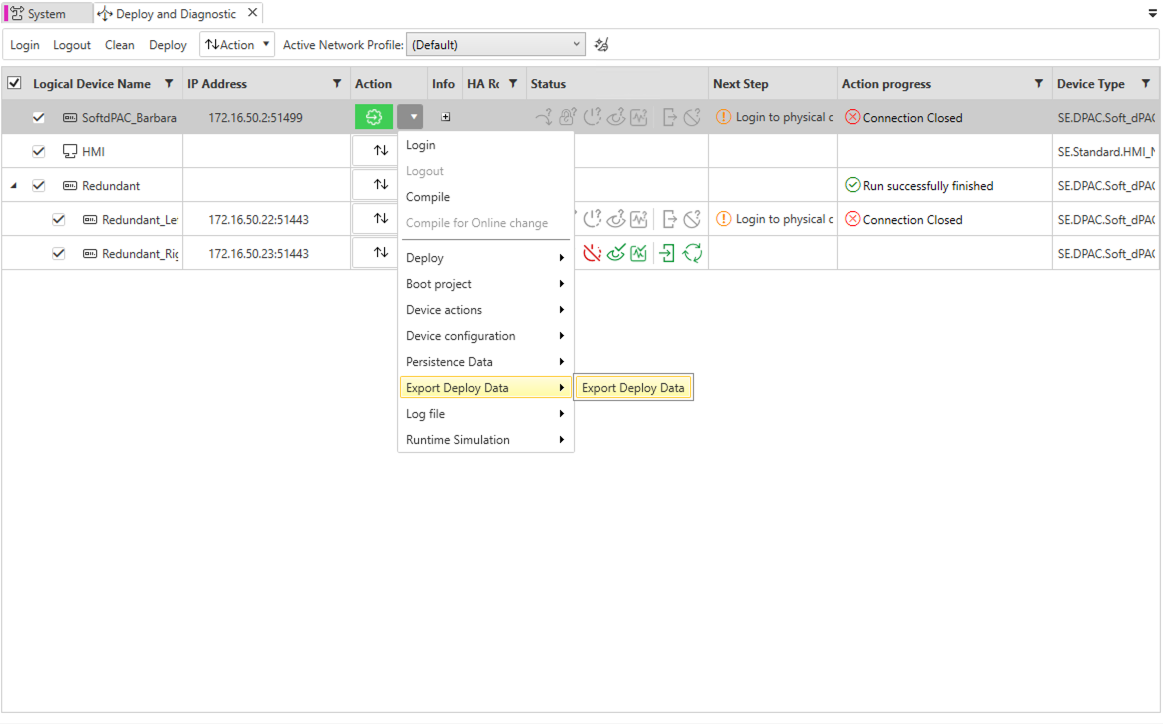
Exporting the application
Host the package
Upload the exported package to a location the node can download from: OneDrive/SharePoint, Google Drive, or any http/https URL. Share it as a public link so no credentials are needed. In OneDrive, that is the Anyone option ("no sign-in required").
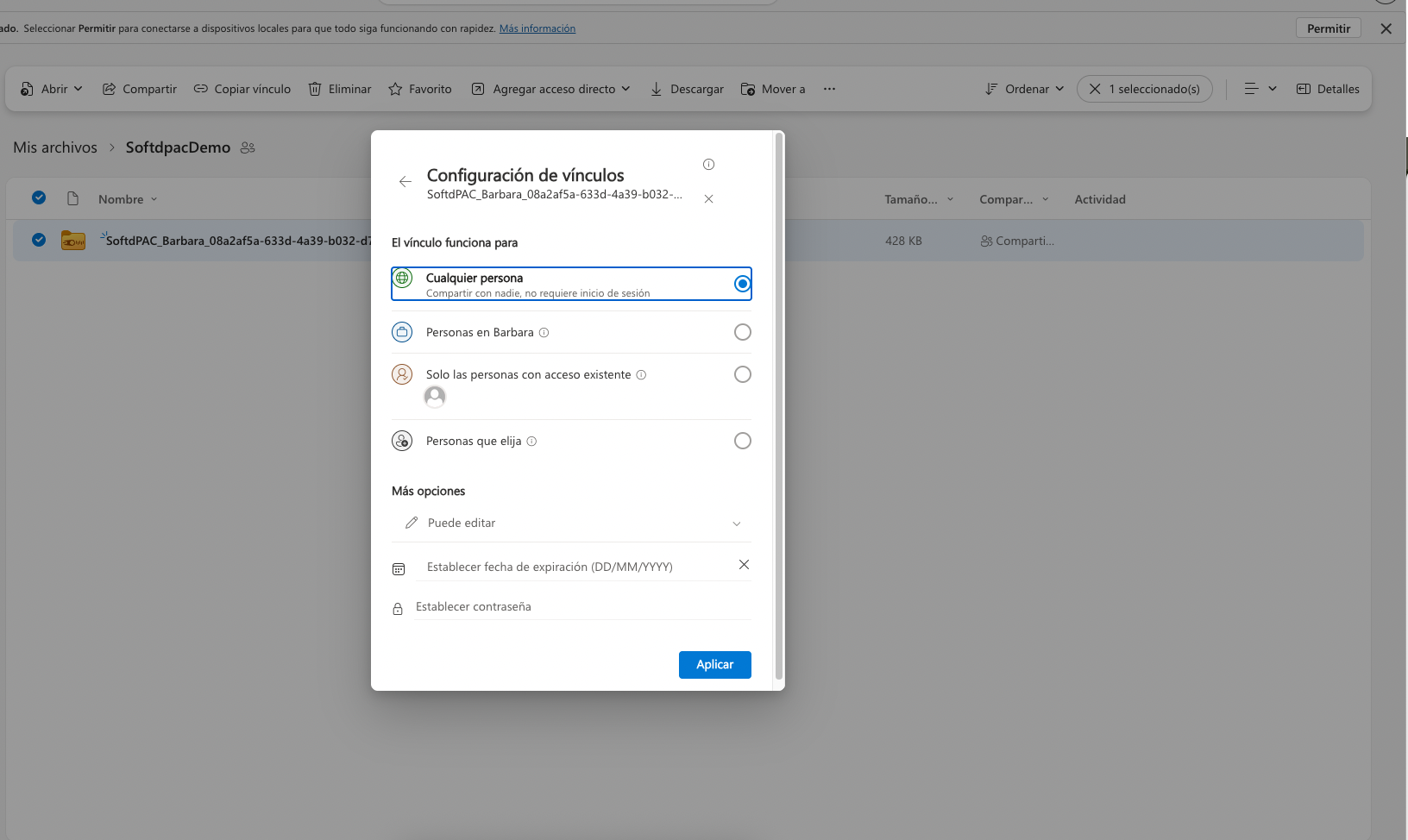
Sharing the package as a public link
For a protected link, set the matching token instead of using a public link: ONEDRIVE_ACCESS_TOKEN for OneDrive/SharePoint, GDRIVE_ACCESS_TOKEN for Google Drive, or HTTP_USER and HTTP_PASS for HTTP basic auth.
Enable Pipeline mode
In the workload's App Secrets, on the softdpac-init tab, set:
| Variable | Value |
|---|---|
PIPELINE_MODE | True |
SOURCE_URL | your package's share link |
OVERRIDE_APP | True |
Then Send to redeploy.
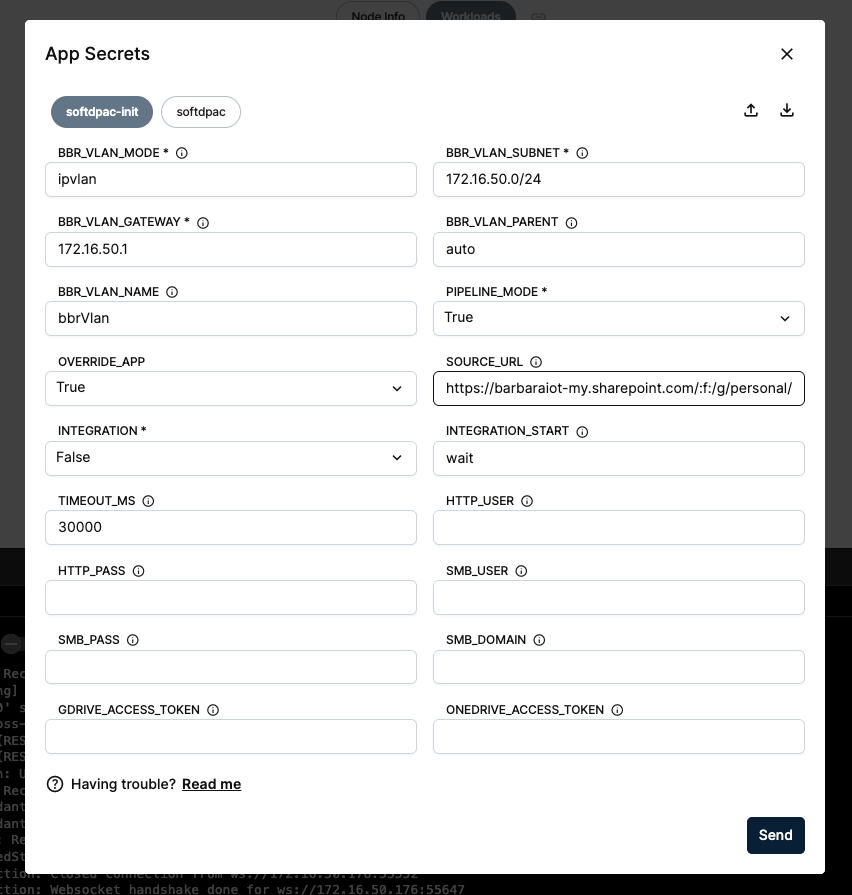
Enabling Pipeline mode with a source URL
OVERRIDE_APP controls what happens on restart: with False, the runtime applies the application once on first start and keeps it afterwards; with True, it re-applies whenever the URL content changes.
Verify
Applying the new application restarts the runtime, so EAE reports the connection closed. Log in again from the Action menu.
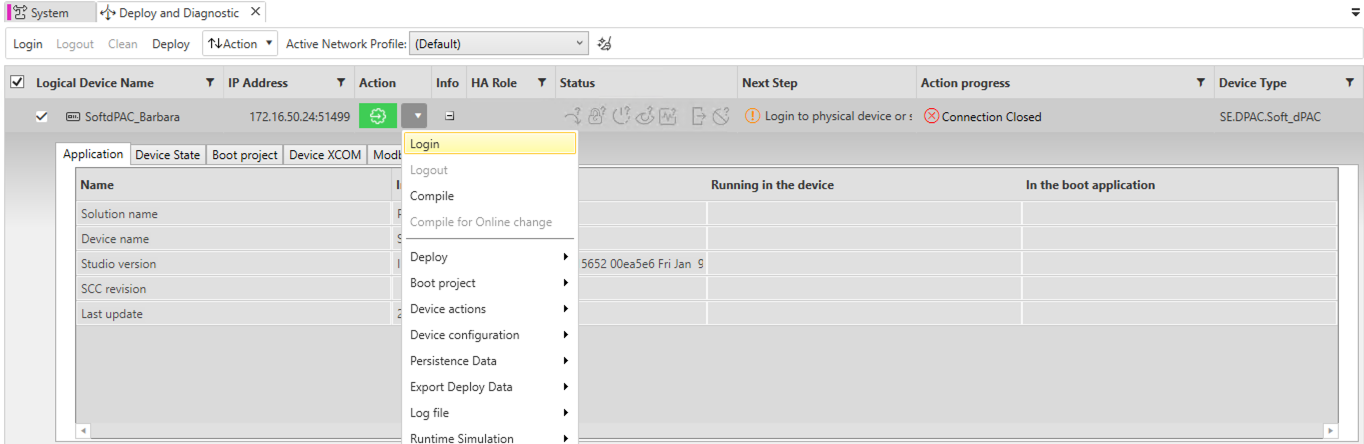
Logged out after the new deployment
Once logged in, the project running in the device matches the application you exported and hosted, deployed with no EAE deploy step.
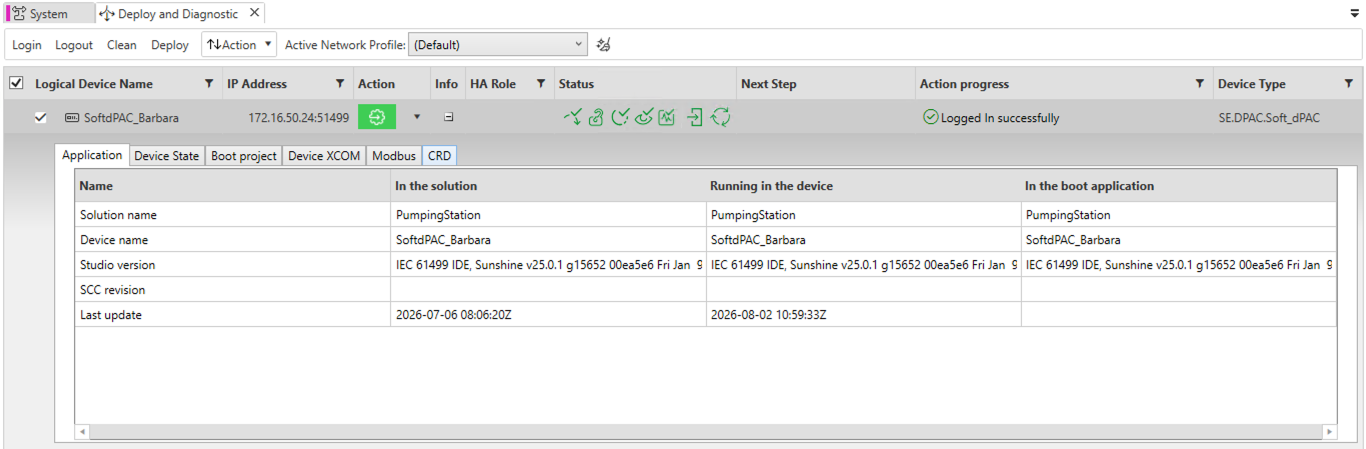
The runtime runs the application from the URL
EAE reaches the controller at its LAN IP 172.16.50.24:51499. The runtime port 51499 is also published on the node's host IP and reachable over the Barbara VPN. See Configure the VPN.
If the IP Address column is empty in Deploy and Diagnostic, click Verify (F8) in the System editor. The IEC application and the device need to be compiled before their addresses appear.
Summary
Pipeline mode deploys your application from a URL, so a node can provision itself from a package you host, with no EAE deploy step. Next, see how Integration mode updates a running application by dropping a package into a shared volume.
Continue with Update your application from a shared volume (Integration mode).