Update your application from a shared volume (Integration mode)
This article refers to Platform v3.3.0. The current Platform version is v3.3.0.
Overview
Integration mode updates a running application by dropping a package into a shared volume, with no full redeploy. It is built for CI/CD and remote-update workflows: the runtime watches the volume and applies any new package it finds.
Export the application from EAE
First, get a package to apply. In EAE, raise the user level so the export action is available: Settings → General → Generic Settings → User Level → Advanced.
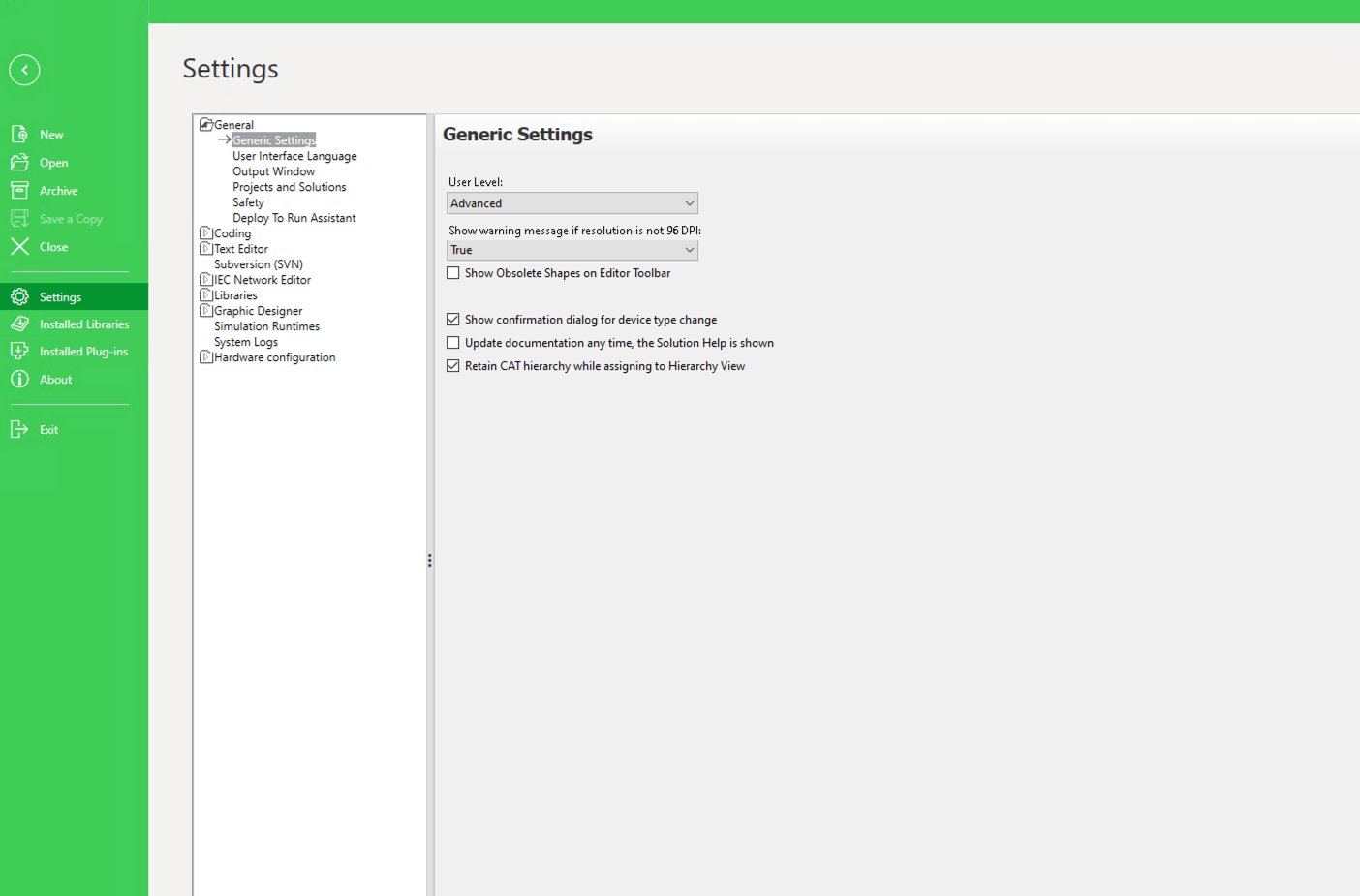
Enabling the Advanced user level
Then, in Deploy and Diagnostic, open the device's Action menu and choose Export Deploy Data → Export Deploy Data. EAE writes the application as a package.
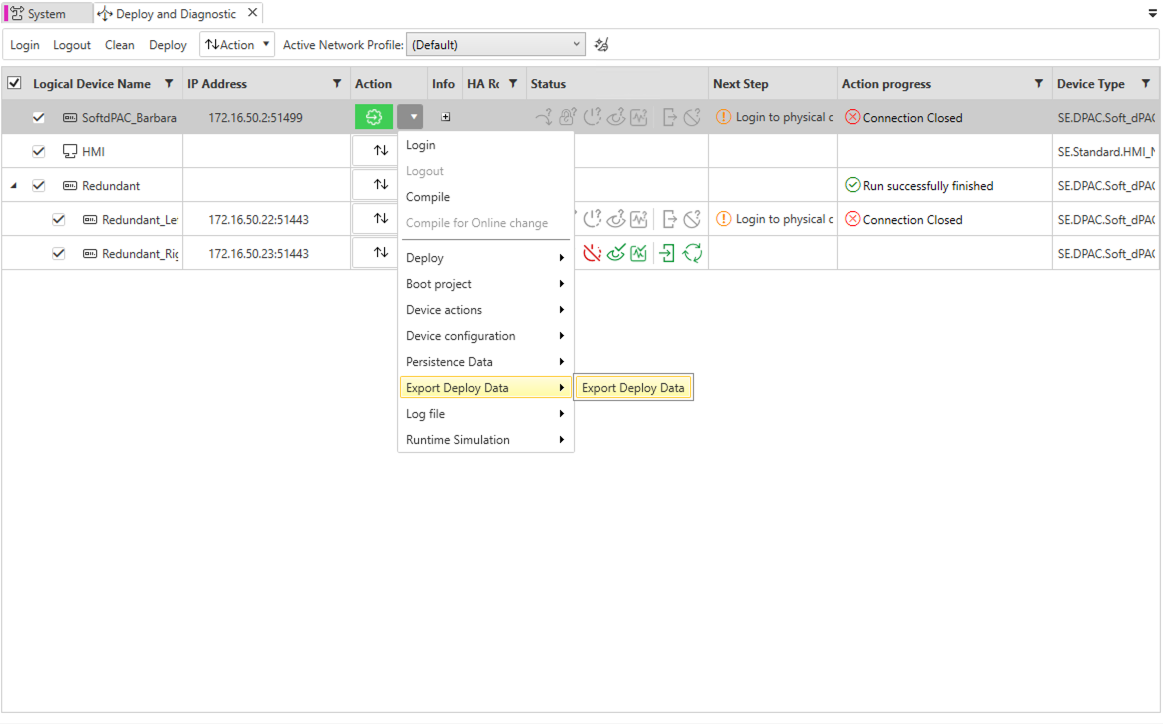
Exporting the application
Enable Integration mode
In the workload's App Secrets, on the softdpac-init tab, set INTEGRATION to True and INTEGRATION_START to empty (start with an empty project and apply updates as they arrive; wait instead holds startup until a package appears). Keep the integration volume at its default, softdpac-integration. Then Send to redeploy.
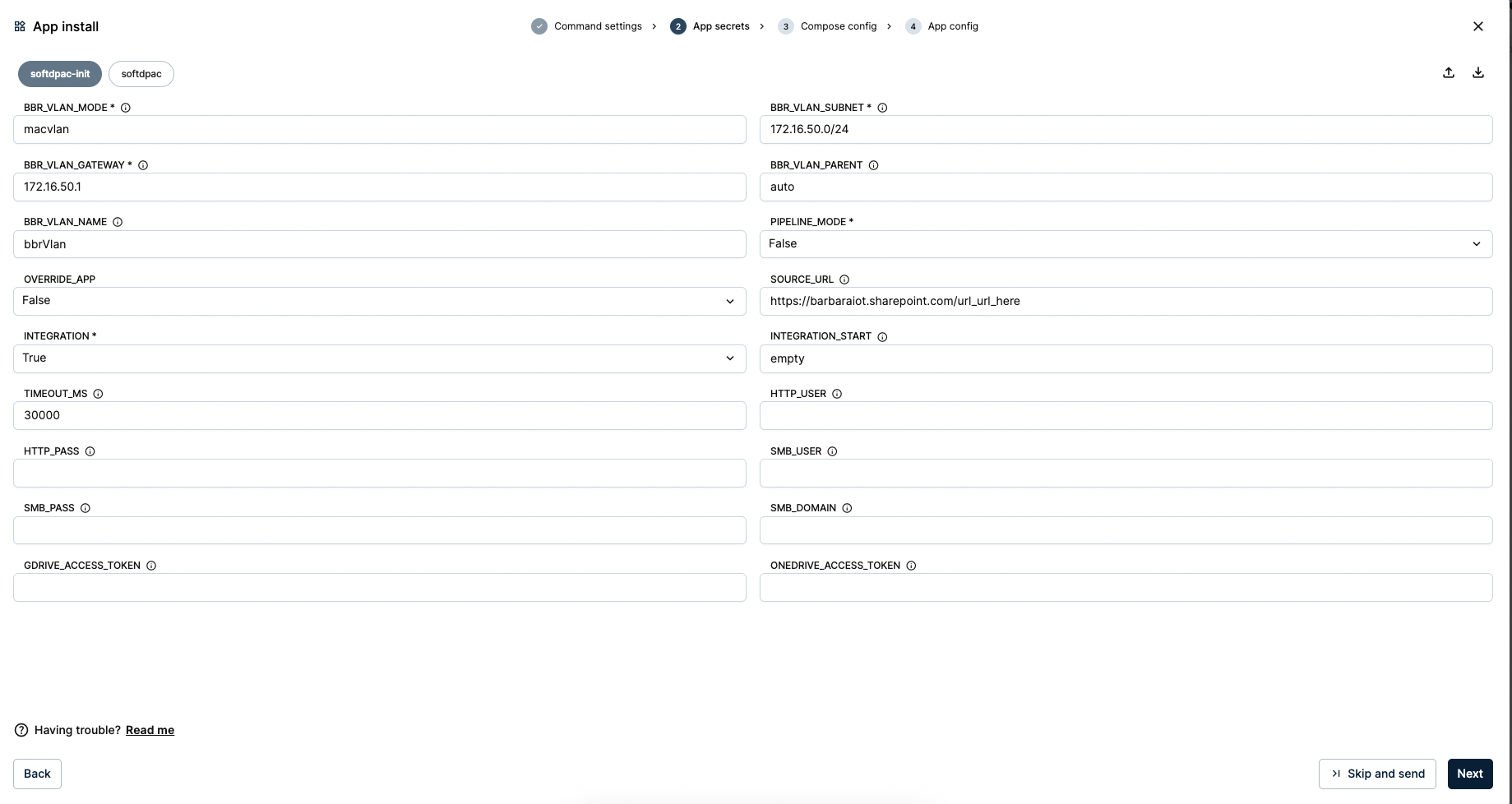
Enabling Integration mode
Deploy a file manager on the shared volume
To drop packages into the volume, deploy a file manager that shares it. Add the Web File Browser app from the Marketplace.
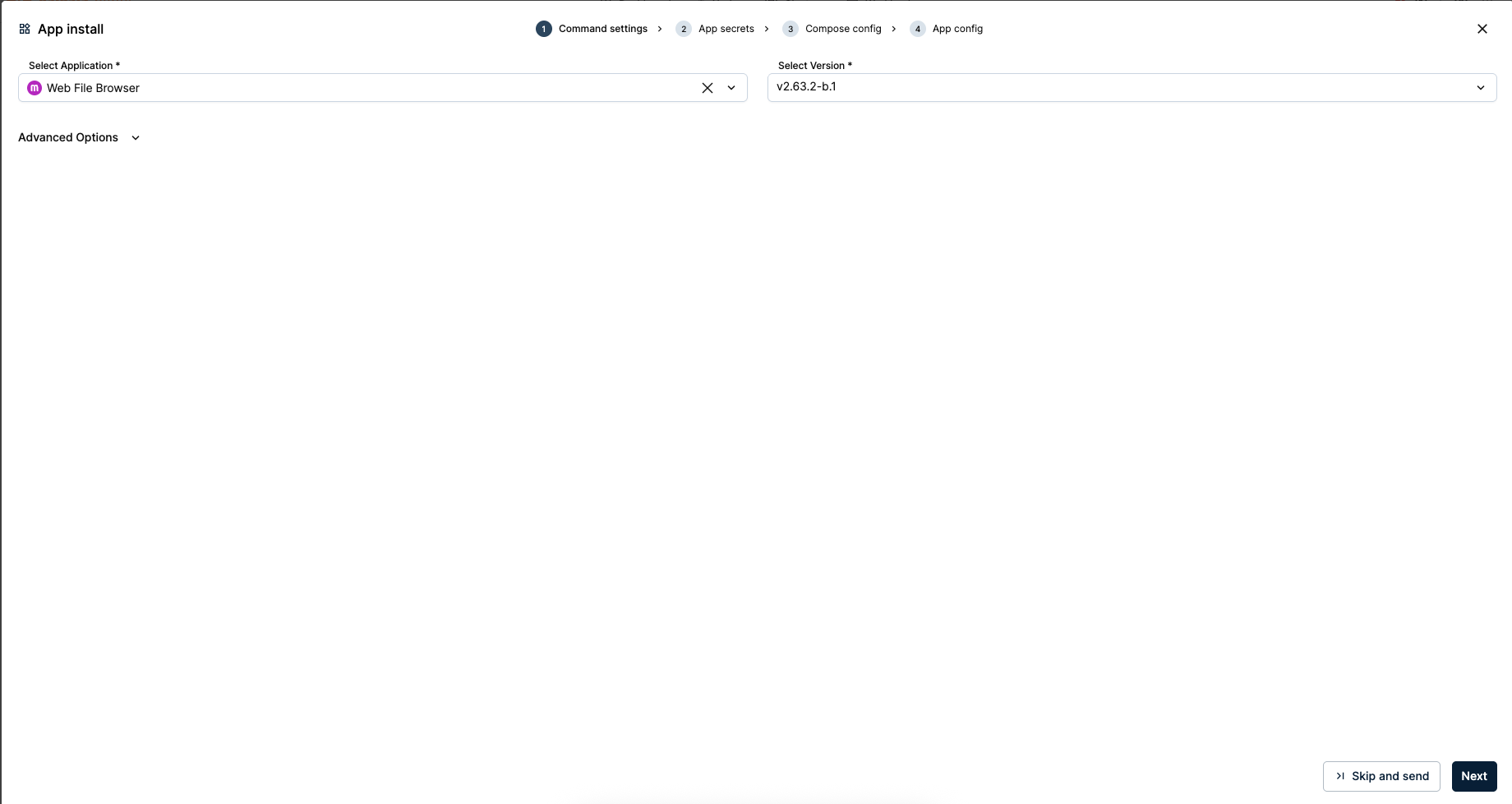
Adding the Web File Browser
In its Compose config, set VOLUME_FILEBROWSER_DATA to softdpac-integration — the same volume the runtime watches. It serves on port 3090.
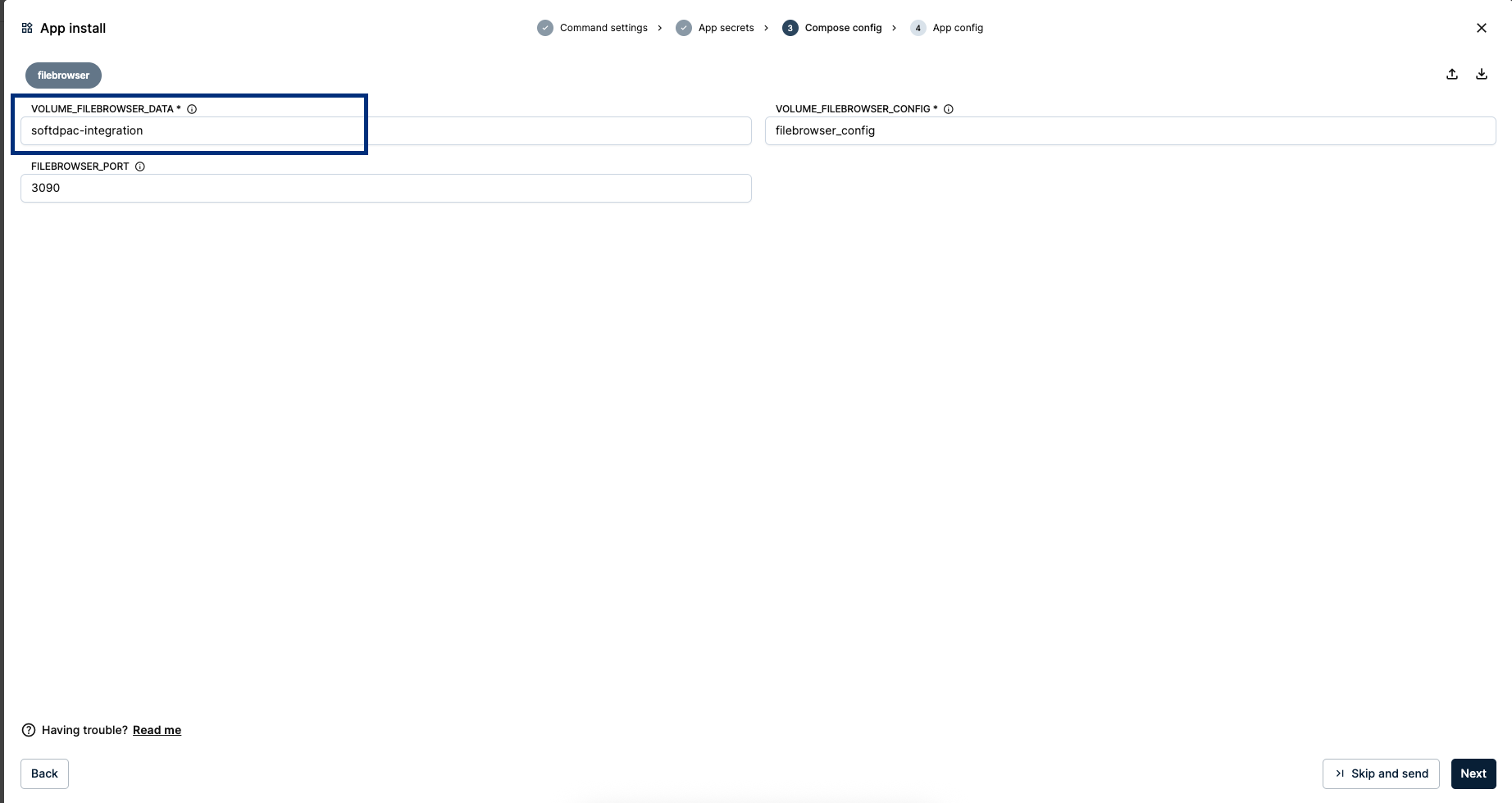
Sharing the integration volume
Drop a package
Open the Web File Browser at the node's address on port 3090 and upload the exported <name>.zip.
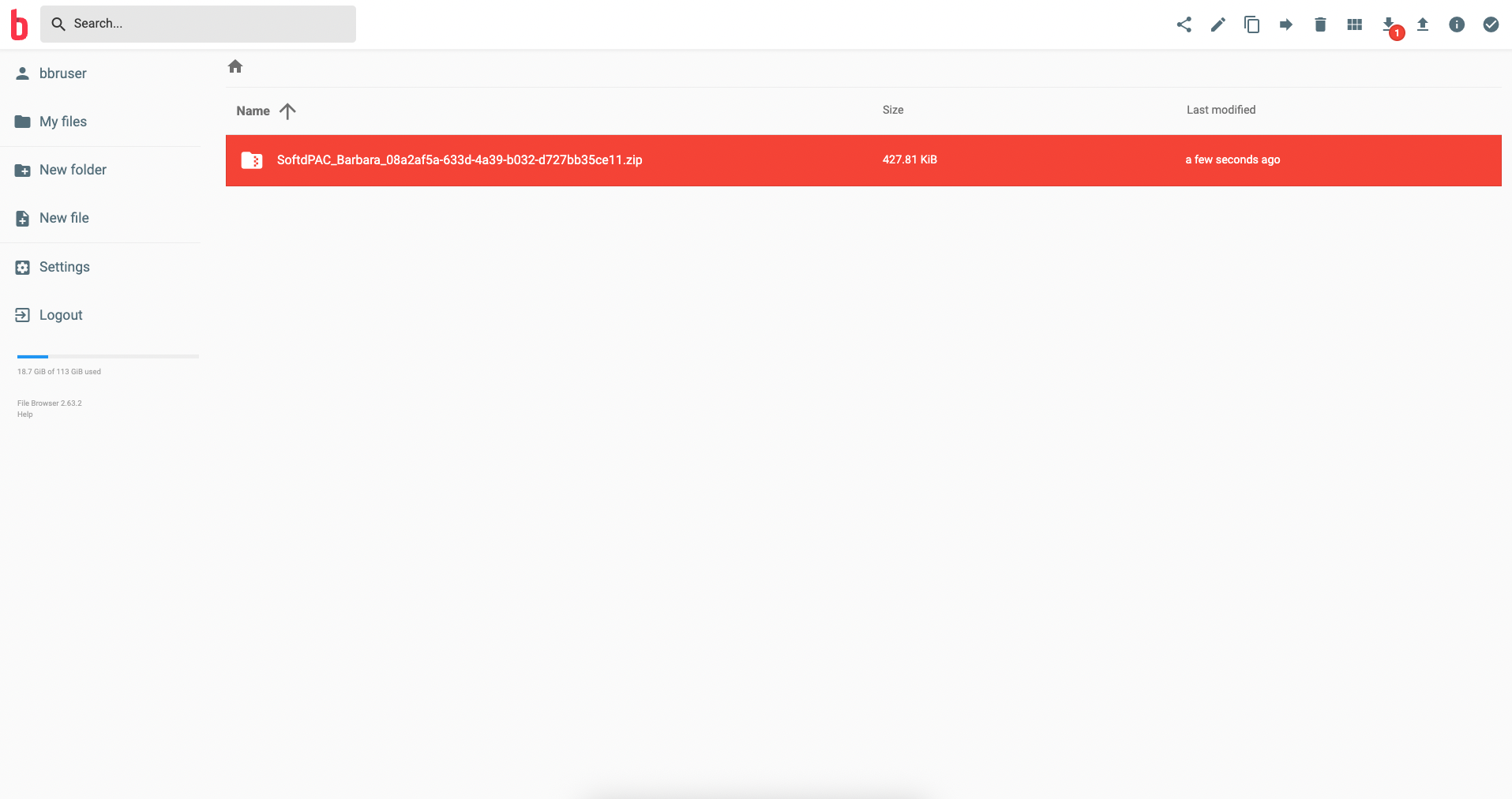
Uploading the application package
Then add a <name>.txt file with the same base name as the zip.
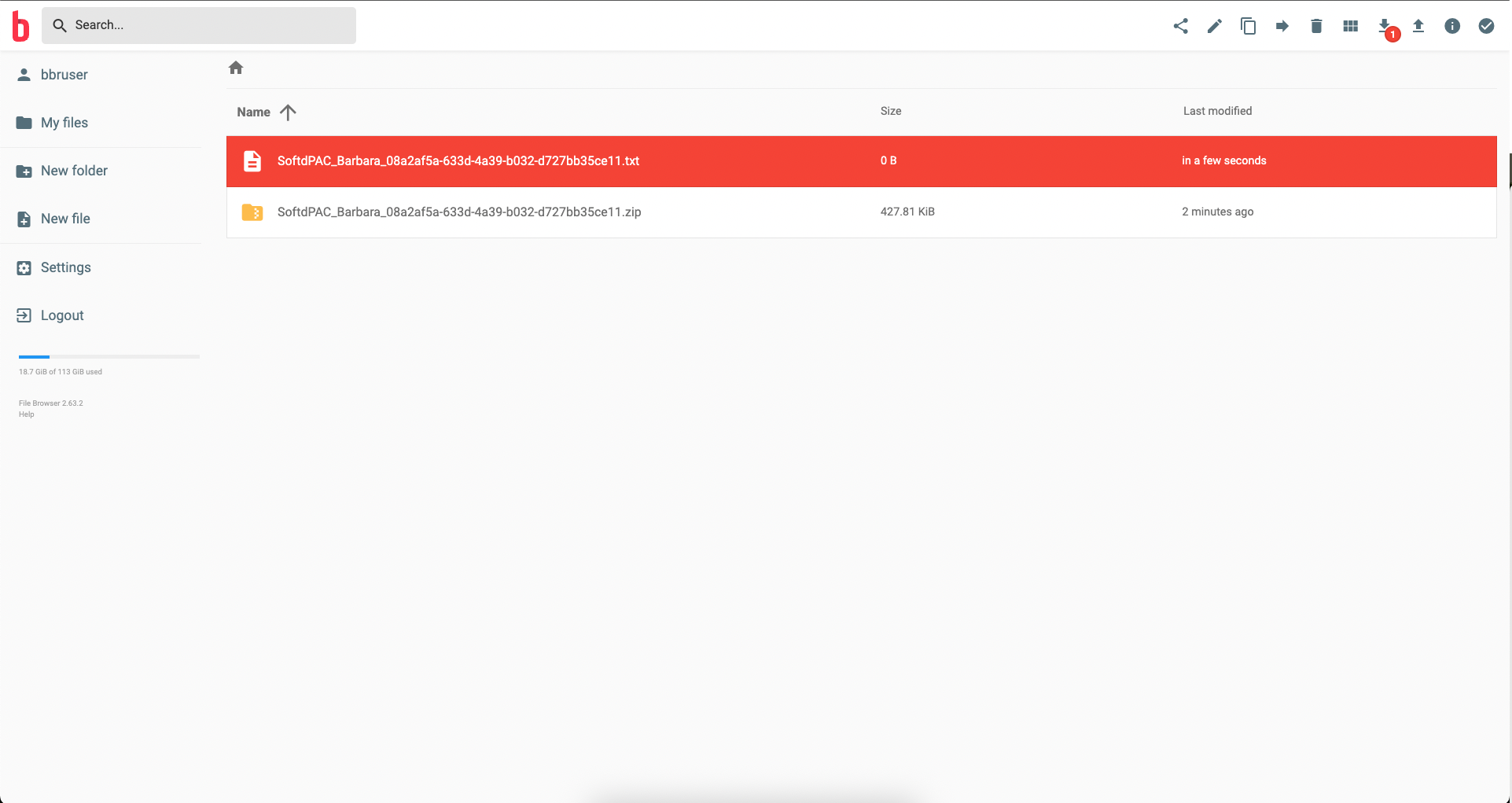
Adding the lock file
The .txt file is a lock: it must share the zip's base name and signals that the zip is fully written. Add it only after the zip finishes uploading, so the runtime never reads a half-copied package.
The runtime applies it
The runtime checks the volume every 5 seconds. When it finds a matching zip + txt pair, it applies the application and deletes both files. Its log confirms it: [Integration] SoftdPAC_… applied successfully.
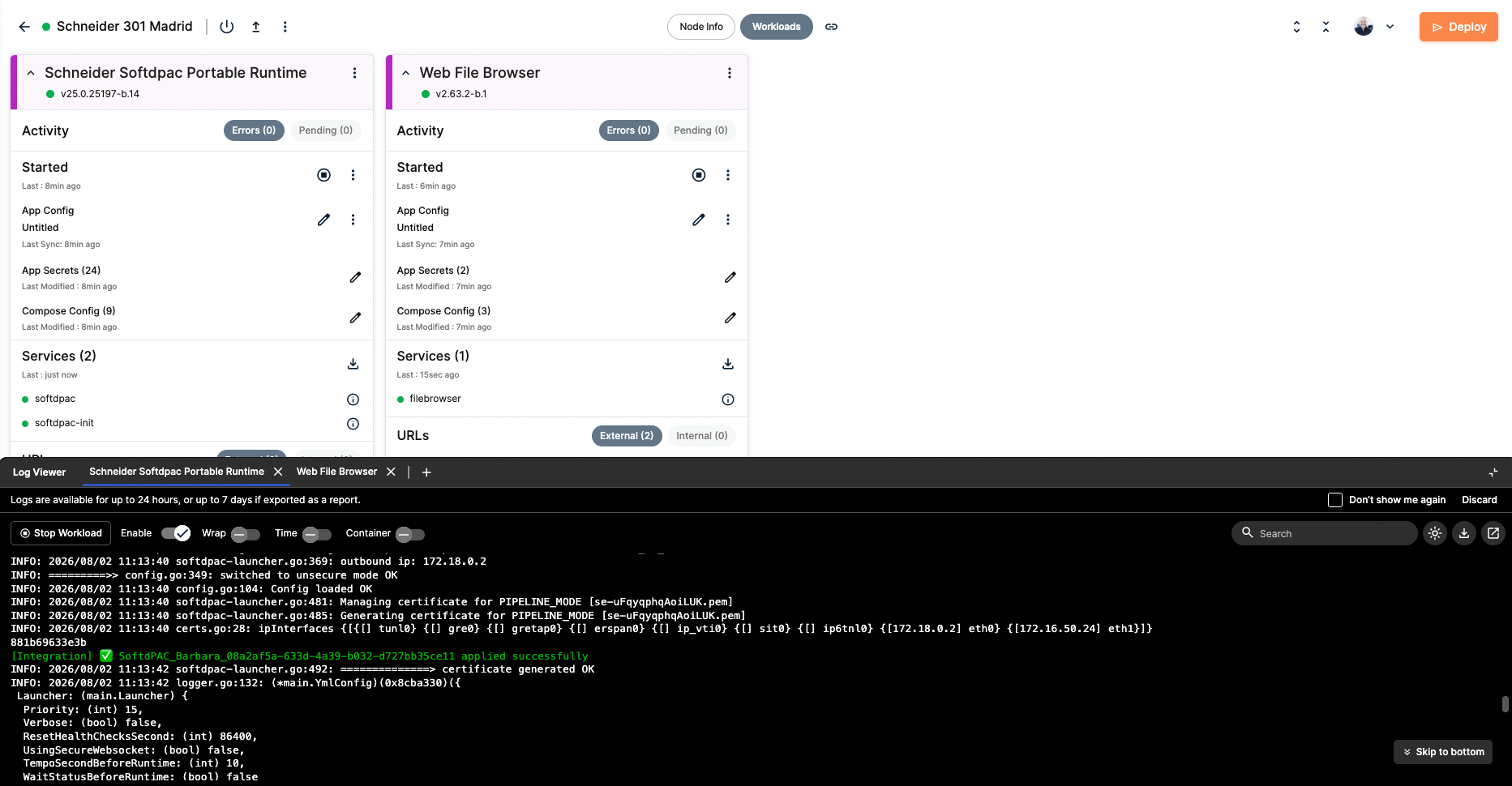
Package applied by the runtime
Confirm from EAE: log in to the device and the running project is the application you dropped.
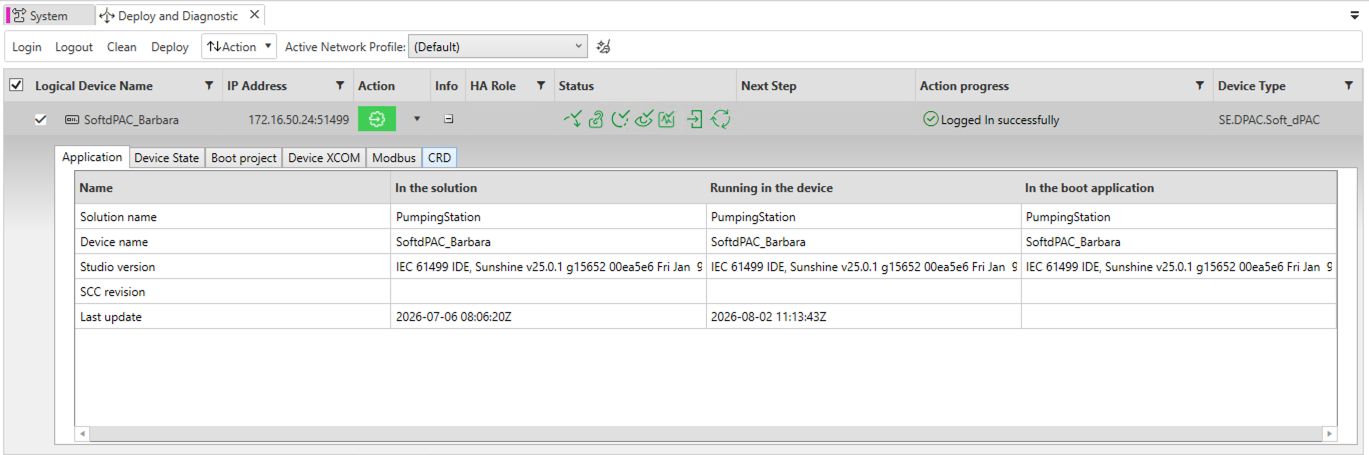
The updated application running
EAE reaches the controller at its LAN IP 172.16.50.24:51499. The runtime port 51499 is also published on the node's host IP and reachable over the Barbara VPN. See Configure the VPN.
If the IP Address column is empty in Deploy and Diagnostic, click Verify (F8) in the System editor. The IEC application and the device need to be compiled before their addresses appear.
Annex: version and deploy through the platform
The manual file drop is one way to update the runtime. You can make it fully platform-driven instead: keep your exported application builds in a git repository, and on every push have a CI job register each build as a new version of a Barbara application and deploy that version to your devices through the Barbara platform API. Barbara then keeps the version history (for example SDP_assets_v1.0, SDP_assets_v1.1, …), and rolling out a new SoftdPAC application becomes just pushing a new build — you talk only to the platform, no manual copy into a volume.
A minimal GitHub Action outline:
name: version-and-deploy-softdpac
on:
  push:
    branches: [main]
    paths: ["builds/**.zip"]
jobs:
  release:
    runs-on: ubuntu-latest
    steps:
      - uses: actions/checkout@v4
      - uses: actions/setup-python@v5
        with:
          python-version: "3.12"
      - run: pip install -r scripts/requirements.txt
      - name: Register the build as a new app version and deploy it
        env:
          BARBARA_API_URL: ${{ secrets.BARBARA_API_URL }}
          BARBARA_KEYCLOAK_URL: ${{ secrets.BARBARA_KEYCLOAK_URL }}
          BARBARA_KEYCLOAK_REALM: ${{ secrets.BARBARA_KEYCLOAK_REALM }}
          BARBARA_KEYCLOAK_CLIENT_ID: ${{ secrets.BARBARA_KEYCLOAK_CLIENT_ID }}
          BARBARA_KEYCLOAK_CLIENT_SECRET: ${{ secrets.BARBARA_KEYCLOAK_CLIENT_SECRET }}
          APP_NAME: ${{ secrets.APP_NAME }}
        run: python scripts/release.py builds/app.zip --deploy-to device-1 device-2
The release.py script talks to the platform API in three steps:
# 1) Get an access token (Keycloak client credentials)
token = get_token(KEYCLOAK_URL, REALM, CLIENT_ID, CLIENT_SECRET)

# 2) Register the build as a new version of the Barbara application
version = register_app_version(API_URL, token, app_name=APP_NAME, zip_path="builds/app.zip")

# 3) Deploy that version to the target devices
for device in target_devices:
    deploy_version(API_URL, token, device=device, app_name=APP_NAME, version=version)
Keep the API URL and the Keycloak credentials as repository secrets. With this in place, you version and roll out SoftdPAC applications entirely through the Barbara platform.
Summary
You now have the three ways to manage a SoftdPAC application: through EAE (Standard), from a URL (Pipeline), and from a shared volume (Integration) for CI/CD. To bring the controller's data into the Barbara ecosystem, an OPC UA connector can read the PLC and feed dashboards and storage, covered in a later guide.