Deploy the secondary node
This article refers to Platform v3.3.0. The current Platform version is v3.4.0.
Overview
Node B uses the same wizard as Deploy the primary node. Only the role, the PLC IP, the partner IP, the device name and the clock role change: they take the mirror values. As on the first node, read this node's interface names and gateway from its Node Info → Network card before you start. Everything else stays at its defaults.
Set the mirror values
On the App secrets step, set the following on the ha-init tab, and keep the defaults for the rest.
| Variable | Value for Node B | Note |
|---|---|---|
DEVICE_HAPRIO | no | The other node is the preferred primary. |
SOFTDPAC_IP | 172.16.50.23 | Mirror of Node A's PARTNER_IP. |
PARTNER_IP | 172.16.50.22 | Node A's PLC IP. |
CONT_HOSTNAME | softdpac-ha-p6small | A different device name from Node A. |
DEVICE_PARENT | eno1 | This node's LAN interface. |
INTERLINK_PARENT | enp2s0 | This node's interlink interface. |
On the chrony tab, set CHRONY_ROLE to client and CHRONY_PEER_IP to 172.16.50.170, the primary node's host IP.
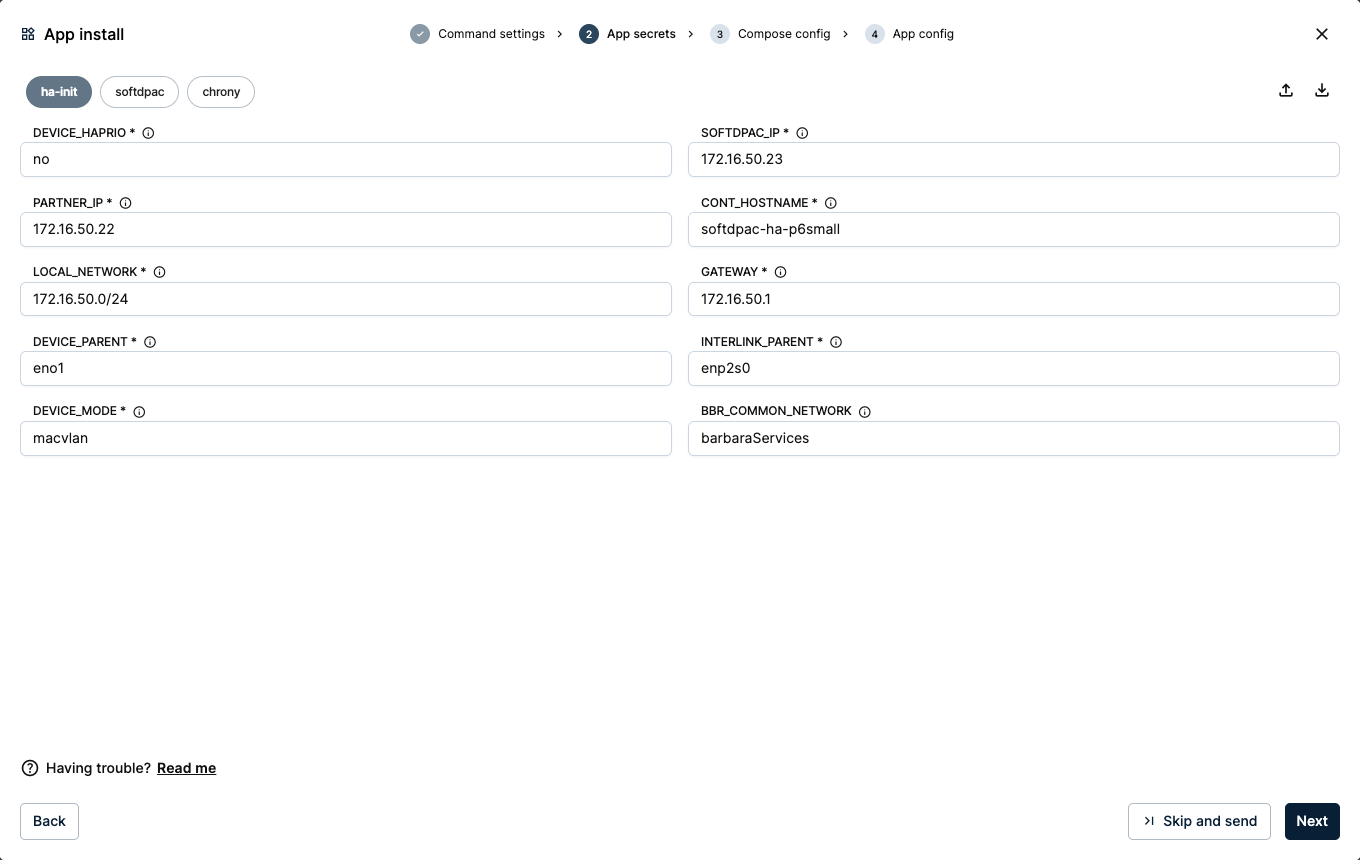
App secrets for the secondary node
CHRONY_PEER_IP must be the primary node's host IP (its Barbara OS IP, 172.16.50.170), not its PLC IP. Getting this wrong breaks the clock sync, and the pair will not run.
Keep the Compose config at its defaults and send the application with Skip and send, exactly as on the primary node.
Verify the pair
Both nodes now run a workload that reads Started with its four services running: softdpac, cs-server, chrony and ha-init.
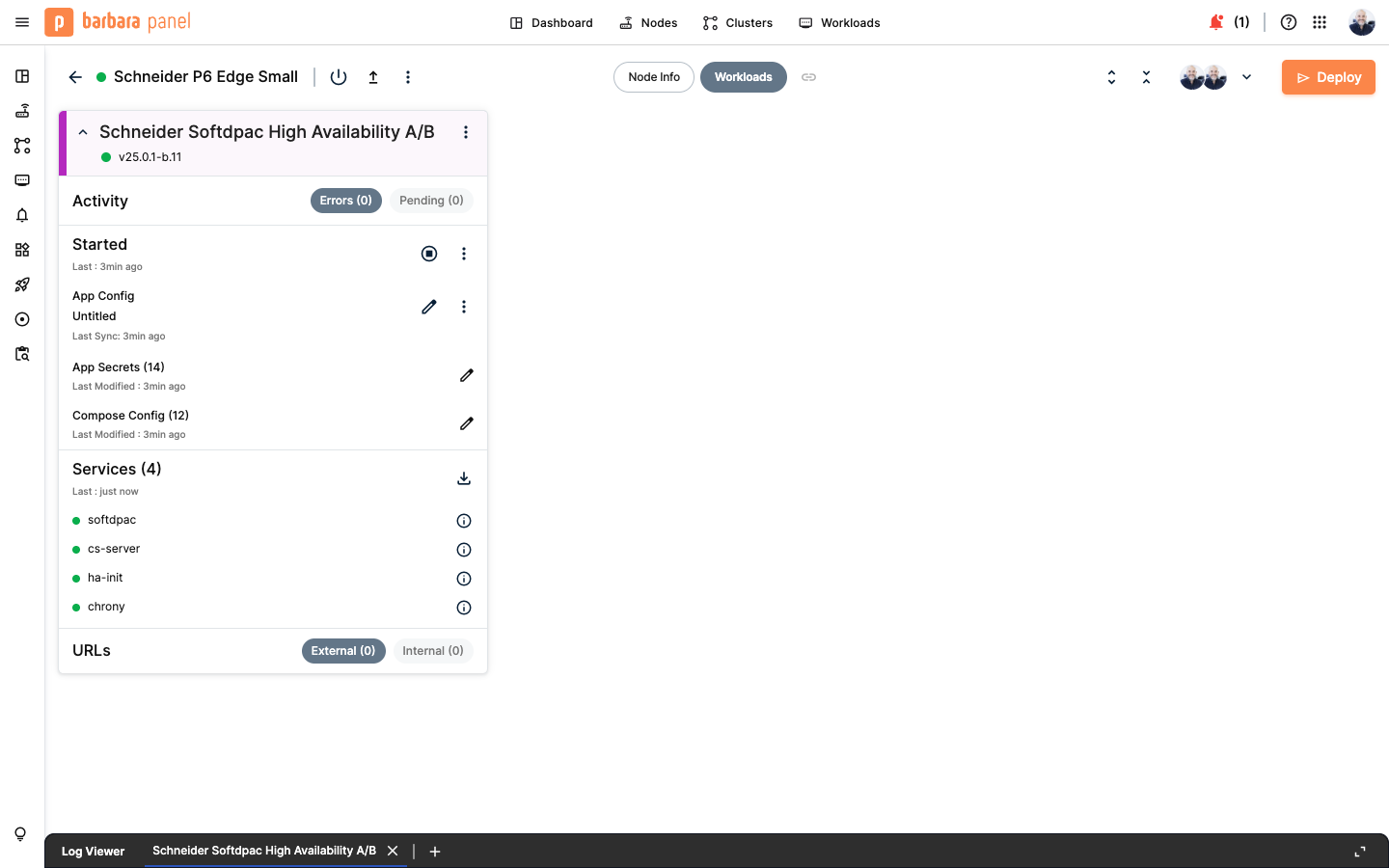
Secondary node workload started
The pair now synchronizes over the interlink: one controller is active while the other stands by. You confirm which node is active from EAE in the next step.
If the deployment fails with invalid pool request: Pool overlaps with other one on this address space, a Docker network from a previous deployment is still on the node and overlaps the device network's subnet. Remove the failed workload, then open the node's actions menu (the ⋮ icon on the node's detail header) and run Docker Prune Containers and Docker Prune Networks. Deploy again once the leftover networks are gone.
Summary
The pair is deployed and synchronizing over the interlink. Barbara runs both controllers as first-class devices on your LAN, ready to fail over for each other. Next, connect from EAE and run your IEC 61499 application on the pair.
Continue with Connect from EAE and run your application.